WB10: annoyance with "fourth button" ...
 WinCustomize Forums
I think I asked about this years ago, and don't think there was any fix back then, but it is becoming a bigger issue for me recently because my hand is getting twitchier on the mouse!! (I'll be 70 years old this month)
At *least* three or four times per day, I'll reach up to minimize a window, but will hit the edge of that "fourth button", which does that 'collapse to title bar' trick... That is *really* annoying!!!! I have *never* used that title-bar-only display, I don't find it useful at all, but it didn't matter in the past when my hands still did what I told them to!!
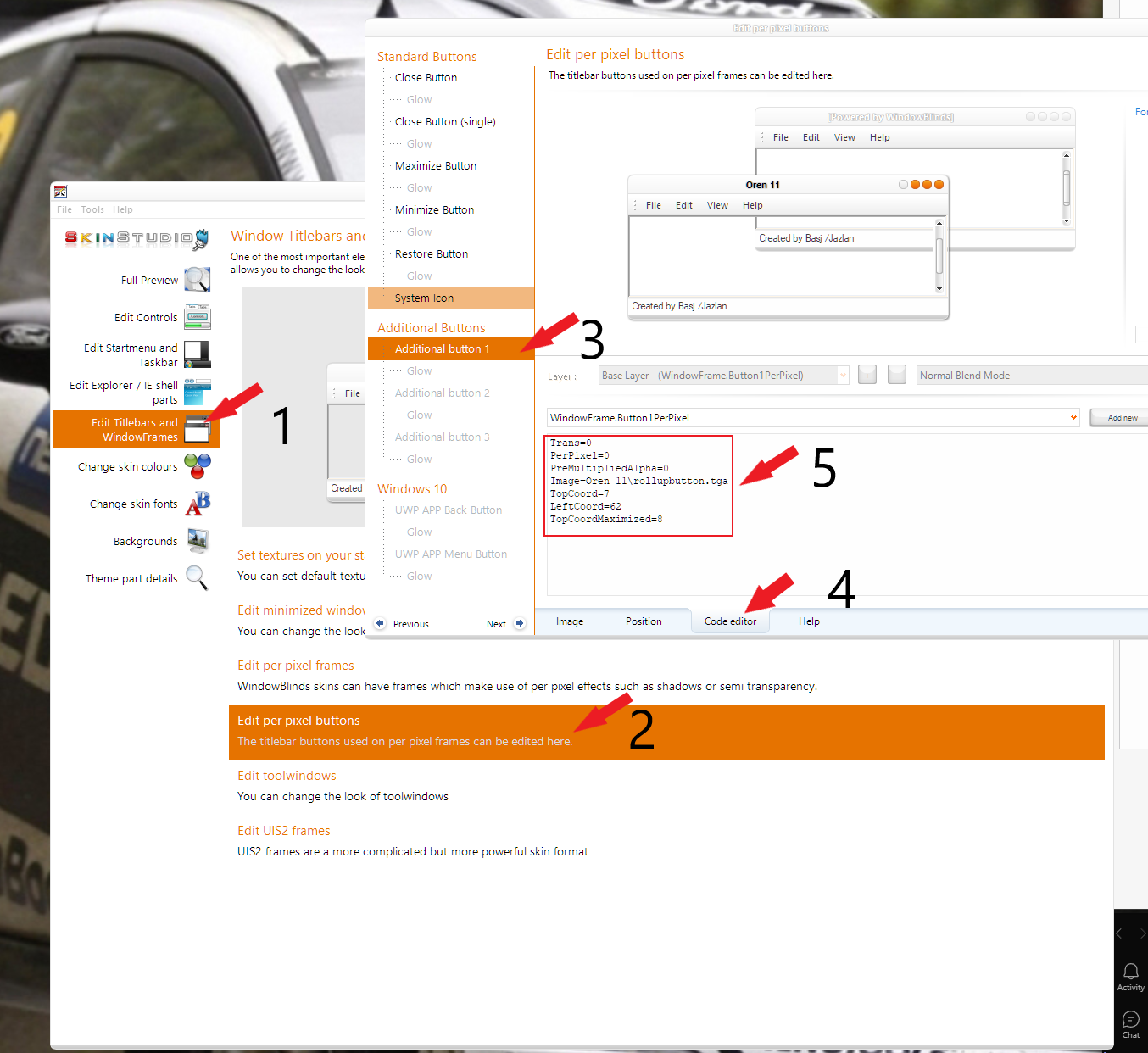
Is there some way I could just disable that fourth button on the title bar?? I've looked through all the options screens and there doesn't seem to be anything relevant there... but maybe in one of the style-editing programs??
I could probably fall back on SkinStudio if necessary, but I would need some simple, one-click method for this, as I really don't want to break any of my themes...
 Stardock Forums