Start 11 windows 22h2 ver. issue
Taskbar issue
Windows 22h2 build 22621.521
Start 11 ver 1.27
If you put the taskbar up, search box, notification center, calendar are displayed as if the taskbar is still at the bottom
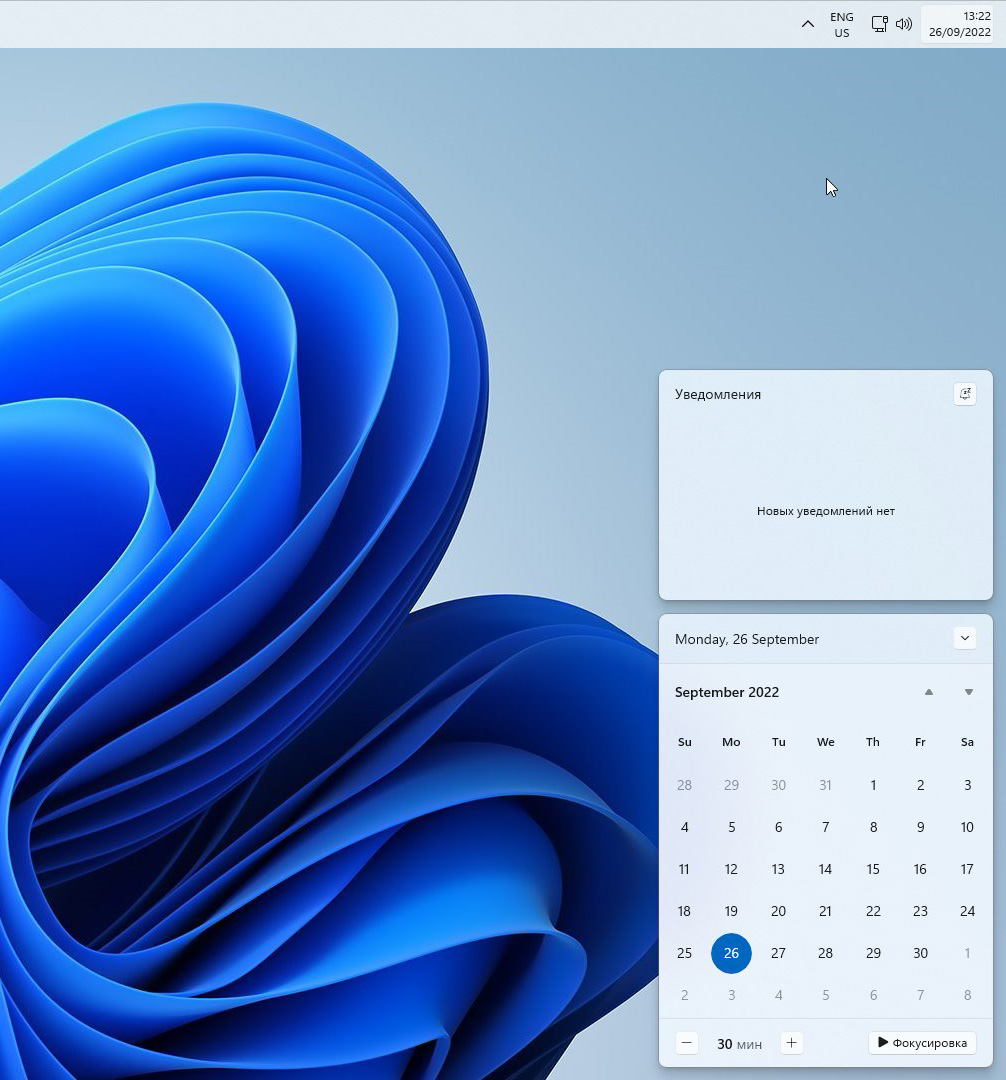
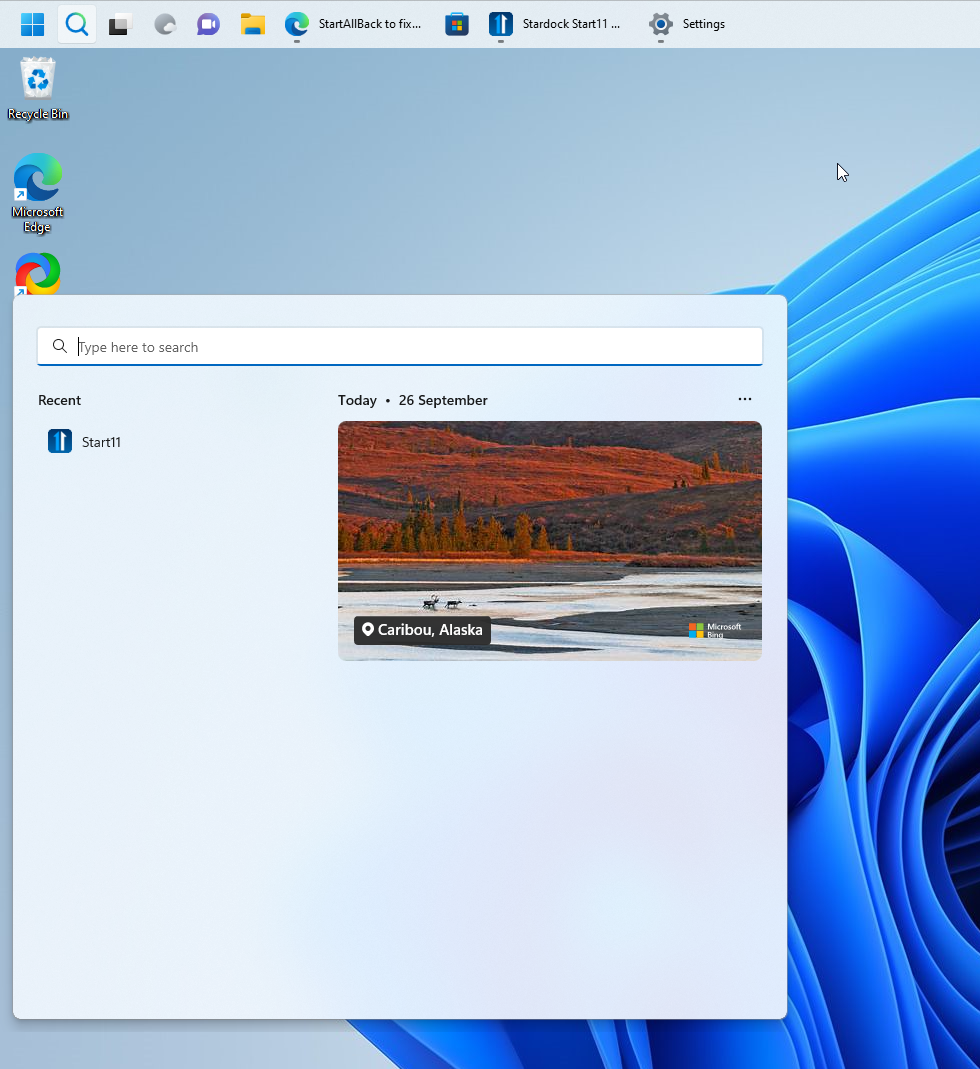

Taskbar issue
Windows 22h2 build 22621.521
Start 11 ver 1.27
If you put the taskbar up, search box, notification center, calendar are displayed as if the taskbar is still at the bottom


Hello,
I have forward your problem/question to Stardock Support Team for their assistance. Please keep an eye on this thread for any updates. We appreciate your feedback and patience.
Basj,
Stardock Community Assistant
Edit: Nevermind, just realized it is a Beta version
+1 on this issue for Taskbar on top.
Windows 22H2 build 22621.521
Start11 v1.25
After upgrading windows to version 22H2, the taskbar is no longer visible. I have to toggle off the "Let start11 enhance the taskbar" to make it visible again. Do you have a fix?
Hello,
Sorry to hear you are having issues. Need to know full Windows 11 full version number please. Also you on Start11 V1.27?
Thanks
Basj,
Stardock Community Assistant.
The complete windows version is 22H2 (OS build 22621. 608). I was using Start11 V1.25 and upgraded to the beta version 1.27 (from Account settings) and the start menu works properly again. Thanks.
Issue still occurs in Start11 v 1.3 and Windows Build 22621.674
If a Start11 start menu is used it is displayed at the top. However the Calendar and Notifications are displayed at the bottom.
This is because that's where those windows are placed. One of those compromises when you use a top taskbar when the OS assumes everything is at the bottom.
Welcome Guest! Please take the time to register with us.