


Start 11 changes background color
from  Stardock Forums
Stardock Forums
Device name Vijer
Processor AMD Ryzen 7 4800H with Radeon Graphics 2.90 GHz
Installed RAM 16.0 GB (15.4 GB usable)
Product ID 00330-50000-00000-AAOEM
System type 64-bit operating system, x64-based processor
Pen and touch No pen or touch input is available for this display
Start 11 Version 1.24
As you can see in the first image, I have selected black for the background.
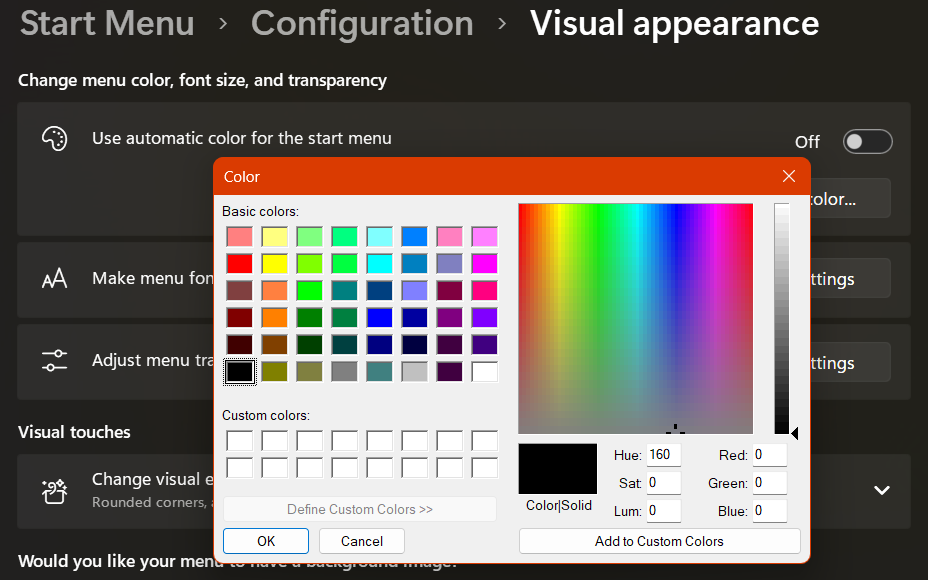
I have transparency set to 45%.
In the second picture, you can see that the background is white. But sometimes it is black. But not always.
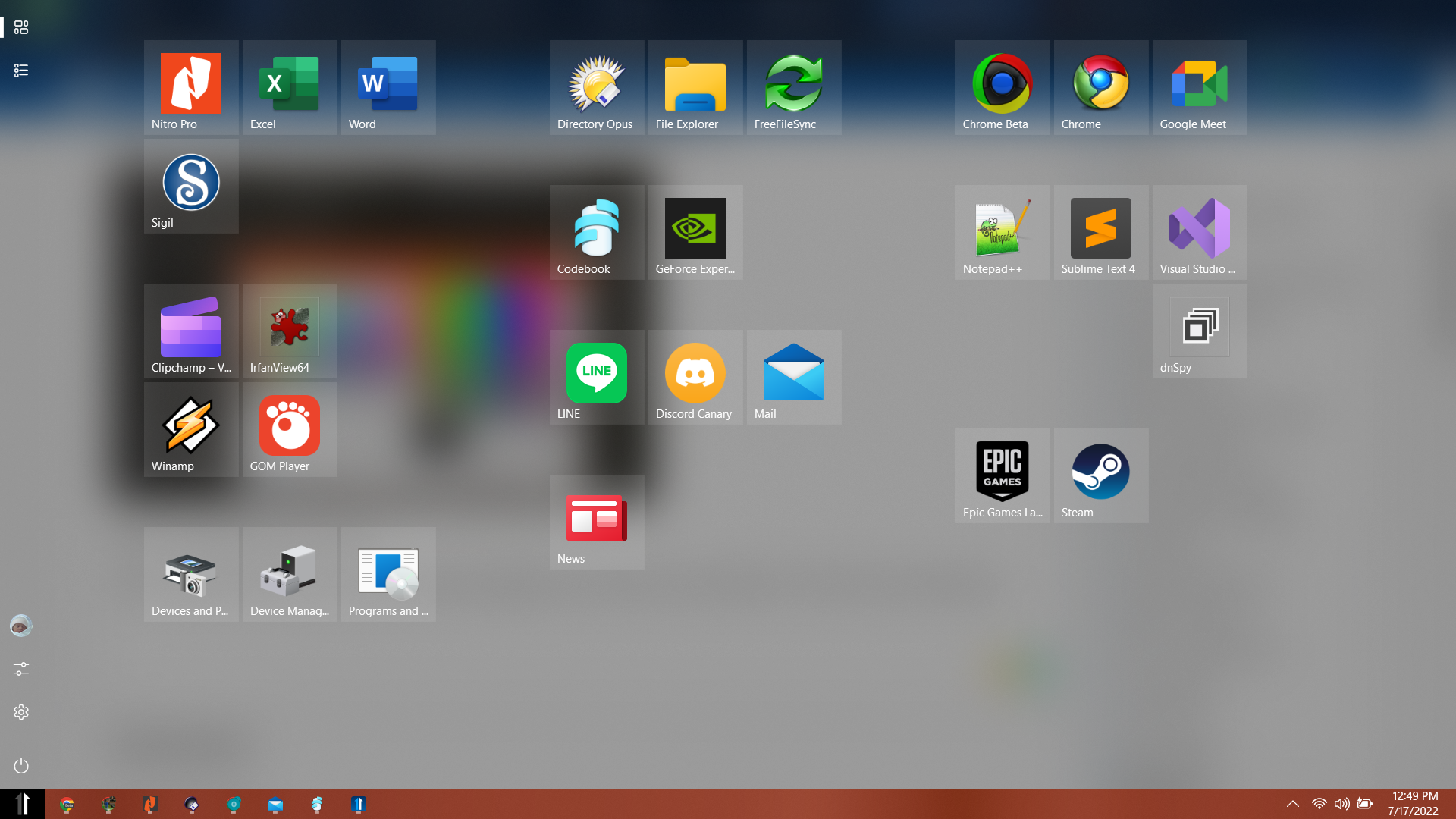
How can I fix this?
