Moving Fences

Something's changed (and upgrading to Fences 4 hasn't solved it): I don't seem to be able to move my Fences anymore.  I think there used to be a little icon I could "grab" at the left side of the heading of a Fence that would let me drag the Fence to a new location on my desktop, but that icon seems to have disappeared.  Did I do something to hide it?

I've got desktop icons that are now "behind" three of my Fences and I can't move the Fences to get my icons out from "under".

I'd appreciate any help.

Peter
5,349 views 5 replies
Reply #1 Top

Hello,
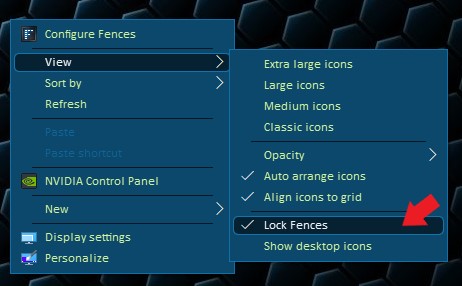
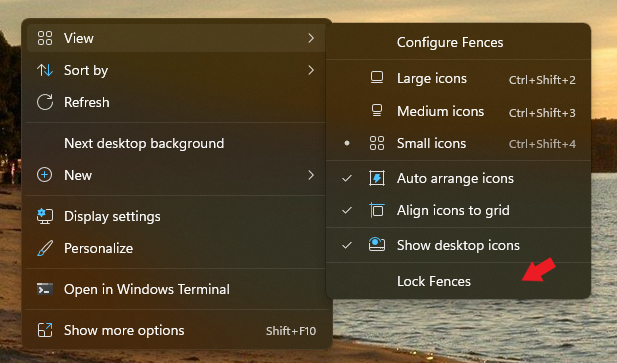
Sorry to hear you are having issues. Please check if you have not lock your Fences. If you did please unlock and try again.

Thanks
Basj,
Stardock Community Assistant.

Reply #2 Top

Thanks for the reply, but I don't seem to have a menu anything like yours:My Menu

Reply #3 Top

That menu is from your right click on your desktop. Those for Windows 11. If you on Windows 10 it should be something like below.

Thank you,

Basj,
Stardock Community Assistant

Reply #4 Top

Thank you - I finally found it!  I really appreciate your help.

Reply #5 Top

Great, glad to help.

Thank you,

Basj,
Stardock Community Assistant