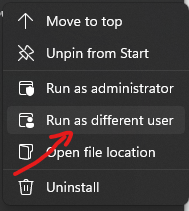
Start 11 - Right click > Run as different user
Am I missing how to get this option on any of the start menu replacements? I use this dozens of times a day for work and can't seem to find a setting to bring this back.
Stardock will be closed for the week starting on Monday, June 29th and we will be returning on Monday, July 6th. We will be monitoring support tickets and forums during this time but expect delays in responses during this time.
Am I missing how to get this option on any of the start menu replacements? I use this dozens of times a day for work and can't seem to find a setting to bring this back.
Sorry you having issues.
What version of Windows..full numbered ?
What version of Start11.
AzDude
Widows 11 21h2 build 22000.708
Start11 version 1.24
I'm not sure if it was there before. I am a new user with the 30 day trial. I was planning on buying it until I noticed I couldn't do that.
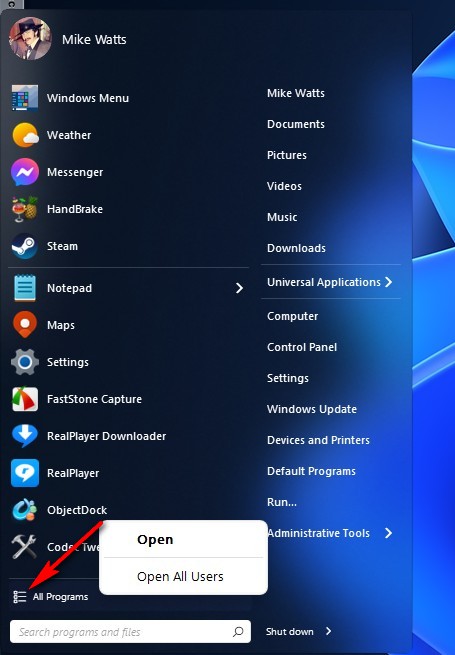
Are you talking about this , right click where the arrow is pointing

Do you mean run as a different user or run as admin?
I mean run as different user. I use this dozens of times a day on my work machine to run programs under a completely different user account.
Here is the option I am looking for in the right click menu in the start menu.
Welcome Guest! Please take the time to register with us.