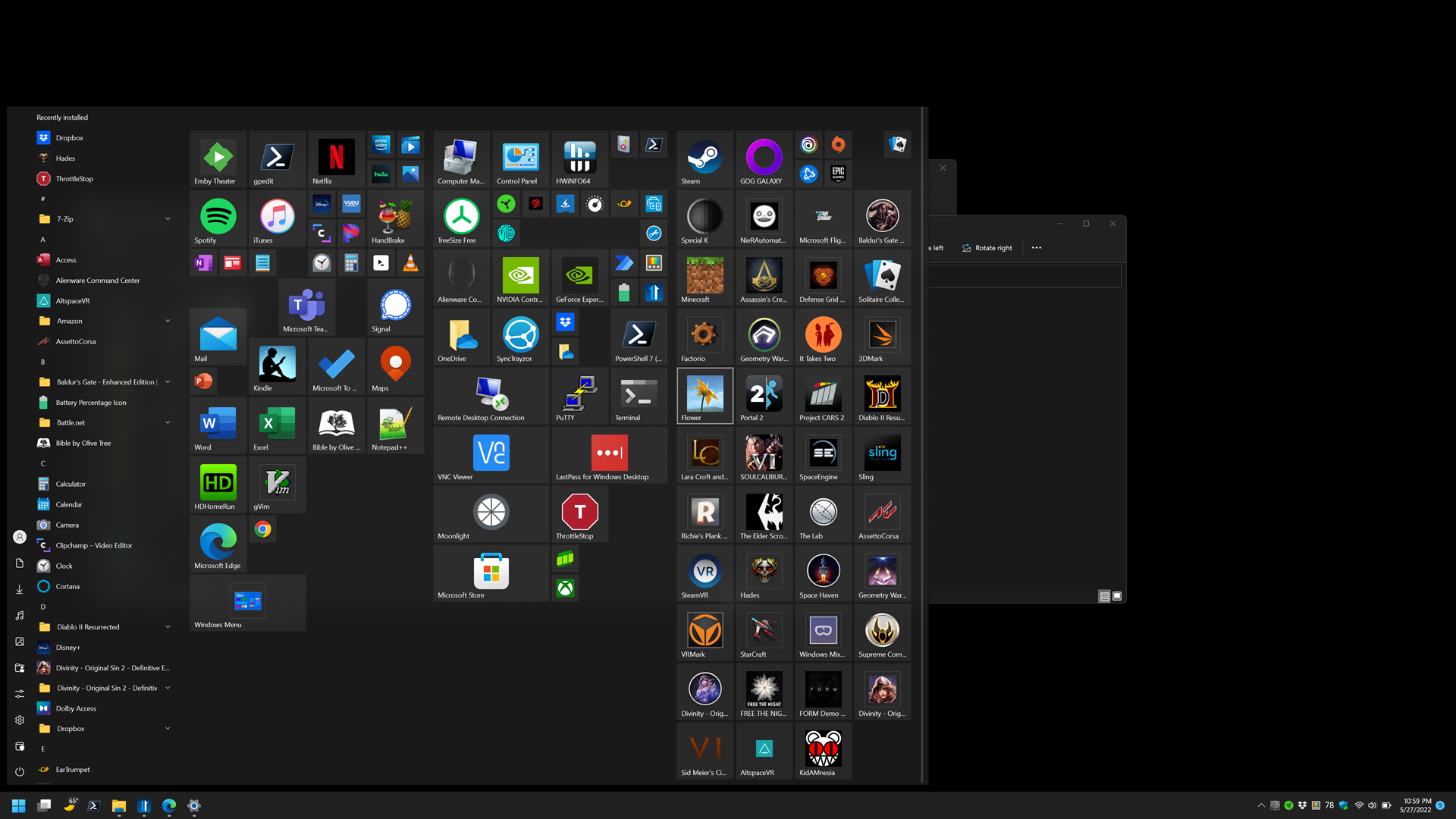
Start11 start menu has randomly small icons in start menu

Hi, I use Start11 1.24 on Windows 11 Pro 21H2 22000.675 on an Alienware m15 laptop. I use the Windows 10 style Start menu, which is mostly great.

However, I use it extended on two external monitors during the day and on the built-in display otherwise. On the external monitors, everything looks normal. However, when I switch to the internal display, some of the icons are small. The box is the correct size, but the icon itself is small. When I switch back to the external displays, everything is fine again.

I have attached an image showing it on my built-in display: For example, you can see it with several of the games on the right side.

Thanks for any help you may be able to provide.

Dylan

 

3,617 views 3 replies
Reply #1 Top

Hello,
I have forward your problem/question to Stardock Support Team for their assistance. Please keep an eye on this thread for any updates. We appreciate your feedback and patience.

Basj,
Stardock Community Assistant

Reply #2 Top

This is normal.

If an icon is low resolution Windows will only scale it up so much before deciding to put it in a frame.  I imagine the main display is higher dpi than the external displays so the requested icon is larger.

You would see the same behaviour if you browsed to where the game shortcuts are in explorer and had explorer in a larger icon size view.

You can right click on the icons in start11 and pick a custom image for them which wouldn't have this issue.

Reply #3 Top

Thanks for the reply. I have to say that surprised me, but you are right that I see the same behavior in Explorer. Both the internal and external monitors are 4k, but the external one is 27" and I run it at 150% scaling, whereas the internal is set to 200%.

What is more confusing to me (and I admit I don't understand how Windows does this scaling), is that when I set the internal screen to 150% rather than 200%, the actual physical size of the icons is larger. In my mind, the rendered screen size for the various GUI elements would be smaller when set to 150%, and in fact everything else in the GUI is smaller, except for the icons themselves. They are bigger. I have attached an image with the internal screen set to 150%:

Internal screen set to 150%

While this behavior is exactly what I see in Explorer, it is not at all what I see in Windows 10 start menu. In Windows 10, the icons are never scaled up at any desktop scaling setting. They remain small no matter what unless they are large icons.