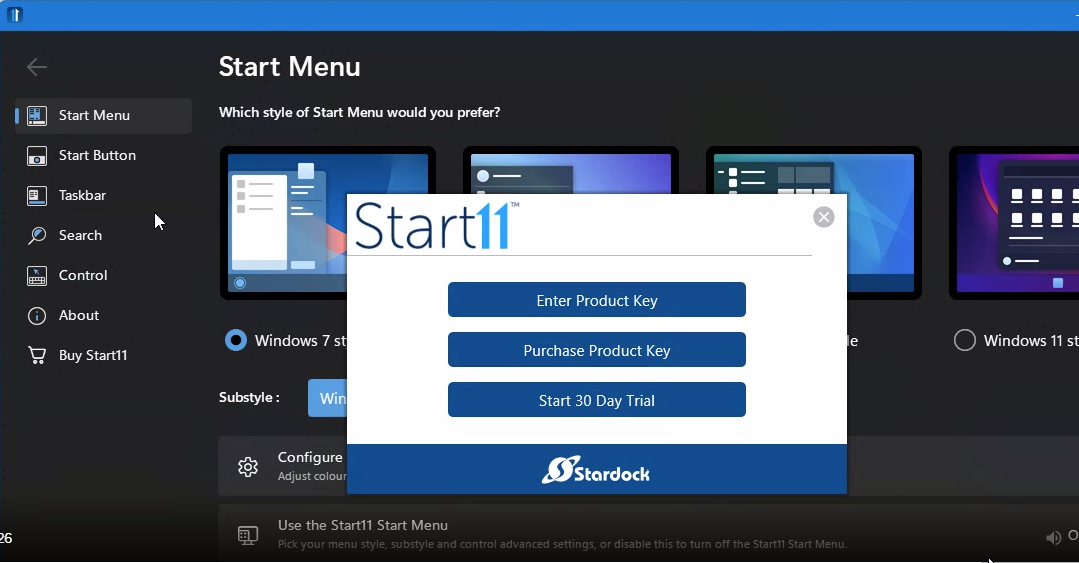
Cannot activate Start11

Trying every possible fix

I've tried everything, the beta, the normal, etc. I was working on my HP laptop but I had to reset it yesterday and now I get this upon install. I even bought it again yesterday. No chance to enter any key, or do anything else. I've deactivated my license, but that had no effect. 


The cmd line doesn't work, if it does for anyone else, can someone please reply how EXACTLY it needs to be entered in cmd? Here's the original. I do of course know to enter my own email and license. 

Start11:
"C:\Program Files (x86)\Stardock\Start11"\SASUpgrade.exe -prodId=2663 -prodName="Start11" -company="Stardock" -ver="1.0" -email="USER@USER.COM" serial="PRODUCTKEYGOESHERE"

Any other ideas welcome. 

4,619 views 11 replies
Reply #1 Top

Hello,

Would you do this PURGE: https://forums.stardock.com/505872/start11-support-faq#reinstalling

Reboot and ReInstall the latest version from your account page as there is a newer version just

released today v1.24 https://store.stardock.com/myaccount/products/

Reboot , test and report back , please .


AzDude
Stardock Community Assistant

Reply #2 Top

Thanks for quick reply. Exact same problem happened. Installed the 1.24 beta in my account. Same error popup. I ran the purge successfully, rebooted. No changes to my issue, still cannot get past that popup error screen. 

Reply #4 Top

Created all new msft account on my laptop. Ran installer, same popup. 

I'm not doing a clean boot, I've hit my frustration point. I've already spent hours on this. I appreciate you helping me, but nothing should be this difficult. Maybe the cmd command for activation would work but I need to know the exact syntax as it's not currently formatted correctly, something is off. 

Again: start11 was working on my laptop until I had to reset it (graphics issue). 

Reply #5 Top

Are purposely trying to use the command line activation? Are you not getting the "normal" activation screen as soon as you install?


Paul Scroggins
Associate Technical Support Analyst

Reply #6 Top

I saw that in March when I successfully installed. Now, since the reset, it's just the error popup (scroll up) I posted earlier today here (says cannot activate).  I tried to use the cmd activation but something in the path isn't right, instant error. If you give me the exact syntax I can retry. 

Reply #7 Top

Your install of Windows 11 has been broken by a recent Microsoft update which is why this is happening.

They failed to test the most recent updates and on some computers they have broken the .net 3.5 framework support.

One option is to reinstall the .net 3.5 framework I believe or uninstall Microsoft's latest patch until they fix it.

Reply #8 Top

Aha, well I'll try that dot net reinstall. Never could have figured this out without your help.

Thank you !! 

Reply #9 Top

Ok so I was able to open it without the activation error popup. I ran this apparent .net 3.5 fix from cmd: 

DISM /Online /Enable-Feature /FeatureName:NetFx3 /All

So now it opens but it's mostly frozen. Can't activate, as that button doesn't do anything. But at least I have a few accessible options. Will keep trying.


Reply #10 Top

toward the bottom of this article is a couple of solutions to the latest Windows 11 update

link

Reply #11 Top

I activated! It was def the dot net stuff, per the immediate above. Needed to install/enable.

Thanks for helping me!