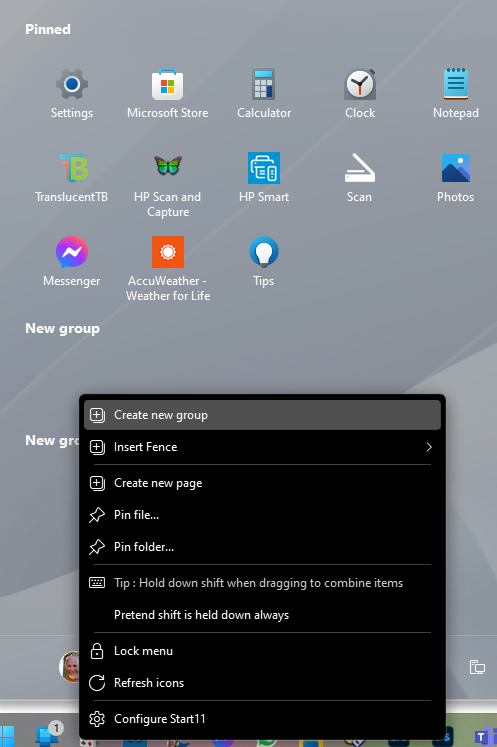
You can delete a group by right clicking on the title of it and picking delete. (This isn't an option for the top most group in the Win11 style)
Obviously this isn't normal behaviour for Start11 so there must be a conflict between something else on your computer and we would very much like to resolve the issue if we can.
Do you run anything else at Startup like DisplayFusion?
We would really like a dump file from a crash if you are willing to use WinDBG to capture it.
https://www.microsoft.com/en-us/p/windbg-preview/9pgjgd53tn86?activetab=pivot:overviewtab
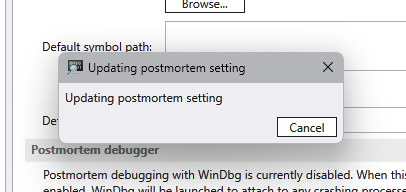
Once installed, you would make it the default postmortem debugger:

When a crash happens, it will pop WinDBG and PC could become rather slow will it works through it.

Example of what you would type there:

   .dump /mf c:\users\sdrohan\desktop\Start11_RiverComb_04062022.dmp

The dump command (with the period), the /mf switch, where you want it put, and a name that indicates what app
that its yours, and the date.

When it is done, you can click the red 'Stop Debugging' button:

It will likely be BIG, perhaps hundreds of MBs. If you could zip it and share a link to an upload to a cloud drive service, that would be much appreciated. If you don't want to put the link here, you can PM either myself or sdRohan:

Please note that we are only interested in crashes from explorer. It is surprising how often other things crash on a computer that go unnoticed until a debugger is set to launch on a crash 
You can tell if it is explorer by scrolling to the top of the windbg window that opens up and look for explorer.exe near the top.
Once you have this you can undo setting it as default post mortem debugger by going into windbg settings and clicking that button again.

 Stardock Forums