Start11 Clips Top of Taskbar Quick Settings

Windows 11 212H build 22000.593   (Fresh install)

Start 11 v0.90

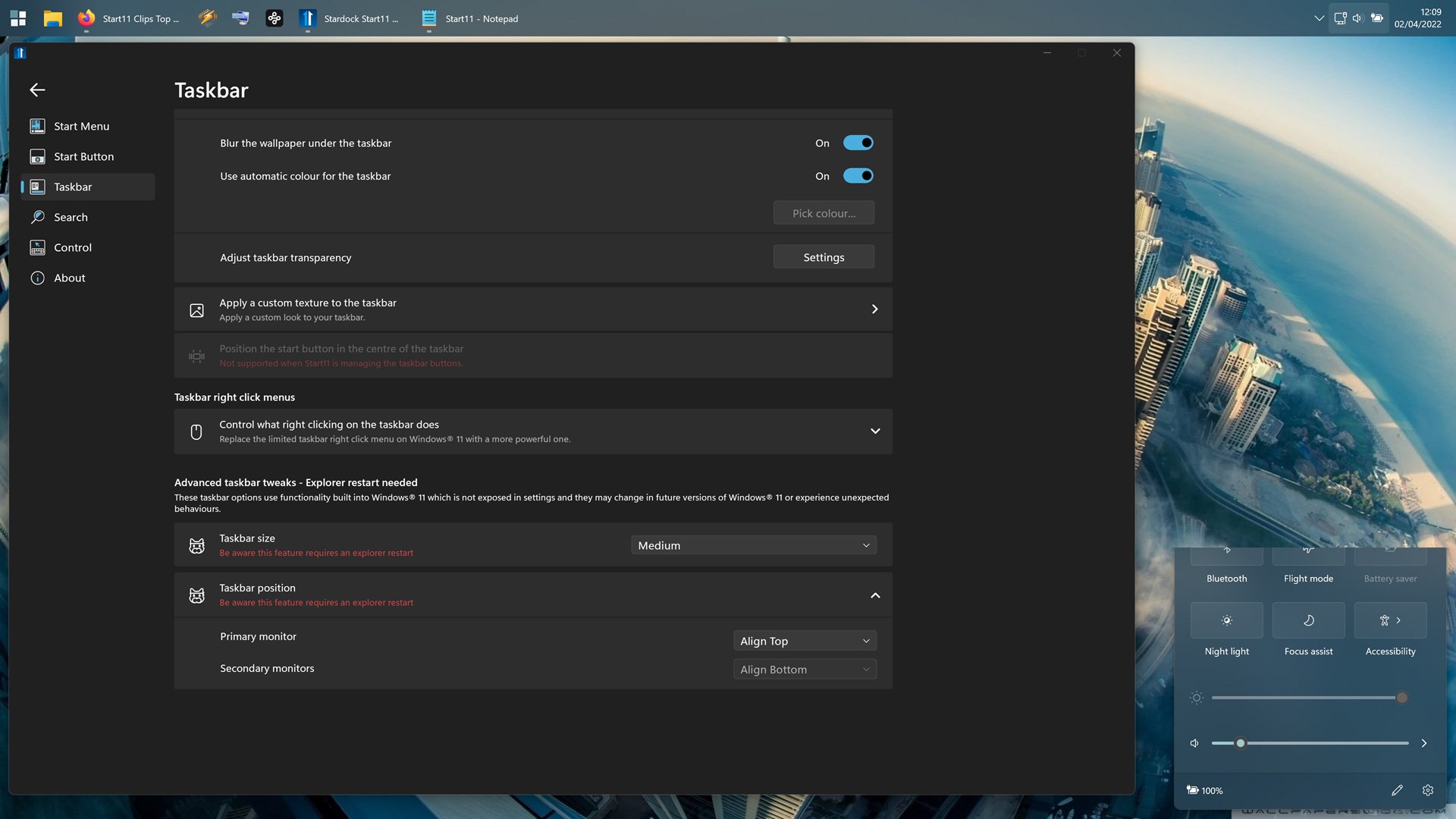
Top of quick settings from taskbar toast is clipped at the top.  Clean install Win11.
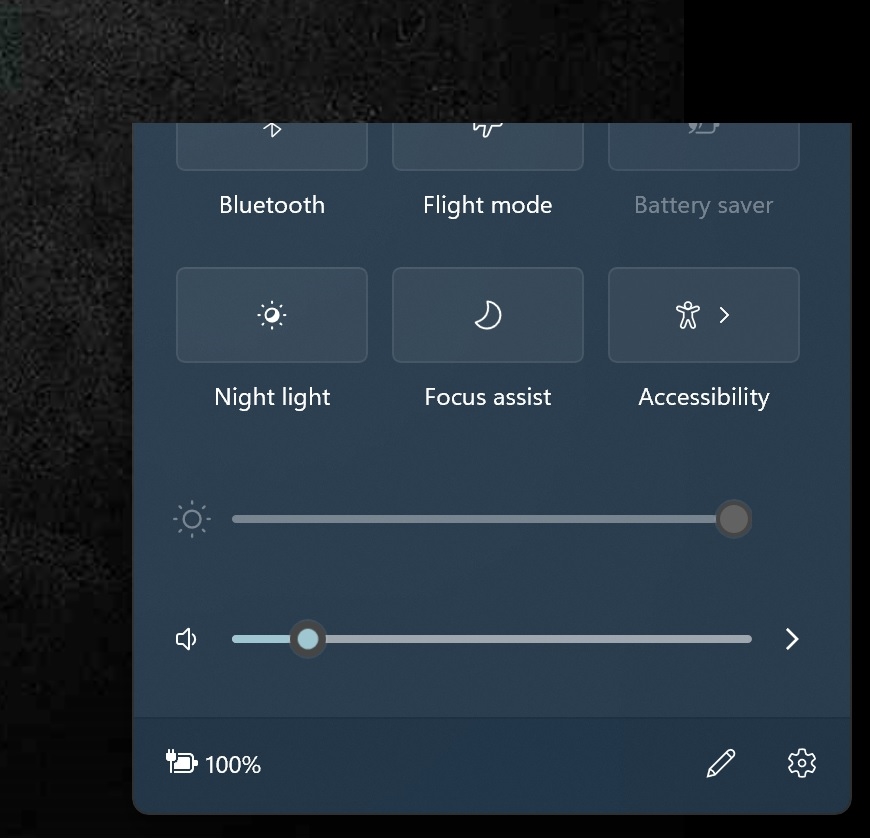
This occurs only when I align my taskbar top of screen which is my preference and the reason I bought Start 11.

If I have a media player open the windows panel is extended at the top to show media player controls but these are again clipped at the top ... there should be rounded corners at the top of media player panel.

I've tested if windows display scaling is affecting this as I use 200% however setting it to 100% gives the same result.

nb. Am using wallpaper / colour rotation hence difference in colour theme.

Please advise.
2,447 views 10 replies
Reply #1 Top

Hello,

Please use the latest version of Start11. You can get it from your account/product page. This issue has been resolved since V1.16. Please uninstall your current version. Reboot, reinstall the latest version V1.19 beta. Reboot, and retest it.

Thank you,

Basj,
Stardock Community Assistant

Reply #2 Top

Thanks for your swift reply

Ive installed the latest beta v1.19 as you instructed.

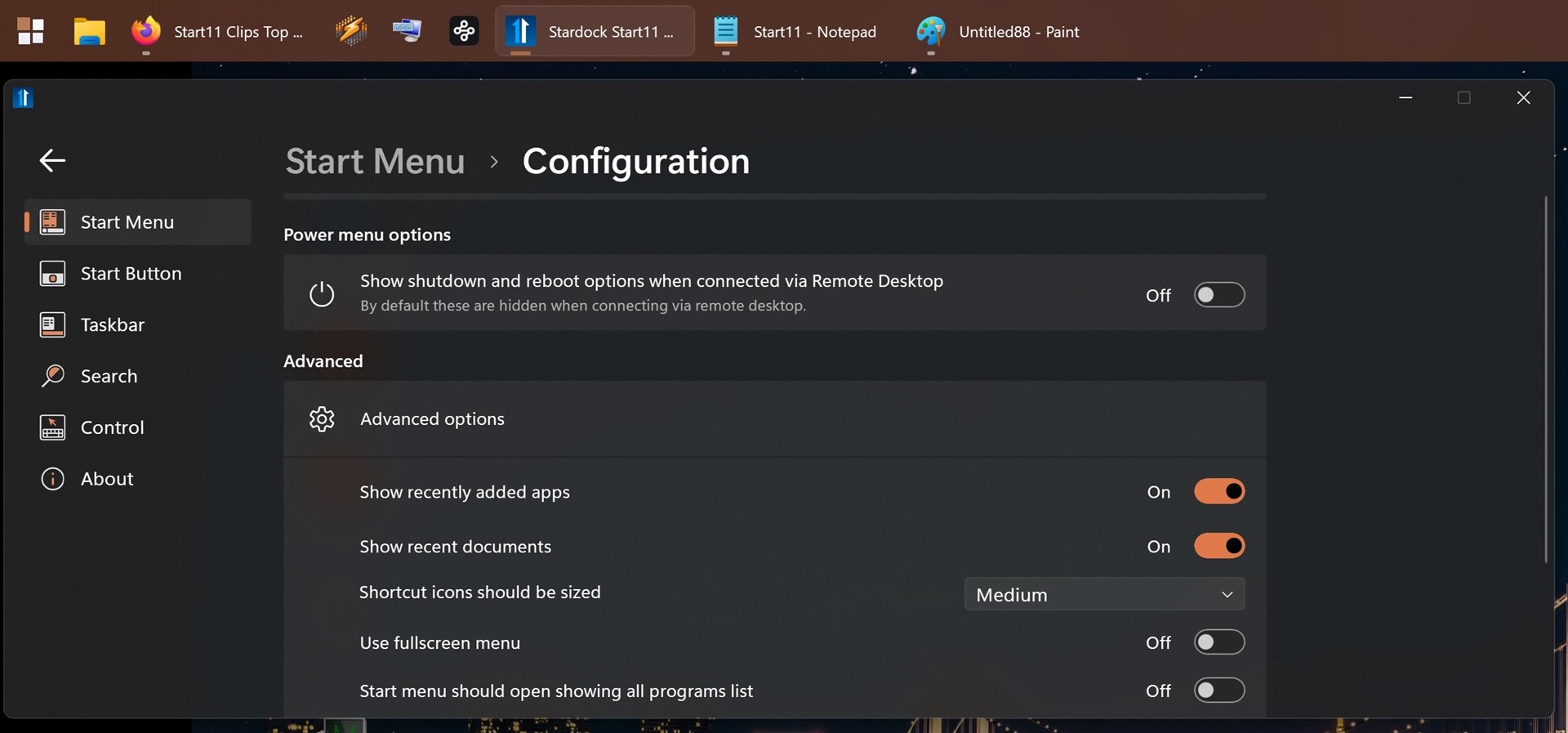
My panel clipping condition is exactly the same, Also the GUI in start 11 is broken as I cannot scroll to the top of the options within the Taskbar configuration.  The top of the options are obscured.  Maximizing the window wont reveal the top most options on the Taskbar configuration window.

This leaves me in a worse position than before because I now cannot reach or scroll to the option in Start 11 to center the icons on the taskbar!.

Please advise :)


Reply #3 Top

The Start11 gui is scrolling hard to bottom of options panel in Start Menu Configuration as well.

If I resize shrink the gui for vertical scroll bar I cannot scroll to the very top of the options hence the thin grey bar at the top.

Reply #4 Top

Update Ive discovered the Start Menu gui scrolling problem is affected by Windows Scaling.  I use 200 but setting it 100 and the stardock start 11 gui shows all options ok.

I still have the taskbar quick panel clipping problem at 100% scaling however.


Reply #5 Top

another update!

Having reverted to and from windows scaling 200% > 100% > 200% the start 11 control panel gui is now working ok!. if thats any assistance.

Reply #6 Top

Does the issue reappear after you reboot when you still at 200%?

Thank you,

Basj,
Stardock Community Assistant

Reply #7 Top

Yes it did.

Look Ive decided to give up on this, Ive been waiting for taskbar on the right or left of screen and just found StartAllBack works this way + it does not have the clipping problem with the toast.

Ill keep the license for future installs when startdock sorts it stuff out, so no problem but Ive decided No thanks .. StartAllback works better.

Regards

Michael.

Reply #8 Top

So I also have this problem with the quick settings toast and using the taskbar at the top of the screen is the only reason why I purchased this as well.  I'm willing to perform more troubleshooting as well.

My System Info:

Edition Windows 11 Pro

Version 21H2

Installed on ‎3/‎8/‎2022

OS build 22000.613

Experience Windows Feature Experience Pack 1000.22000.613.0

Using Start 11 v1.2. 

I'm going to completely uninstall, then reinstall the beta v1.2.1.  

Will report back.

Reply #9 Top

We have found those who have reported this issue remains have found a new user account does not show the same issue suggesting something set on the original user account is interfering with the feature.