Start11 - Tile backgrounds, and visual oddity

I've just installed Start11 on my Win10 machine (after using it to restore a 10-style menu on a Win11 machine). Looks and works great on the Win11 machine. There are a couple issues on the Win10 machine though.

First... how can I get the tile backgrounds back? With both my native start menu, and the Start11 one on my Win11 machine, the tiles all have backgrounds.... 
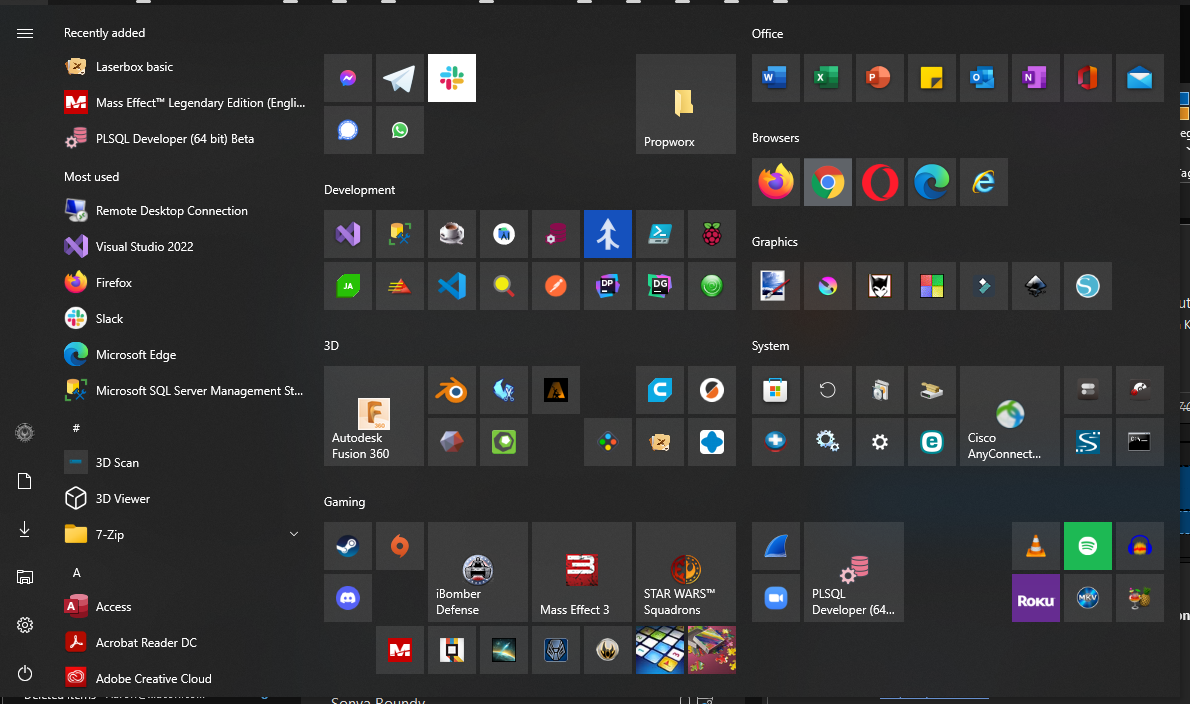
         With Tile Backgrounds

But on the Win10 machine, Start11 shows no backgrounds on the tiles....
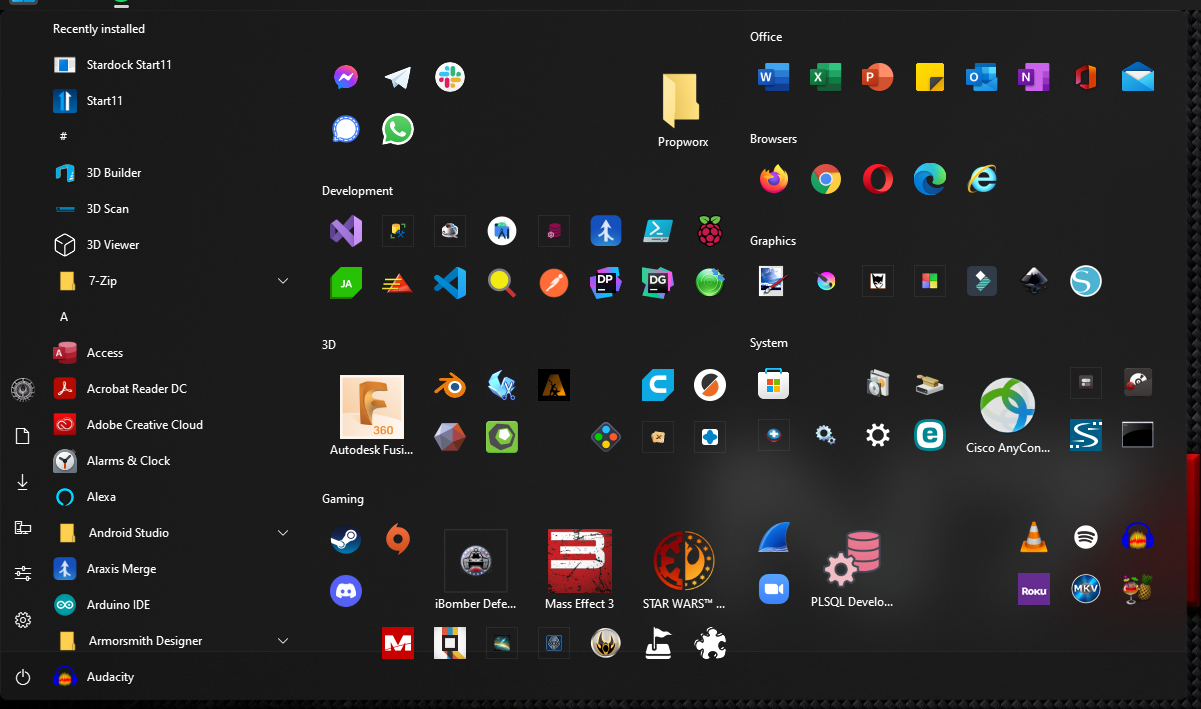
          

Personally, I find it MUCH easier to "read" with the backgrounds and would like to get them to show up in Start11 on Win10.

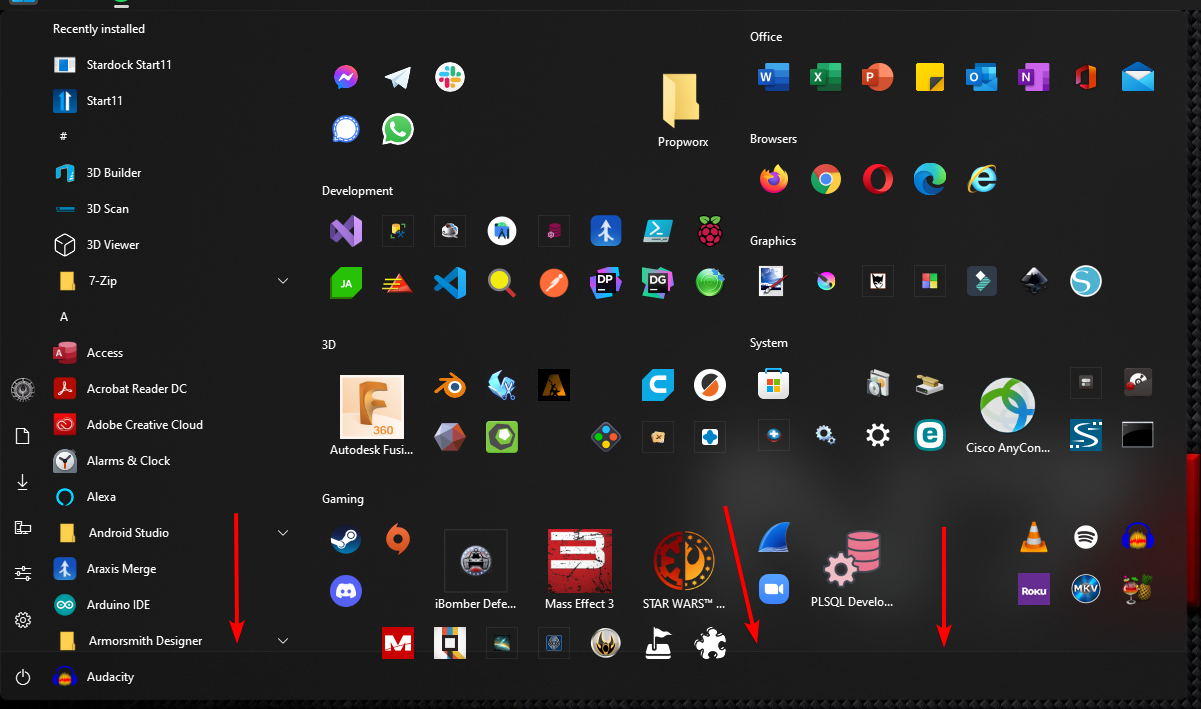
Also, in the Start11 menu on Win10, there is this weird band across the bottom of the menu, which does NOT show up in Start11 on Win11. How do I get rid of that band (called out with the red arrows below)? 
          

2,605 views 5 replies
Reply #1 Top

Hello,

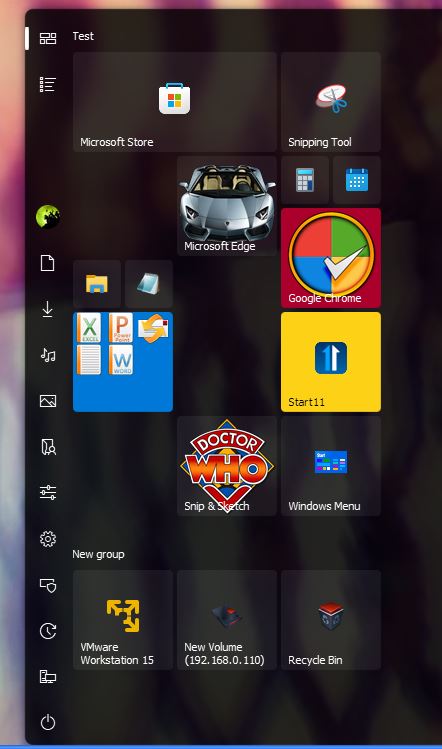
Sorry to hear you are having issues. But on my Windows 10 system, I can see the same faded gray box tile. Refer to screenshot. Excuse the mass, I don't use Windows 10 style, just testing those tiles with different colors background and different png tiles. Maybe you can try uninstall and reinstall your Start11.

Thanks

Basj,

Stardock Community Assistant.

Reply #2 Top

Make sure you have "Use Windows 11 menu style icons" turned off in the Advanced options.

Reply #3 Top

Ah-hah! That was the problem with the icons! Turned that off, and the grey backgrounds came back. Thank you! 

Anyone have any ideas on that weird bar at the bottom of the Start11 menu (only on Win10)?

Reply #4 Top

Interesting, .... actually, I was able to get rid of that weird bar at the bottom by changing the "Offset the menu from the taskbar" from Never to Always. 

🤷🏻‍♂️

Reply #5 Top

Glad you got it working the way you like! B)