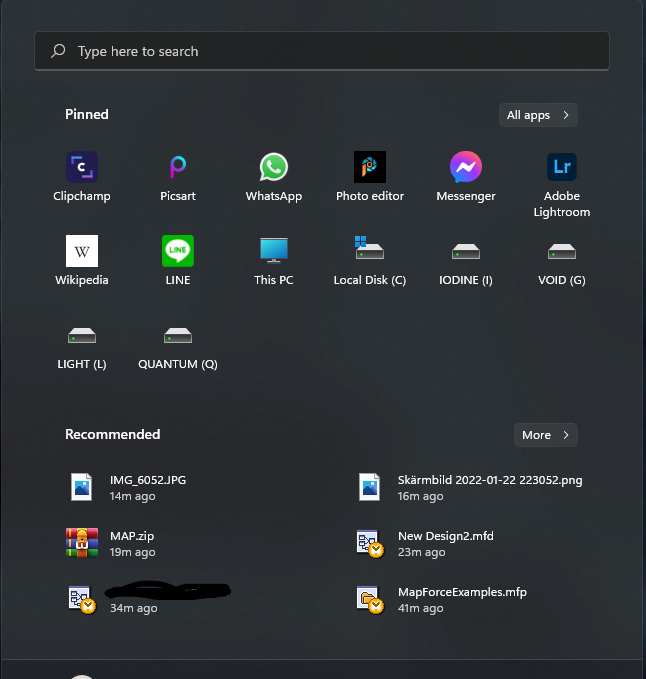
Suddenly duplicated and new icons in a long row

Hi,

Start 11 with windows 10 style on windows 11 version 21h2 build 22000.466

 Suddenly got duplicated and new icons in a long row size medium, around 20 of them.

No big deal, i started to remove them, one by one. When i reached the top i suddenly noticed that when i remove a duplicated icon, both dissapares. That was a bigger deal, now i have to redo everything i had set up.

Anyone else with this issue or any developers knows about this?

2,340 views 8 replies
Reply #1 Top

Hello,

Sorry to hear you are having issues.

Did you first try restoring from one of your snapshots when it was right ?


AzDude
Stardock Community Assistant

Reply #2 Top

Hmm, i didnt know start 11 had a snapshot save, and i cannot find it when im looking... Do you know where it is located exactly?

And just now, a new duplicate icon appers (not so pretty atm, got messy when tried to clean it up)

Unpinning the large one and all three icons dissaperes 

Reply #3 Top

Hello,

Sorry to hear you are having issues.

Remember I thought you were talking about Fences ( has a snapshot ) 

not Start11 ..


AzDude
Stardock Community Assistant

Reply #6 Top

Update

After uninstalled my start11 with purge and installed the latest beta it happened again when i was organizing it again.

First:


Then suddenly:

Reply #7 Top

How are you pinning items to the menu?

By dragging from the all programs list, by using the start11 pin menu options or from elsewhere in the OS?

Could you also post a screenshot showing what your Windows 11 menu looks like please.

Also do you just use the one menu style or also the Start 11 menu style?

Reply #8 Top

* right click meny - pin to start from explorer, and right klick pin to start 11 from start meny

* Never dragging

* only style Windows 10