Some Fences Disapear from the desktop

Two of the Fances diseaper from my 3 monitors desktop

My computer has 3 monitors, and i have many fences on all three of them, tow of the fences diapered and no longer showing on the desktop, when I attempted to have new ones with the same contents, the computer force me to add number 2 to each of their names meaning the computer still has originals  although they are not anywhere to be seen or accessed.  How can i remove those hidden ones or get them back to show up.
7,047 views 9 replies
Reply #1 Top

Hello,

Sorry to hear you are having issues.

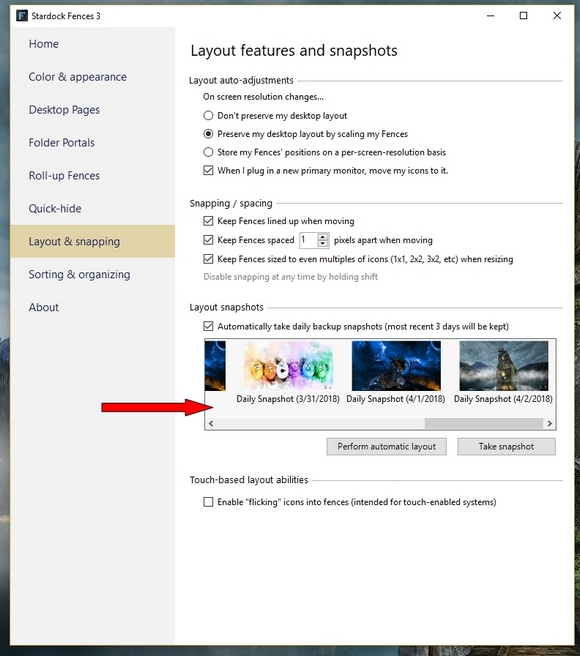
Check and use a snapshot to restore 


AzDude
Stardock Community Assistant


Reply #2 Top

Unfortunately by the time i fond out about it was too late for the snapshot, I am wondering why it happened in the first place?

Reply #3 Top

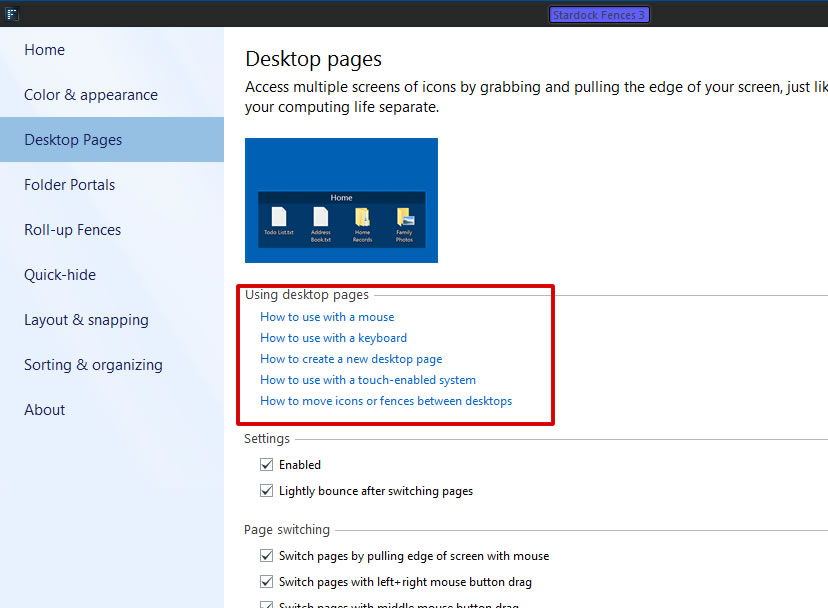
Most probably, you just move it accidentally into your other Fences Desktop page. You can learn how to navigate it or disable it altogether.

Thank you,

Basj,
Stardock Community Assistant

Reply #4 Top

"you just move it accidentally into your other Fences Desktop page"

Can that happens even when I do not have any other Fences Desktops?

Thank you for your help.

Reply #5 Top

I Created a 2nd Fence Desktop, then deleted it, after that i found the missing Fences.


Thank you very much.

Reply #6 Top

You could be having the same problem of fences being moved to another page? This was driving me nuts as I wasn't sure what program was causing this until I read about am option in Fences called Desktop Pages. If you turn this off then things should return to normal as they did for me. So frustrating it was.

Looks like a nice option, but I currently don't have time to learn something new or different.