Cannot change start menu icon
I am unable to change the start menu icon with Start11. I can select one, but it doesn't change, even after a restart.
Stardock will be closed for the week starting on Monday, June 29th and we will be returning on Monday, July 6th. We will be monitoring support tickets and forums during this time but expect delays in responses during this time.
I am unable to change the start menu icon with Start11. I can select one, but it doesn't change, even after a restart.
Hello,
Sorry to hear you are having issues.
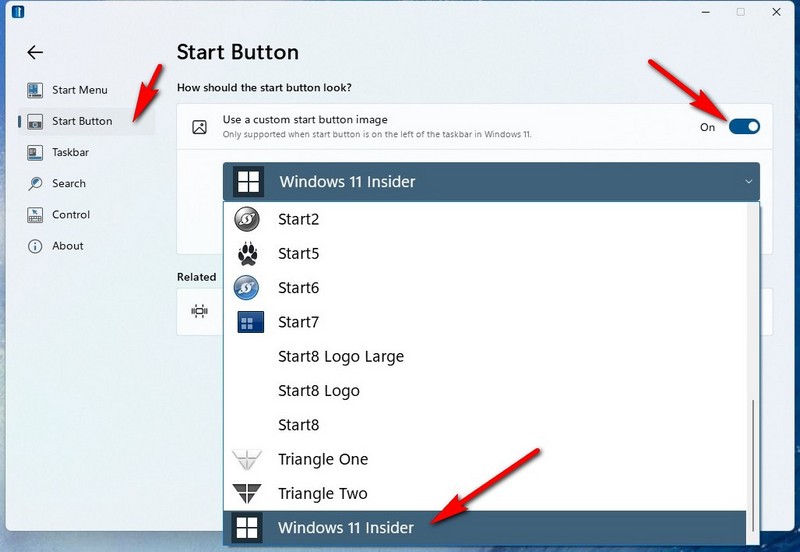
Set up to change Icons :

Should change without a reboot ..
If yours doesn't try uninstall and Reinstall with the latest version from your account https://store.stardock.com/myaccount/products/
AzDude
Stardock Community Assistant
I did as you suggested. Now my start button is just a black square, and my start menu is at the top of the screen!
I uninstalled the beta version and reinstalled the version I had (which I download very early this morning). Now my start menu is in the correct place (bottom left), but I have no start button at all, still just a black spot.
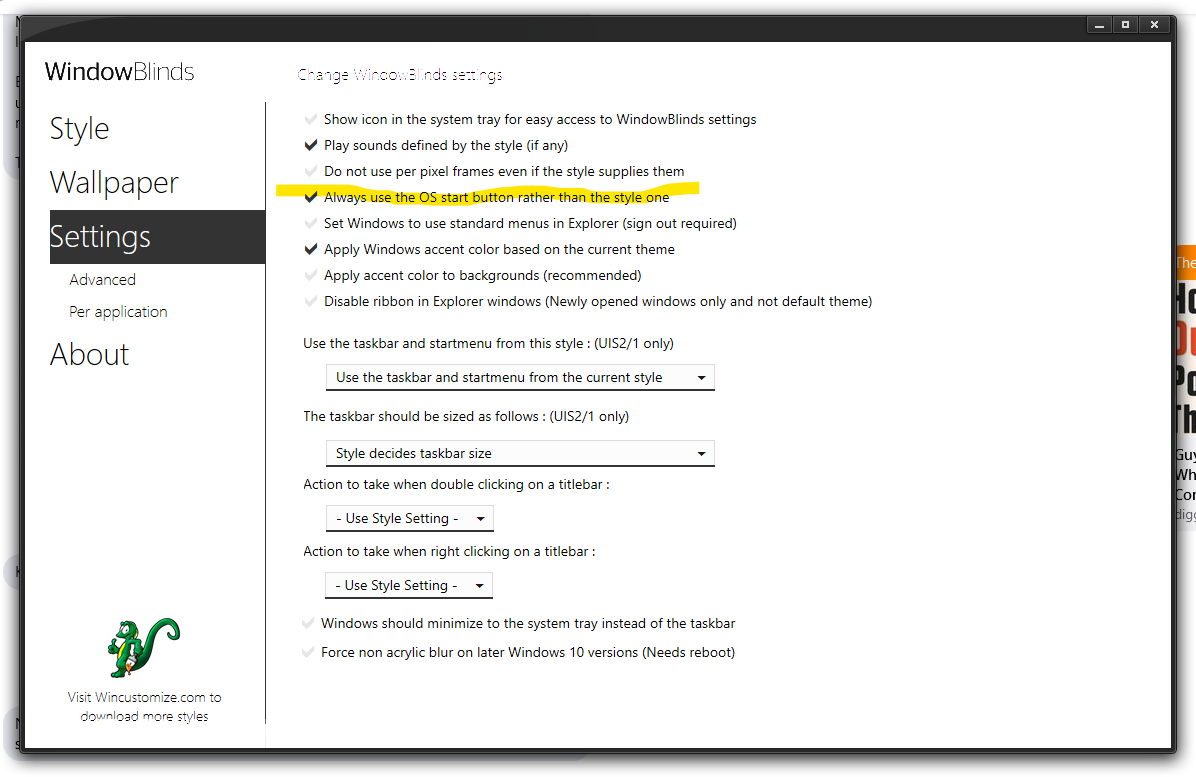
Solved the problem. It's a clash between Start11 and WindowBlinds 10. You have to tell WindowBlinds to always use the OS start button rather than the style on. Checking that box fixed the problem.

Welcome Guest! Please take the time to register with us.