WindowBlinds/SkinStudio question

Hello,

I have just been wondering if it is possible to change the colors of certain taskbar elements. I am right now using a rather dark texture on my taskbar and it causes the black colored elements to look quite dim on it. I have managed to change the color of date and time using SkinStudio, but when it comes to things like the Wi-Fi, volume and notifications icons I just don't know where in SkinStudio I can change their colors.

Below is a screenshot to give you a better idea of what I mean:

Thanks in advance and cheers

5,750 views 7 replies
Reply #1 Top

Hello,
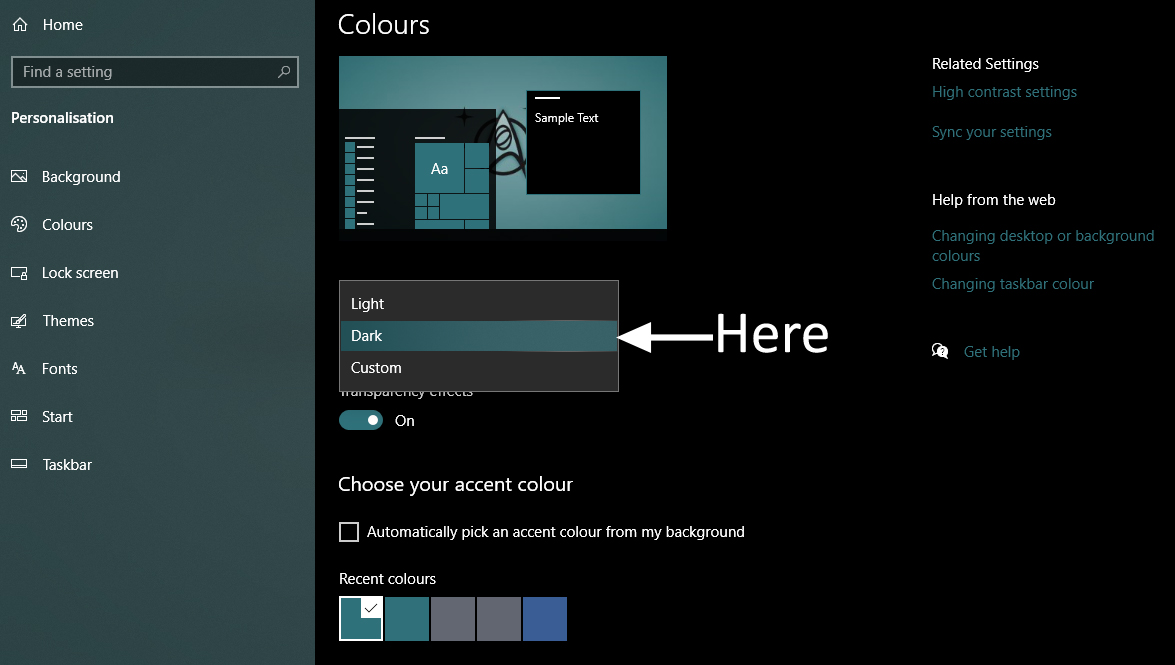
Sorry to hear you are having issues. Those elements are control by Windows Dark/Light theme itself. Its out of Windowblinds control. You can have white color element if you on Dark mode and Black color element if you on Light mode.

Thanks
Basj,
Stardock Community Assistant.

Reply #2 Top

Thanks for letting me know. I have managed to change colors of almost all elements from black to white by switching the Windows theme like you told me to, but the keyboard language icon (ENG) still remains black. Do you know if anything can be done about this?

Reply #3 Top

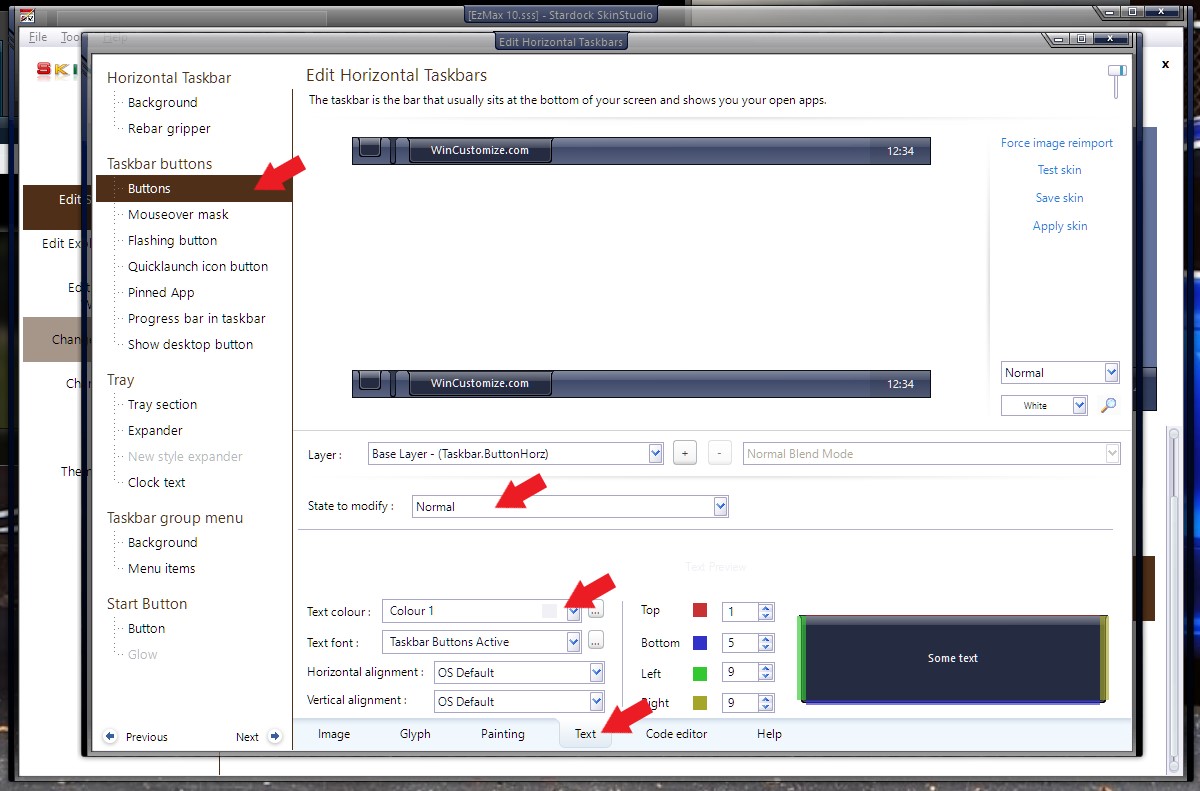
I believe that part is using the Taskbar Buttons Text font color for Normal State : Refer to screenshot below.

Thank you,

Basj,
Stardock Community Assistant

Reply #5 Top

As far as I know, the tray icons are hard coded to the windows 10 native themes. IE, "dark mode" gives you white icons and "light mode" gives you black.


Reply #6 Top

Yep, got it sorted out earlier. Thank you for responding nonetheless.

Reply #7 Top

Quoting Heltair, reply 6

Yep, got it sorted out earlier. Thank you for responding nonetheless.
Looks like I didn't read the first comments, but I'm glad you got iy sorted.