
Start11 Feature Requests
Add small features from different Windows Versions to Start Menus from other versions
from  Stardock Forums
Stardock Forums
(Most of my suggestions are for the Windows 10 menu style, because in General I like this design more than the others. It still has some disadvantages and therefor I would like to have it improved by features from other versions of the start menus.)
- Add Option to show the classical context menu in "Windows 10 Style" and "Windows 11 Style" (or add "Properties" command to the existing context menu)
So basically, I like the design of the Windows 10 start menu. I don't like the missing context menu that the old Windows 7 start menu had (or actally, I only miss the "Properties" button at the bottom. I still use it at least once a week, but since Windows 10 I have to first "Open the location", than right click the file and then click properties. In Windows 7 that worked directly).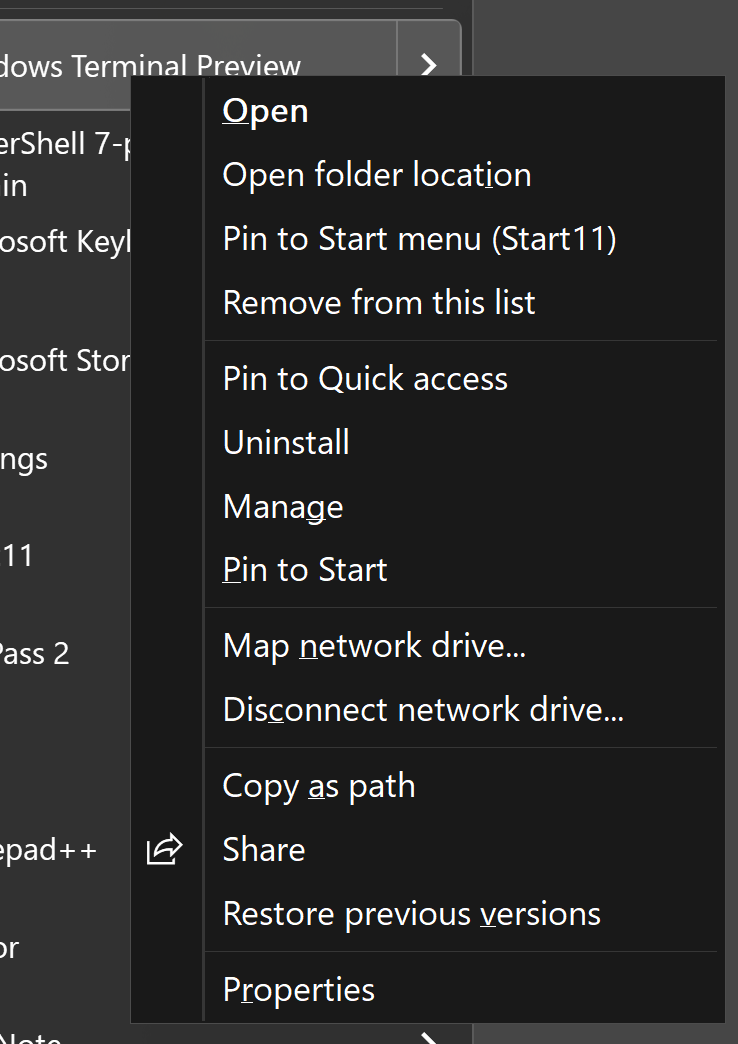
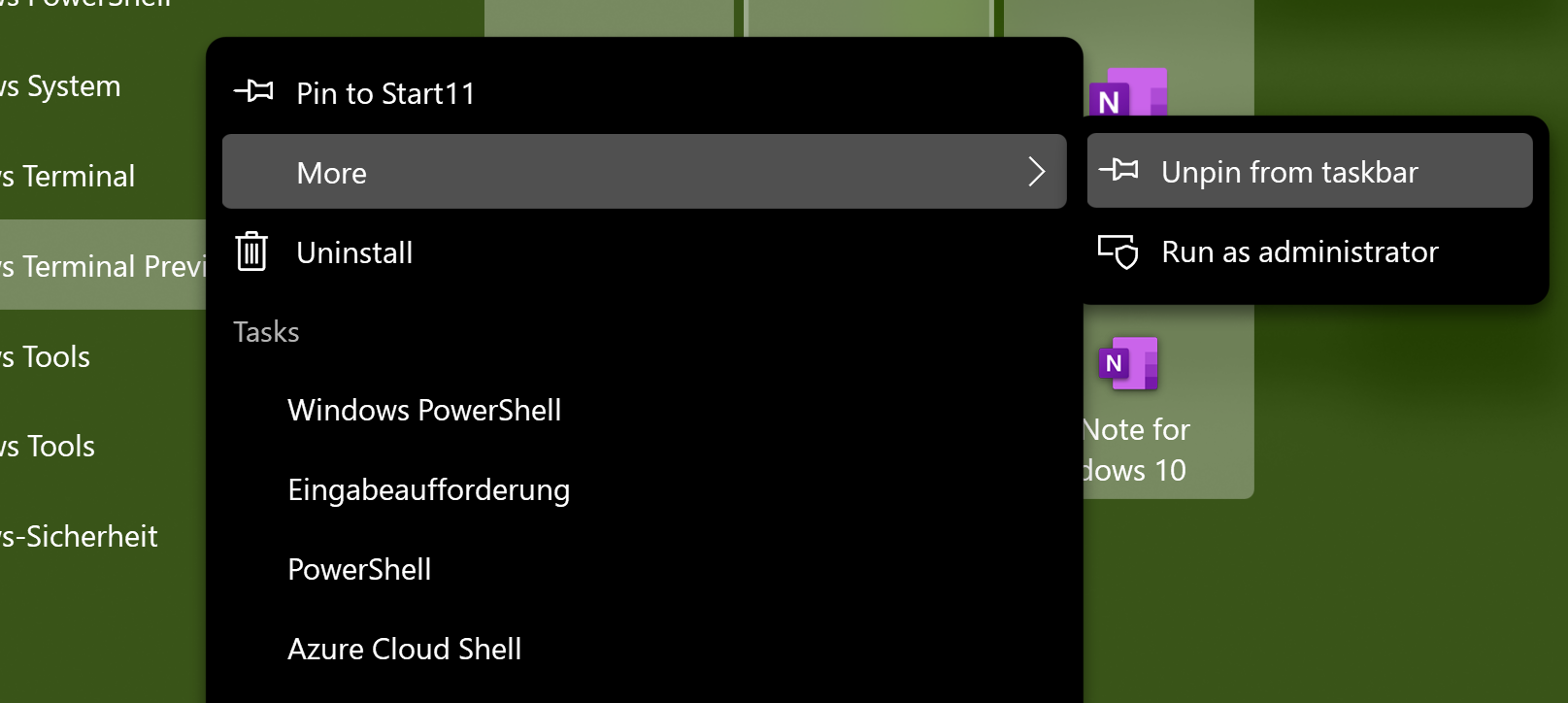
Left: Classic context menu; Right: Windows 10 context menu; Idea: add option between "more" and "uninstall" to show the classic context menu as submenu - Add advanced touch features (from Windows 8)
Windows 8 Start menu (actually start screen) had a very useful touch feature that was missing from windows 10. When scrolling sideways (with touch) the menu scrolled from left to right (because in Windows 8, the menu was a sidescroller not up and down). But if you scrolled up and down, you instead easily switch between the tiles and the all apps list. If you instead scrolled (or swiped) up or down over a tile, you instead would open the context menu of that tile immediately. Both features made work much more productive. Because you didn't have to click on an icon at a specific position, but could instead just do a touch gesture anywhere on the start menu. Also opening the context menu without a wait time is something that I really miss any day, I work on my tablet (more often than not, if I try to hold my finger still, while opening the context menu I slip off. So it would be better, to have a better way to work with that).
Because Windows 10 (and also 11) don't use sidescrollers anymore but converted back to up and down, this feature was probably dropped. But it could still be used, but of course with swapped directions. When scrolling left and right with touch, change from tiles (or icons) to all apps list and back. When swipe left or right on a tile (or an icon) show the context menu immediately.
[Sidenote: In Windows 8 if I remember correctly of you swiped diagonally (initially) nothing happened, so they get like the starting angle to check which action you wanted to start]
[Another sidenote: Now if you swipe right or left over a tile in the Windows 10 Style of Start11 the tiles immediately can be moved. In Window 10 you had actually to wait a little time while tapping the tile to actually move it. So for some people that is maybe a more important productivity gain that the context menu. I for myself know, that I more often need the context menu of a tile than to move that tile. But anyway, maybe make both alternatives optional.] - (see also 2.) When I swipe over the indicators of the pages, it would be cool, if that would change the pages as well (like go through the pages). It would be easier on a tablet, that to hit one of the indicators directly.
- Option to use new "colored" icons from Windows 11 in Windows 10 Start menu
I mean the icons on the left side, for opening the settings, the file explorer, the download folder etc.
I always hated the monochrome images. - Make better use of space in the "all apps list". No, the all apps list only has one column, even if it is shown seperately from tiles (like in Full Screen mode). Windows 8 had a much better way to make use of the space, but it was maybe easier to do that on a sidescroller. Anyway, you could still use multiple columns if there is enough space and therefor prevent the need to scroll.