
Start 11 not all icons from the Windows start menu are displayed
from  Stardock Forums
Stardock Forums
I uninstalled Start 10 and installed Start 11, now all icons are no longer displayed in the individual folders.
Here as an example the folder 02 Office, in the Start 11 bar are displayed:
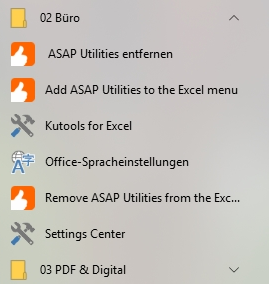
The associated start menu under C: \ ProgramData \ Microsoft \ Windows \ Startmenu \ Programs \ 02 Office looks like this.
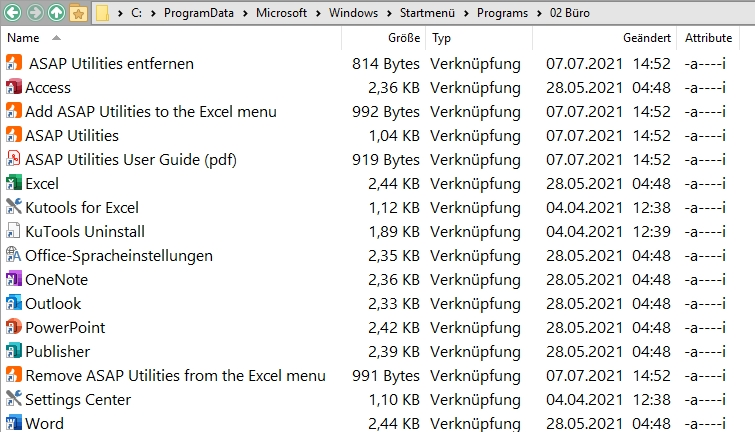
Now the question arises where have the remaining icons gone, why are they not displayed, and how can I make them visible again. Under Start 10, all the icons available there were displayed.
I am using Start 11 version 0.90.
I need help because it makes it difficult for me to use the device. Thanks very much