
Switching primary PCs

One of my PCs is upstairs the other downstairs.  I upgraded to Multiplicity Pro thinking that I would be able to switch primary's from one PC to another so I could operate from either room, but this does not seem to be the case.  What kind of licence setup would I need to be able to do this?


Thanks
3,586 views 4 replies
Reply #1 Top

Hello,
I have forward your problem/question to Stardock Support Team for their assistance. Please keep an eye on this thread for any updates. We appreciate your feedback and patience.

Basj,
Stardock Community Assistant

Reply #2 Top


One of my PCs is upstairs the other downstairs.  I upgraded to Multiplicity Pro thinking that I would be able to switch primary's from one PC to another so I could operate from either room, but this does not seem to be the case.  What kind of licence setup would I need to be able to do this?

Thanks
End of quote

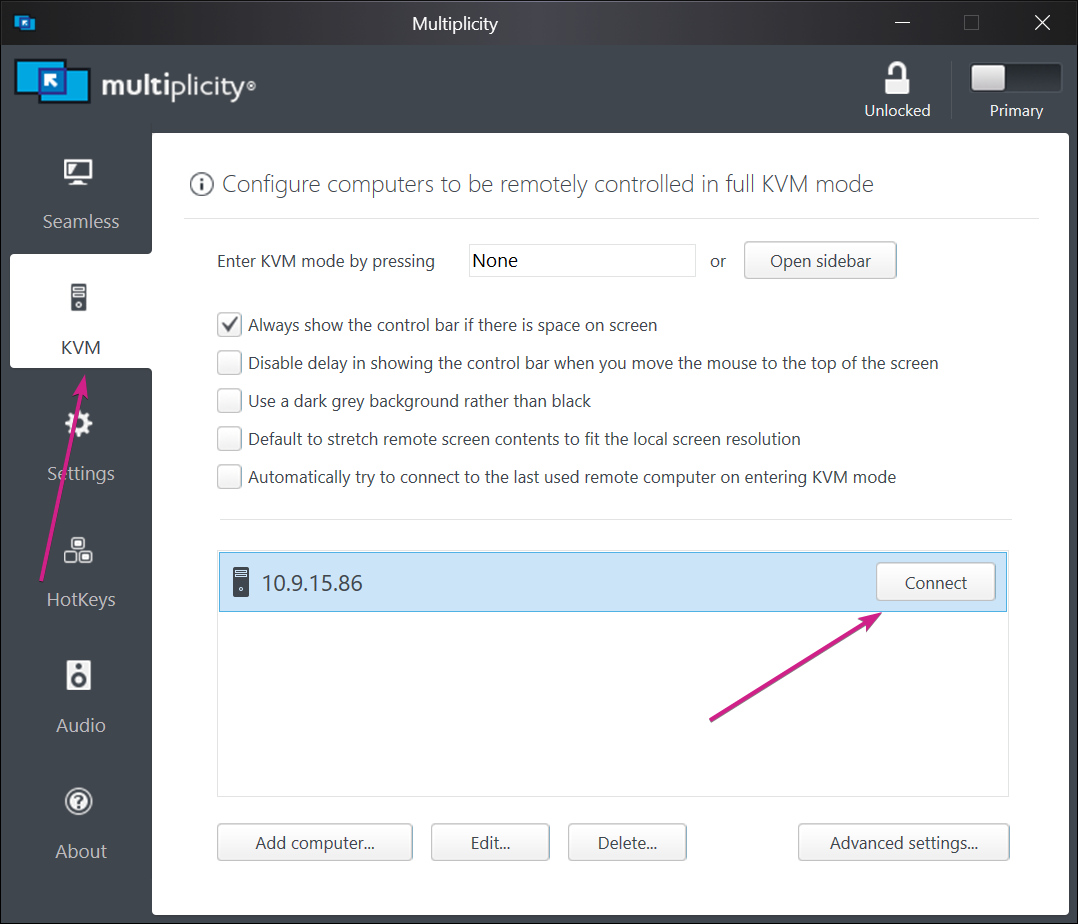
To 'switch' to it, you would need to use a KVM connection, and 'connect' to it:

Sean Drohan
Stardock Support Manager

Reply #3 Top

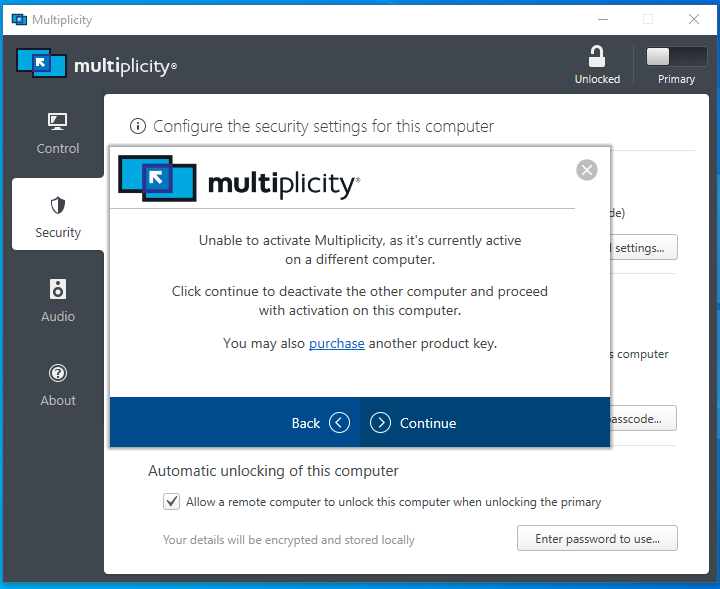
What I mean is I want to be able to use either PC as the primary.  When I try to switch from one to the other using the primary/secondary switch top right, it asks me for activation code and when I put in my 'Pro' code, it says its already in use on another PC.  So have I got to buy it again to achieve this?

Reply #4 Top

The only product that will allow multiple concurrent Primaries is the 'for business' and it too would need you to have purchased a qty of 2 for it to work (have two concurrent Primaries active on the same key).

To have two concurrent Primaries in your case, yes, you would need to purchase an additional license.

Sean Drohan
Stardock Support Manager