Two issues

Icon too large and two monitors

Morning


My fences icons have gone really big and it just looks ridiculous!


They were a nice size but no longer

This second issue may be related to the first


Where one fence crosses my left-hand monitor to the right-hand monitor the icons in that fence dance up and down and it is very distracting.


Thanks for your anticipated help
4,938 views 3 replies
Reply #1 Top

Hello,
Sorry to hear you are having issues. Need to know more on your system and issue.

  1. Need to know you Windows version, please use Winver.exe to get full Windows version numbers.
  2. Fences version.
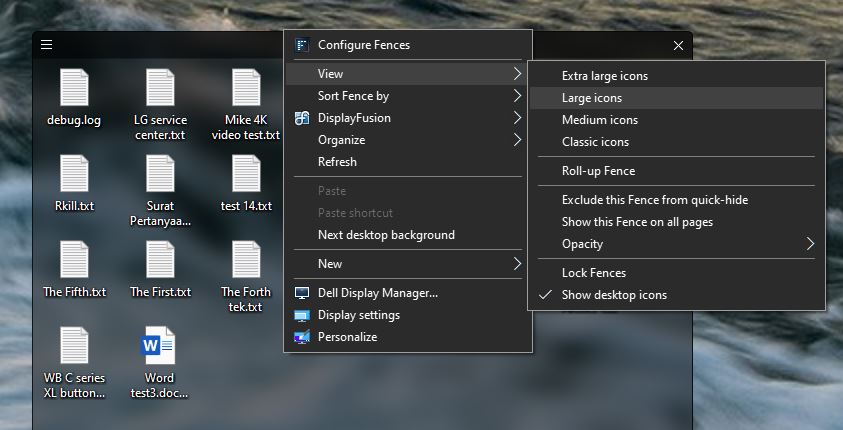
  3. What is your setting for icons size. Right click on the fences->on the menu->View->??
  4. Try "Classic icons" size
  5. On your second issue, please post a screenshot showing us the issue, so we can understand it better.

Thanks
Basj,
Stardock Community Assistant.

Reply #2 Top

My version is 21H1 os bUILD 19043.1110


Fences v 3.1.0.5


I set the size to about 40% but it always switches back eventually


Screenshot to follow


Steve


Reply #3 Top

 Hello,

Sorry to hear you are having issues.

A couple things here that version 3.1.0.5 had some flaws and was updated

to version3.12 .. go to your account  https://store.stardock.com/myaccount/products/

and update to that latest version.

And as Jaslan mention right-click on desktop to view

scroll down and set icons to classic style .

Do those things then report back , please .


AzDude
Stardock Community Assistant