Feature request/bug tracker

Hello guys,

really liking your software. But I have already found some issues or missing features. Coming from Win8.1 and ClassicShell, I'm missing some (for me) crucial features. I was not able to find any issue tracker or option to suggest features. So I hope it's not a problem I'm posting it here.

I really miss having an option to double-click on list menus to open the containing folder. Like, I use "Recently opened files" as a menu. But I was used to double click the item itself and it opened the folder with links to recently opened files. Or double click "Downloads" and the same thing happened. If single-clicked, or just hovered over, the menu shall appear normally.

Anyway, since I was trying that, I found an bug as well. If I double-click any of these "Display as a menu" items, the menu shows up beneath the Start. And won't go away, if you click outside, as it shall. The Start menu stays open as well as the appeared menu. It really confuses the Start menu and I even already got a crash from that.


I would really appreciate if you consider implementing this feature.

Thank you.

Filip
2,816 views 8 replies
Reply #1 Top

Hello,
Sorry to hear you are having issues. Need to know more on your system

  1. Windows version, please use Winver.exe for full Windows version numbers.
  2. Start10 version.
  3. And video of those issue you're having would help understand it better.

Thanks
Basj,
Stardock Community Assistant.

Reply #2 Top

Hello,

So, Windows version is: Win 10 21H1 (19043.1052).

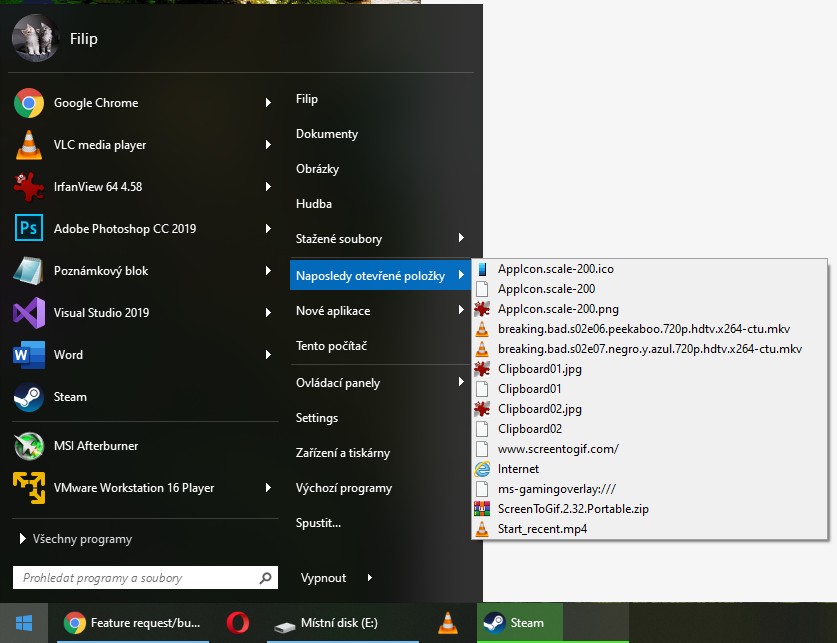
As you can see, if I double click the "Recent files" (it's "Naposledy otevřené položky" in Czech), the list appears below the Start menu. Instead, I would like it to open the folder itself, like I can, when I right-click the "Recent files" and click open.

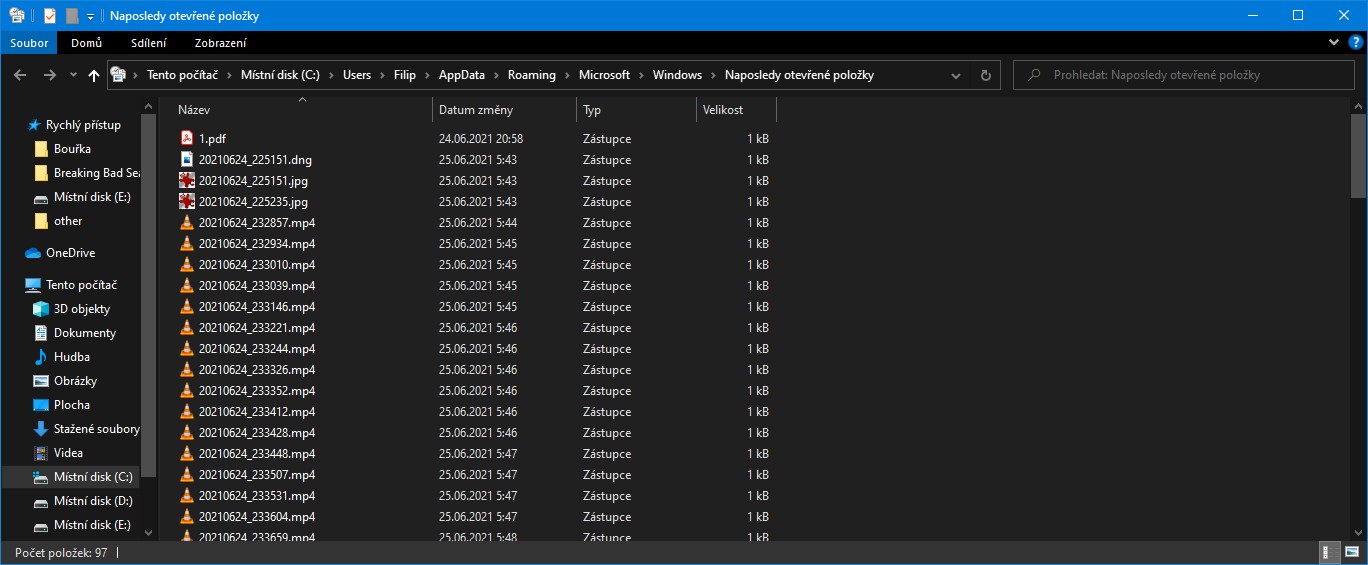
This folder.

Also, the most recent list contains very weird items:

I think it should only contain the links from most recent files folder, not some internet links, webpages and whatnot. Like "ms-gamingoverlay:///". What is that ?

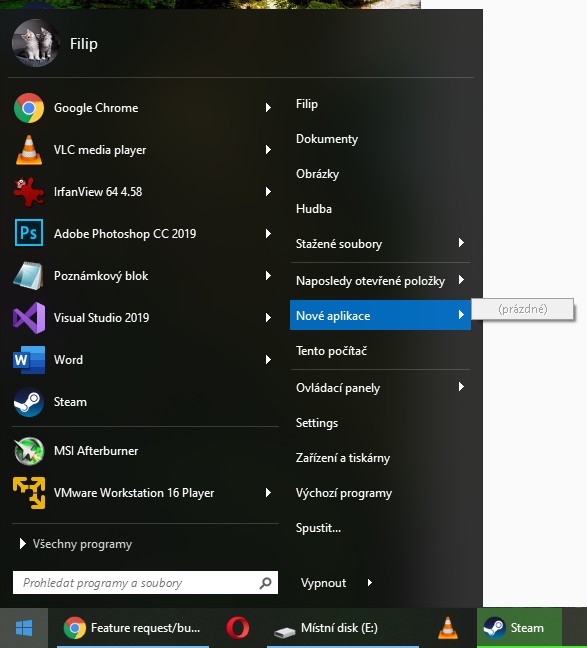
And the last issue, the list of "New applications" is always empty.


Hope I explained everything clearly here :-) If not, don't hesitate to ask me for more. Sorry, english is not my native language (as you can probably tell from my czech Windows).


Thanky you.

Filip

Reply #3 Top

Hello,
I have forward your problem/question to Stardock Support Team for their assistance. Please keep an eye on this thread for any updates. We appreciate your feedback and patience.

Basj,
Stardock Community Assistant


Reply #4 Top

Thank you very much. I would like to add, I have checked the folder with most recent files and it actually contains those weird files (like "ms-gamingoverlay:///"). So that's Windows issue. Anyway, it would be nice to be able to have some kind of filter for those. Like "do not show files without file extension in there", "do not show webpages", etc... Or have an option to define custom filters based on file extensions.


Filip

Reply #5 Top

I had been using Windows 10 until it was causing more problems than it was worth. So I reinstalled my Windows 7. Now I am having a problem with the start menu. I was using Start10 which I liked, but now all I get get a blank start menu. Why would going back to Win7 from Win10 and Start 10 cause this issue, and how can I fix it. I like Stardock products and the others that I have installed are working okay.  Just this issue from where Start10 would be.   :(  

Reply #6 Top

Quoting twills44, reply 5

I had been using Windows 10 until it was causing more problems than it was worth. So I reinstalled my Windows 7. Now I am having a problem with the start menu. I was using Start10 which I liked, but now all I get get a blank start menu. Why would going back to Win7 from Win10 and Start 10 cause this issue, and how can I fix it. I like Stardock products and the others that I have installed are working okay.  Just this issue from where Start10 would be.   :(  
End of twills44's quote

I am a little unclear here, but are you saying you installed Start10 on Windows 7?

Start10 only works on Windows 10.

Reply #7 Top

No, I removed Windows 10 via a reformat of my primary drive (C:/) and reinstalled the Windows 7 from the CD that originally came with my HP computer in August of 2014.

Reply #8 Top

Hello,
Sorry to hear you are having issues. As mentioned, Start10 only work on Start10. It won't work on Windows 7.

Thanks
Basj,
Stardock Community Assistant.