How to temp turn OFF Start10 ?

Compatiability with 2021-06 Cummulative Update for Windows 10 Version 21H1 for x64-based Systems (KB5003637)

Good morning,

Yesterday was another Microsoft Patch Tuesday and 2021-06 Cumulative Update for Windows 10 Version 21H1 for x64-based Systems (KB5003637) was forced upon us.  Following the installation of this patch, I'm having difficulty on one of my PC's that is also running Start10.

The bottom Task Line is scrambled or not being displayed.  I have four PC's, three are NOT running Start10 and one that is running Start10.  Is there anyway of temporarily turn OFF Start10?  I just want to confirm that it is not a problem with the Microsoft Patch and Start10.

Thanks!

Bill
6,939 views 3 replies
Reply #1 Top

Hello,

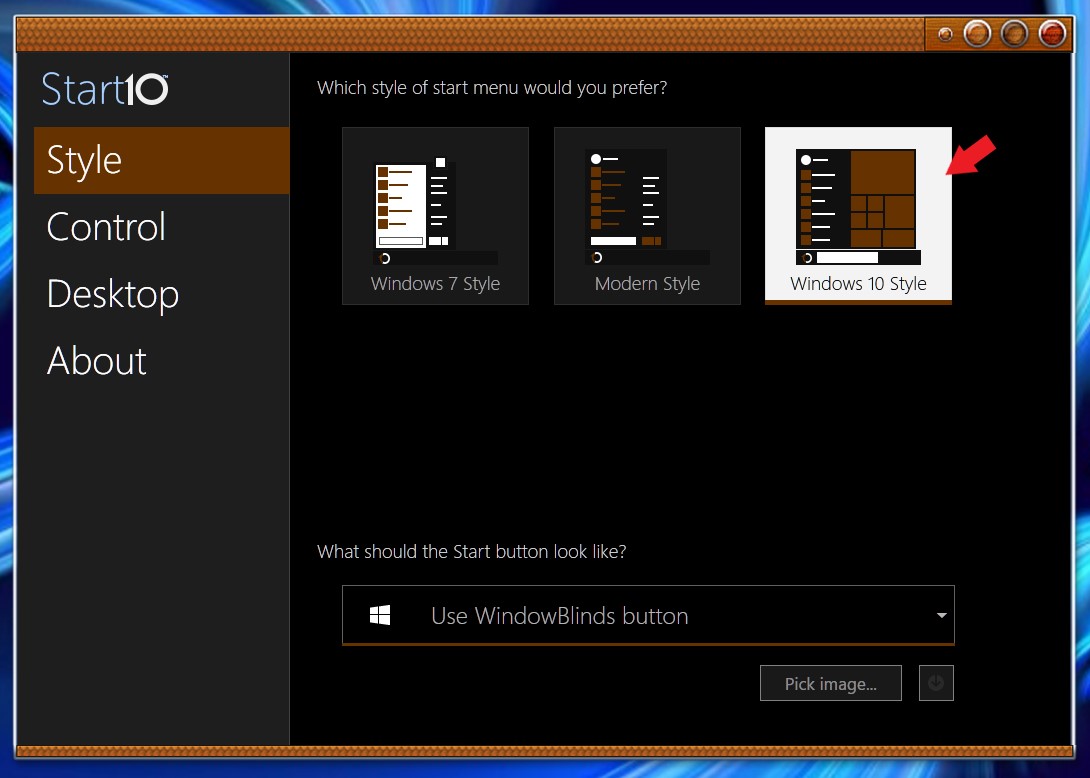
Sorry to hear you are having issues. You can turn off Start10 by selecting "Windows 10 Style" on Start10 Configuration. BTW, there will be a new update on Start10 soon to help with this issue.


Basj,
Stardock Community Assistant.

Reply #2 Top

So is this a known bug with the Microsoft Patch?

Thank you!
Bill

Reply #3 Top

Start10 should not be causing a glitch on the taskbar other than mispositioning some buttons if you have a very large start button (which is unlikely).  This is all that the update will alter in Start 10.

If the right hand end of the taskbar is being corrupted you are probably running other software which is triggering this.

Are you running one of Stardock Fences, Stardock Groupy, Stardock WindowFX?  The issue is also shown with a number of other software utilities running such as Microsoft Spy++.  It is not shown with Start10 itself.

The issue will only happen if the computer is running at > 100% scaling and you have hidden that silly News and Interests link on the taskbar.

I would urge everyone to avoid that buggy Microsoft patch if at all possible.

If anyone is using it, upvote this https://aka.ms/AAcr4gx
