Transparency bug
Unable to get semi-transparent background for windows explorer
from  Stardock Forums
Stardock Forums
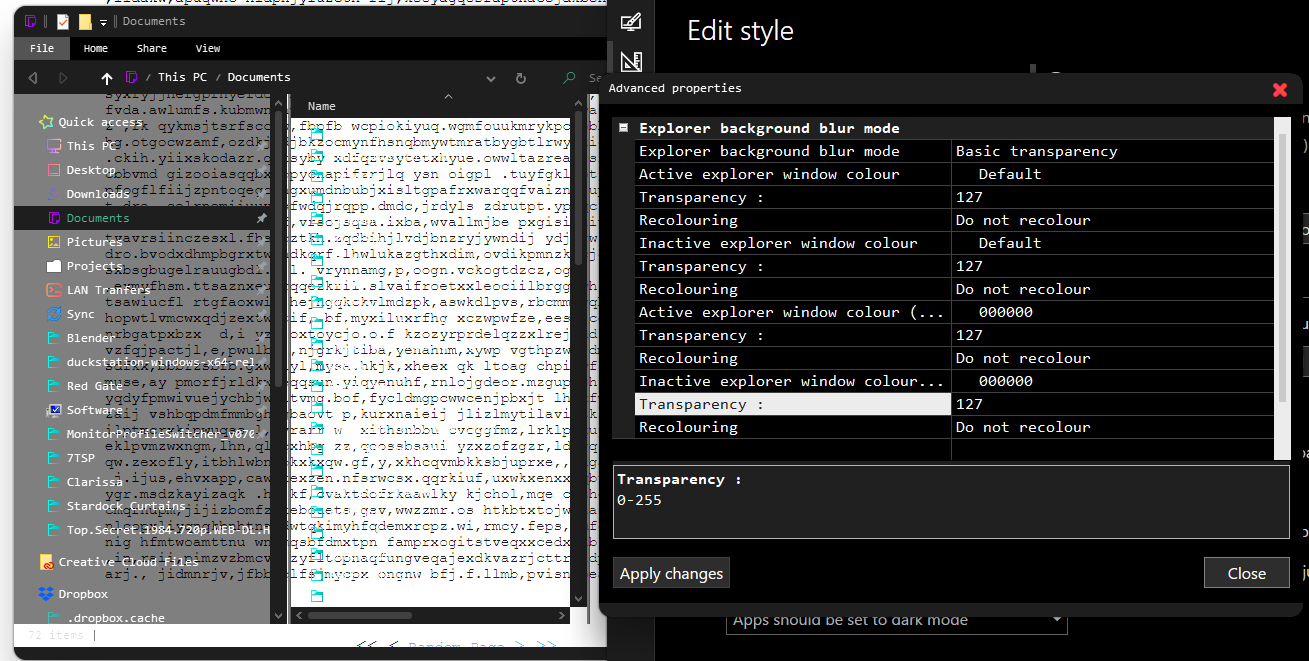
Goal: To get semi-transparent backgrounds to keep text readable on white windows
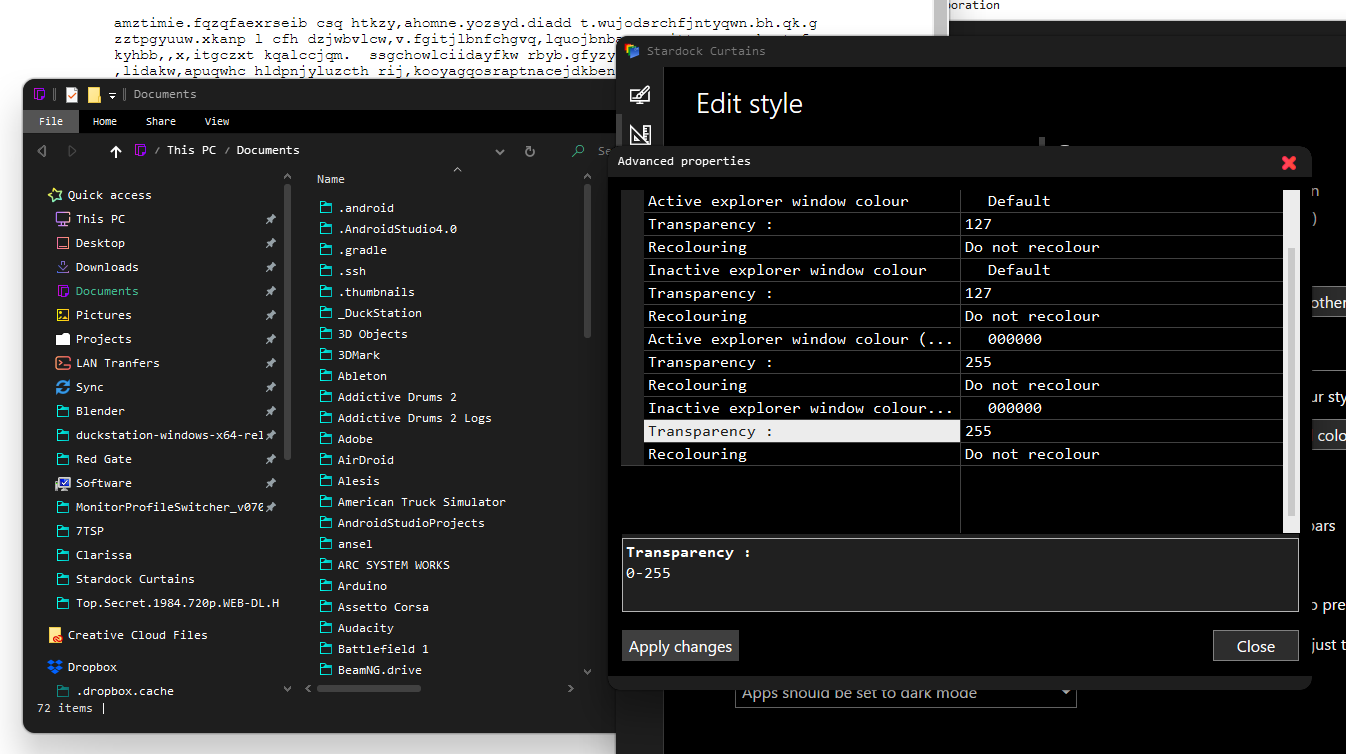
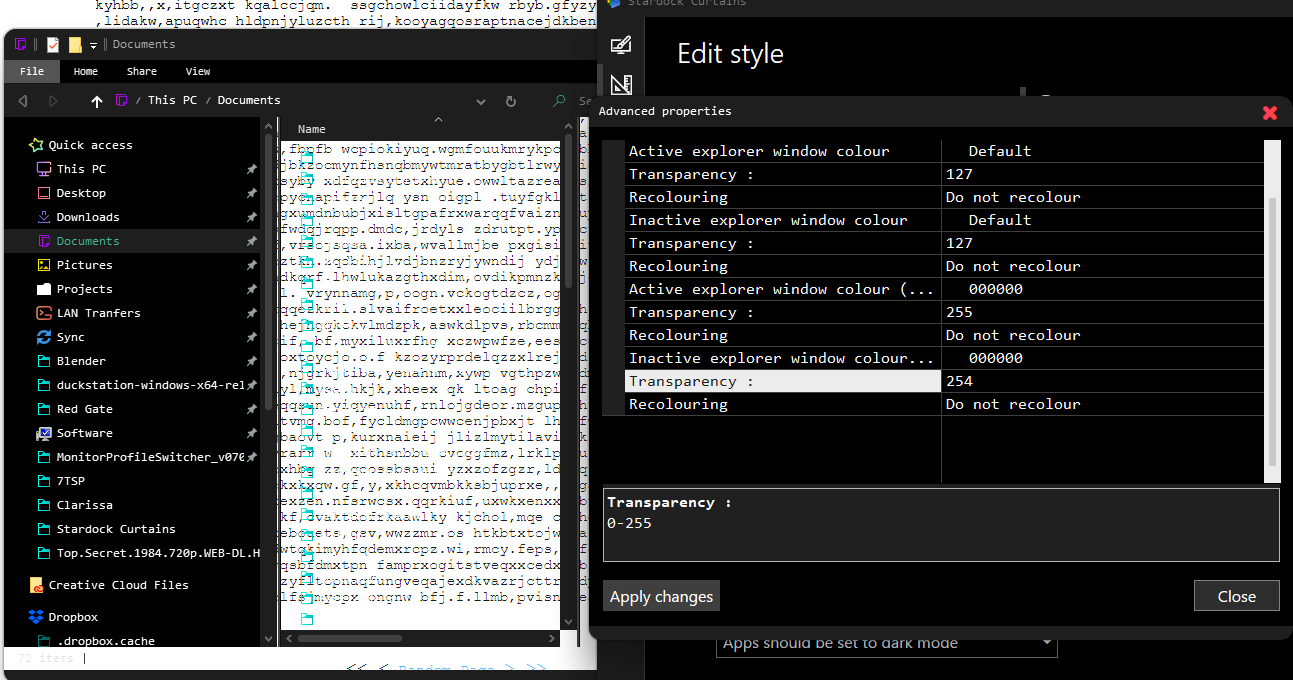
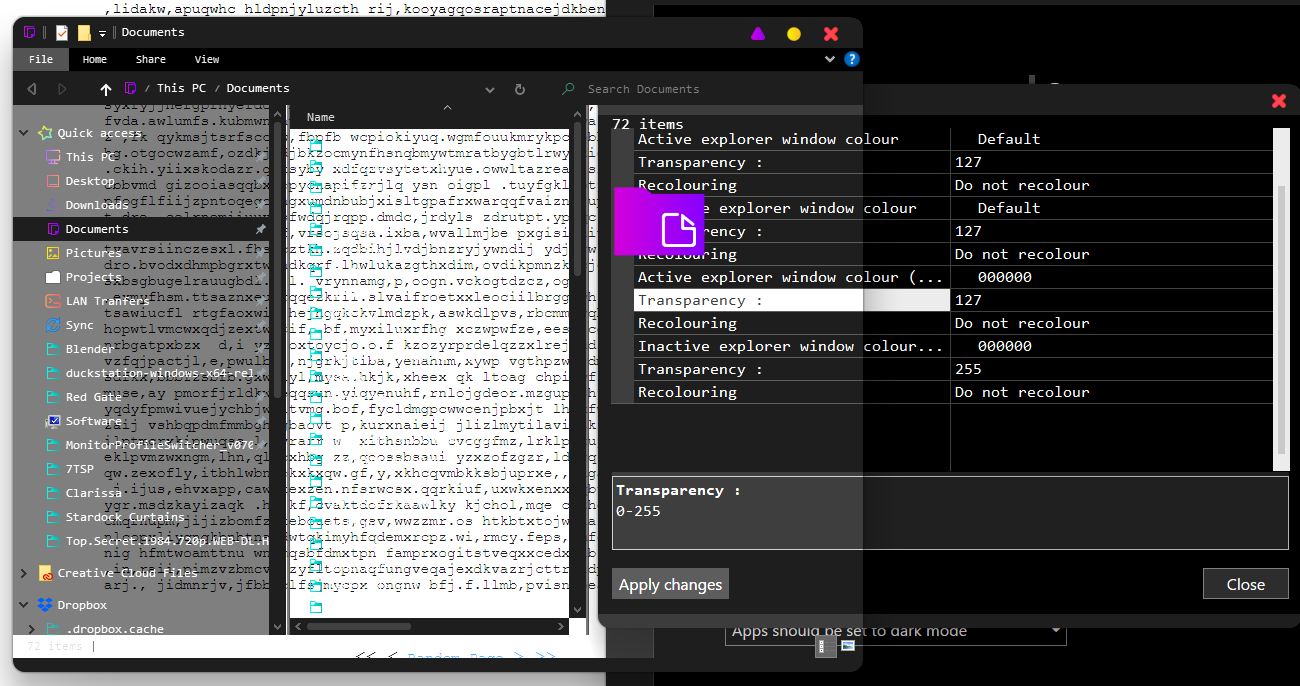
Result: Only full or no transparency options
System: Windows 10 home 64bit v10.0.19041
It seems when I input values, they affect neighboring outcomes as well, as if there is a rollover issue in the 8-bit numbering
I'm happy to help with any more information needed
Below are some screenshots showing different combinations of values and their effects: