Which Color to Change

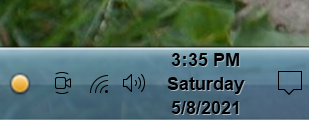
I am trying to get the text color changed in the task bar and don't have a clue which one it is.  I find the text in black difficult to read with the color of the task bar.  I assume it is one of the default windows colors.

5,476 views 4 replies
Reply #1 Top

Hello,
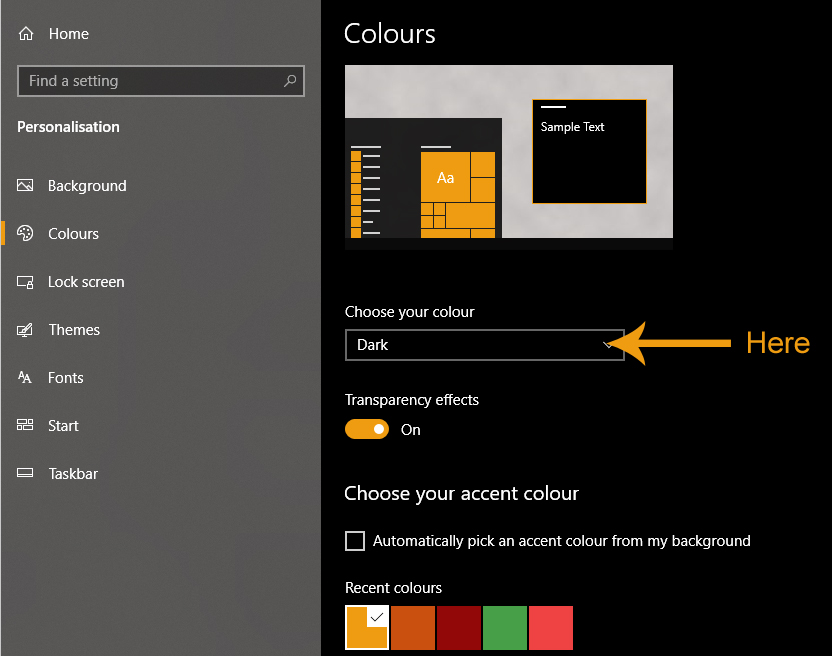
Sorry to hear you are having issues. For those Windows type icons (Sound, network etc) those cannot be change via Windowblinds those can be black or White depend on your Windows color setting, if you at Dark mode than those Icons will be white and if you on Light mode those Icons will be Black.

For Clock Font you can change those with via Skinstudios on each style. Refer to screenshot below.


Basj,
Stardock Community Assistant.

Reply #2 Top

I appreciate the reply.  However, I purchased Object Desktop that includes Window Blinds.  However Window Blinds does not include Skinstudios as it says on the website for Windowblinds.  I've been through the app several times and don't see it.  Any help would be appreciated.


Reply #4 Top

The settings that Basj showed will only change the clock text color. To make the rest of the icons white change your Windows color settings to dark.