How to configure for three monitors

So what I want is when I go up from screen 1 on the right (Red Area) to go to the Other-PC screen, currently it does nothing. With second machine on top of main machine what happens is I have to go through screen 2 to get Other_PC machine screen. Please Help.

Screen 1 is 3440x1440, and Screen 2 is 1600x900 as is Other-PC screen.

screen layout

layout

4,394 views 6 replies
Reply #3 Top

Hello,

I have forwarded your report to the Stardock support team for their review and recommendations.

Please keep an eye on this thread for any updates.

We really do appreciate your feedback, thanks.

Reply #4 Top

Hello,

Sorry to hear you are having trouble.

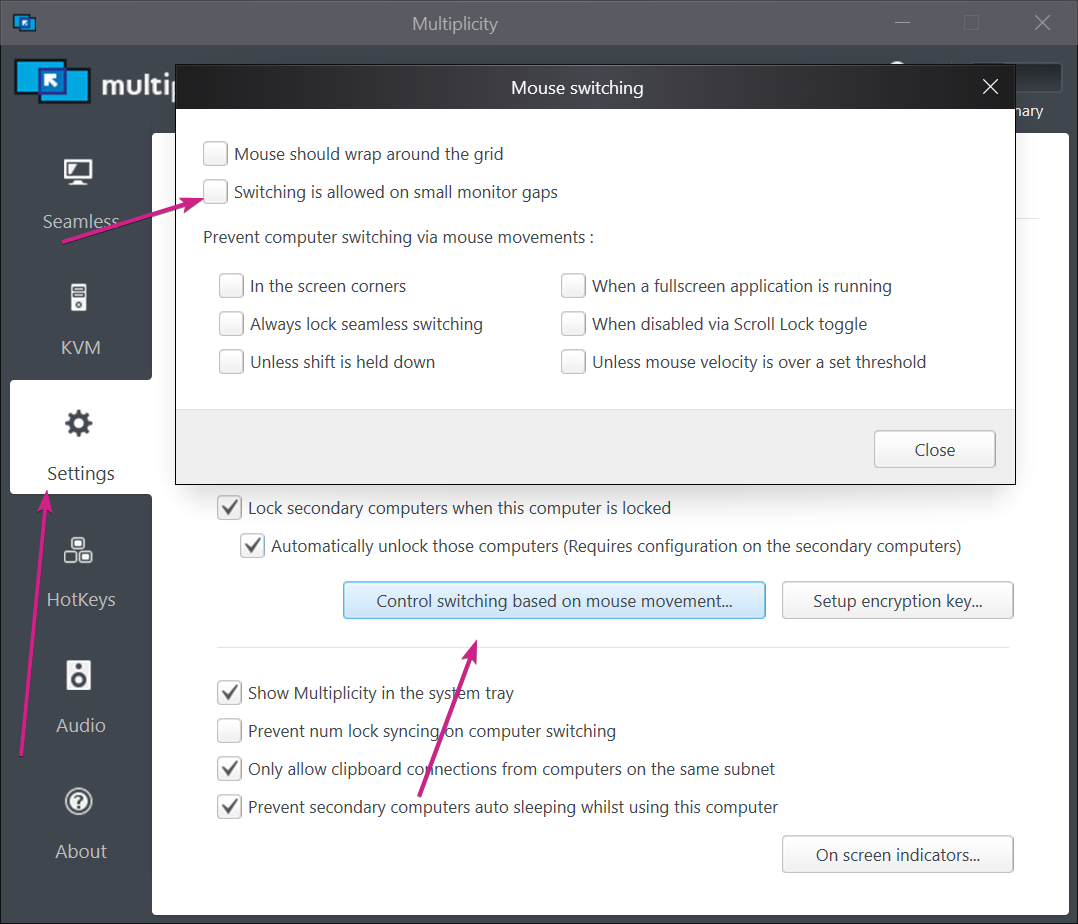
Try:

Sean Drohan
Stardock Support Manager

Reply #5 Top

That does allow it to go up onto the Other-PC Screen but when I bring the curser down from the Other-PC screen it enters screen 2 from the top, and I have to travel through screen 2 to get to screen 1.

Reply #6 Top

Quoting CrazeyWayne, reply 5

That does allow it to go up onto the Other-PC Screen but when I bring the curser down from the Other-PC screen it enters screen 2 from the top, and I have to travel through screen 2 to get to screen 1.
End of CrazeyWayne's quote

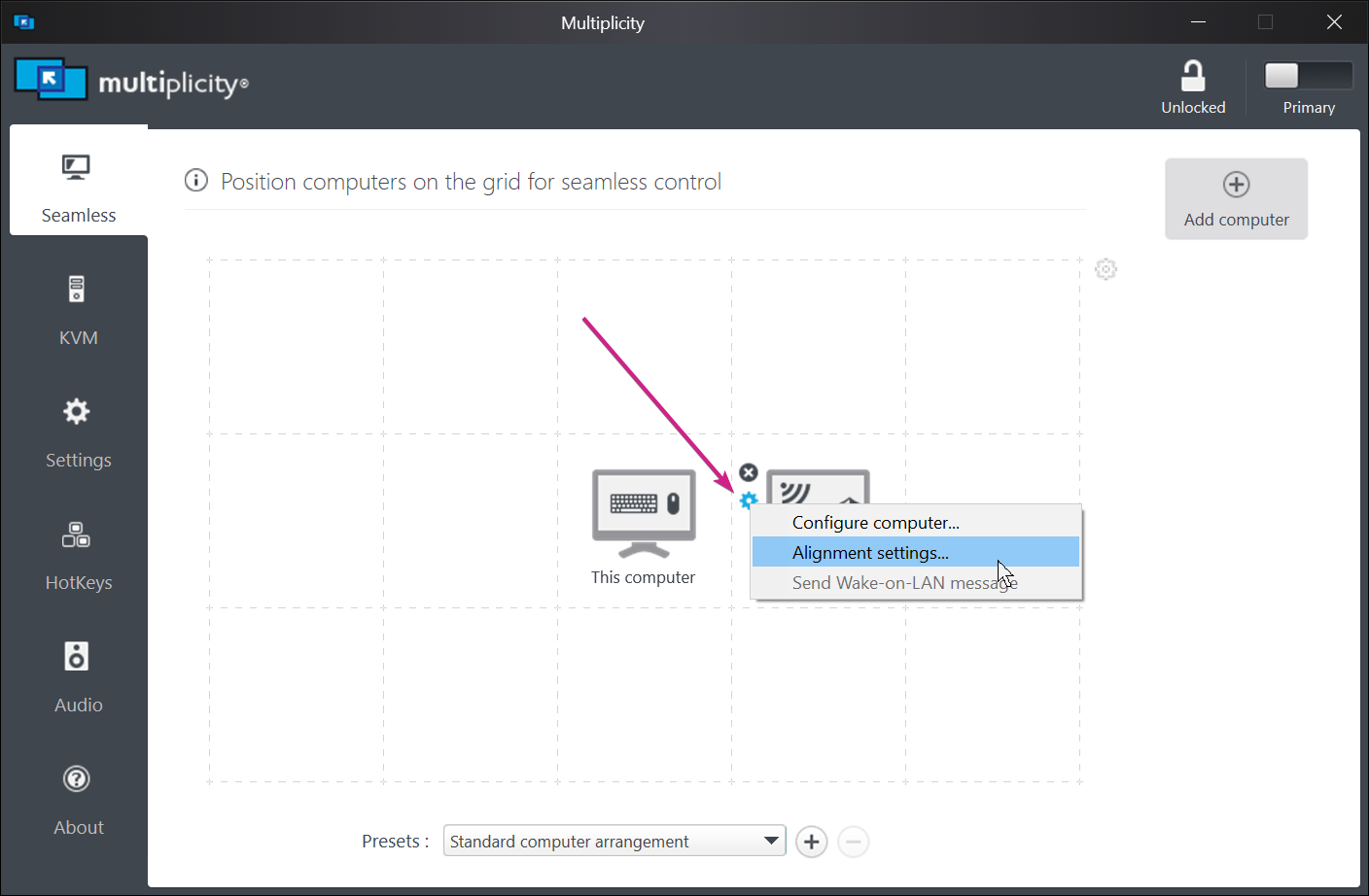
You may have to edit this a bit:

Sean Drohan
Stardock Support Manager