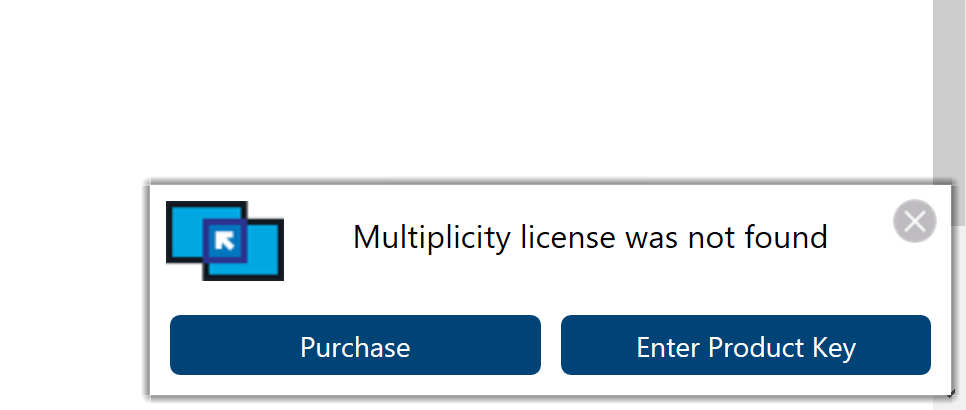
Licence was not found error


Multiplicity occassionally displays an error like this on the screen.

I have a valid and activated license for Multiplicity KVM. While the software still works normally, this error dialog is becoming quite annoying. Please help me fix this.

24,656 views 6 replies
Reply #2 Top

Hi,
I have the exact same issue. (And the same product, the Multiplicity KVM version)
In addition during the product key activation it at first says "Multiplicity activation successful" but then when clicking "Next" it says directly afterwards "Multiplicity has not been activated. Please go back and complete product activation." (Translating from German here, so actual wording is probably different)

I've followed every step outlined in different posts and FAQ but am unable to get Multiplicity to properly activate.

I've tried:

  • using Email and Key
  • using activation via Account Login
  • deleting the Multiplicity folder from "%ProgramData%\Stardock\"
  • using the "cmd" command from the FAQ to apply the license
  • Unload Multiplicity and start the application as Administrator

Nothing helped, the pop-up still keeps appearing.
Is there a way to tell if the pop-up is just displayed incorrectly and the product has been properly activated?
I don't want the product to suddenly stop working as I actually just swapped from Synergy to this solution as you are offering features I'm interested in.

Any other suggestions to get this solved?
The product seems to work fine, but the License Pop-up is really irritating when you know you have an active license.

Thanks,
Zillith

Reply #3 Top

Hi,

I followed the instructions in the link, but the problem still persists.

I have two Multiplicity licenses; one KVM and one KVM Pro. Is it possible that the activation server is somehow confused because of this? I made sure the correct computers are activated with each licenses, and my downloads page shows accordingly.

Reply #4 Top

Quoting kyouhyung, reply 3

Hi,

I followed the instructions in the link, but the problem still persists.

I have two Multiplicity licenses; one KVM and one KVM Pro. Is it possible that the activation server is somehow confused because of this? I made sure the correct computers are activated with each licenses, and my downloads page shows accordingly.
End of kyouhyung's quote

Hello,

Please try again, there was something done in Stardock side as mentioned here : https://forums.stardock.com/503577/get;3801033 . Report back if you still have issue.

Thank you,

Basj,
Stardock Community Assistant

Reply #5 Top

Hi basj,
I know I just latched onto this report but in my case the activation was now successful.
Going to observe now if the pop-up re-appears again, but I'm optimistic that the issue is solved for me.
Thanks,
Zillith

Reply #6 Top

Thanks, the problem is now gone,

Before your reply, I also tried using the MP Purge tool. I wonder if that also had something to do with fixing the problem.