Computer name

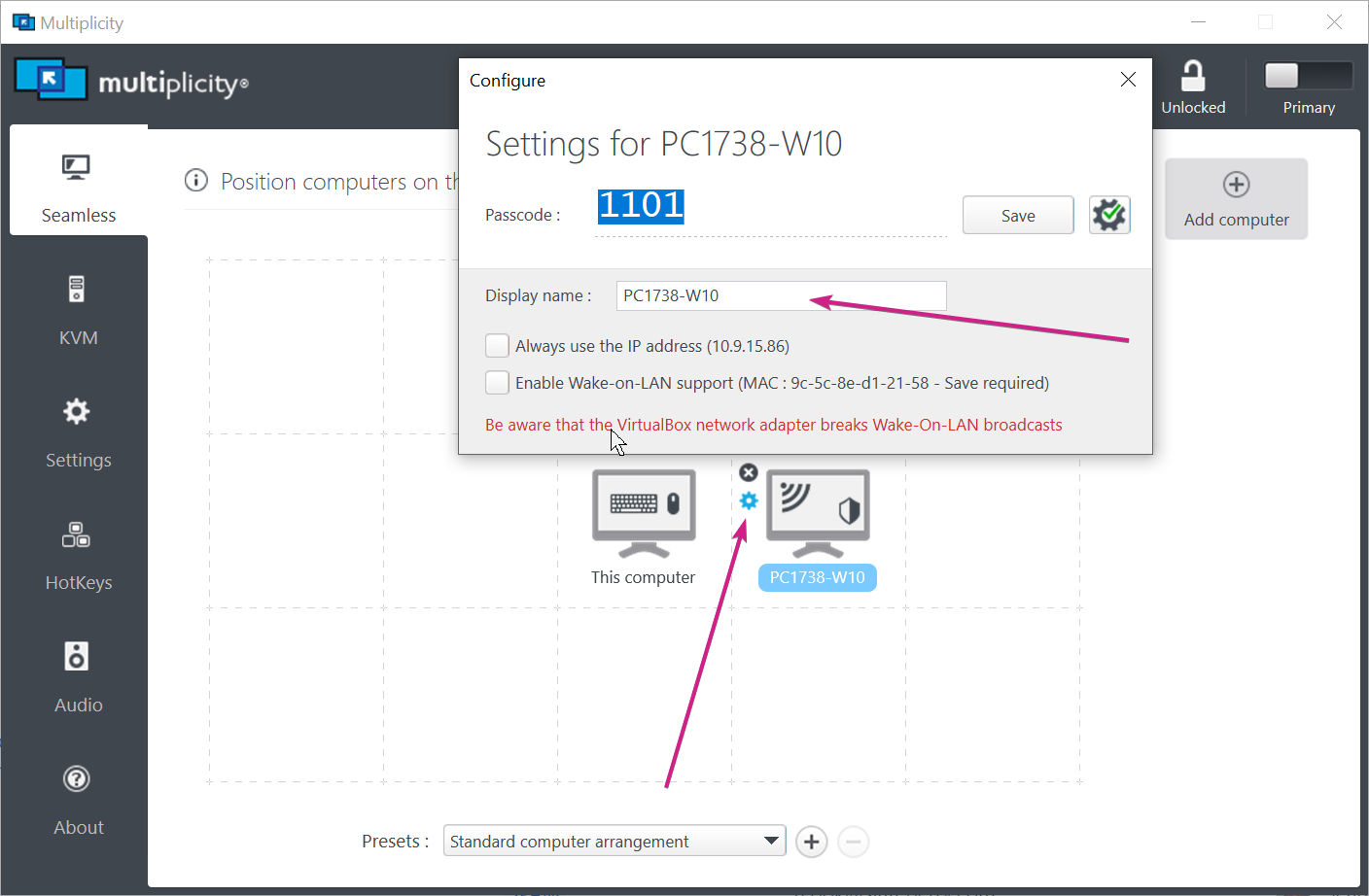
When I install Multiplicity on a secondary computer, it returns a weird name with letters and numbers.  The computer has a simple name "ToshibaBlack." How can I change the computer name in Multiplicity to this simpler identity?

Thanks,

Dave
2,333 views 2 replies
Reply #1 Top

Hello,
I have forward your problem/question to Stardock Support Team for their assistance. Please keep an eye on this thread for any updates. We appreciate your feedback and patience.

Basj,
Stardock Community Assistant

Reply #2 Top

Hello,

Sorry to hear you are having trouble.

When I install Multiplicity on a secondary computer, it returns a weird name with letters and numbers.  The computer has a simple name "ToshibaBlack." How can I change the computer name in Multiplicity to this simpler identity?
End of quote

You can change the display name here:

Sean Drohan
Stardock Support Manager