Windows 10 Dark Theme hack ?

Is there any way to hack the Windows 10 Dark Theme so that the inactive/unslected window's title bar stays black instead of changing to a light/white color? I would like all the windows' title bars to just stay black/dark regardless of whether they are the currently selected window/app or not. I guess what I am asking is if Windowblinds + SkinStudio can somehow alter the Windows 10 (dark) theme color of windows title bars especially inactive windows (to keep them dark/black).

17,210 views 9 replies
Reply #1 Top

Hello,
Have you try Windowblinds? There are lots of Windowblinds Dark themes that might do just what you wanted with a nice frame. There is a free 30-days trial for Windowblinds here : https://www.stardock.com/products/windowblinds/download .

And there are lots of Windowblinds DarkTheme : https://www.wincustomize.com/explore/windowblinds/pagesize/60/sort/popular/search/dark


Basj,
Stardock Community Assistant.

+1 Loading…
Reply #2 Top

I have Windowblinds and have tried its dark themes, they just do not come close to what I want compared to the simple dark theme of Windows 10. What I have tried to achieve is the Graybird Dark Theme of Linux, and I think I have it now. I got help on hacking the Windows 10 Registry to get the Windows 10 dark theme to mimic that Linux theme. Plus I use Notepad++ with a dark theme, same for cmd shell in Windows 10.

https://www.reddit.com/r/Windows10/comments/kpllwx/dark_theme_hack/

I actually disabled Windowblinds from starting up on my Windows 10 system, I don't need it anymore. But I do use Stardocks Start 10, Windows FX, and Fences. If I wanted a look other than the dark look in Windows I would surely use Windowblinds.

Reply #3 Top

You may want to try Stardock Curtains.

+1 Loading…
Reply #4 Top

".....Is there any way to hack the Windows 10 Dark Theme so that the inactive/unslected window's title bar stays black instead of changing to a light/white color? I would like all the windows' title bars to just stay black/dark regardless of whether they are the currently selected window/app or not. I don't want to use Windowblinds to do this if at all possible-- I own Windowblinds but I find I really like the built in Windows 10 dark theme better than any of the windowblinds themes."

When I design a skin in SKS, for Windowblinds, I do not have my inactive title bar change to a lighter color, my Active, and Inactive title bars are the same color, the only difference in my Active, and Inactive title bars is the text color, my Inactive text is slightly darker....maybe I'm wrong, but maybe, there's not a dark color/style you like in Windowblind skins, like Neil said, there is "Curtains" here at Wincustomize by Stardock, that one may find a dark/black skin that will suit your need, just saying. |-)  

Reply #5 Top

Quoting Neil, reply 3

You may want to try Stardock Curtains.
End of Neil's quote


Isn't Curtains just a slimmed down Windowblinds? I guess I need to look at Curtains, I don't know much about that product.

Reply #6 Top

Quoting don5318, reply 4

".....Is there any way to hack the Windows 10 Dark Theme so that the inactive/unslected window's title bar stays black instead of changing to a light/white color? I would like all the windows' title bars to just stay black/dark regardless of whether they are the currently selected window/app or not. I don't want to use Windowblinds to do this if at all possible-- I own Windowblinds but I find I really like the built in Windows 10 dark theme better than any of the windowblinds themes."

When I design a skin in SKS, for Windowblinds, I do not have my inactive title bar change to a lighter color, my Active, and Inactive title bars are the same color, the only difference in my Active, and Inactive title bars is the text color, my Inactive text is slightly darker....maybe I'm wrong, but maybe, there's not a dark color/style you like in Windowblind skins, like Neil said, there is "Curtains" here at Wincustomize by Stardock, that one may find a dark/black skin that will suit your need, just saying. |-)  
End of don5318's quote


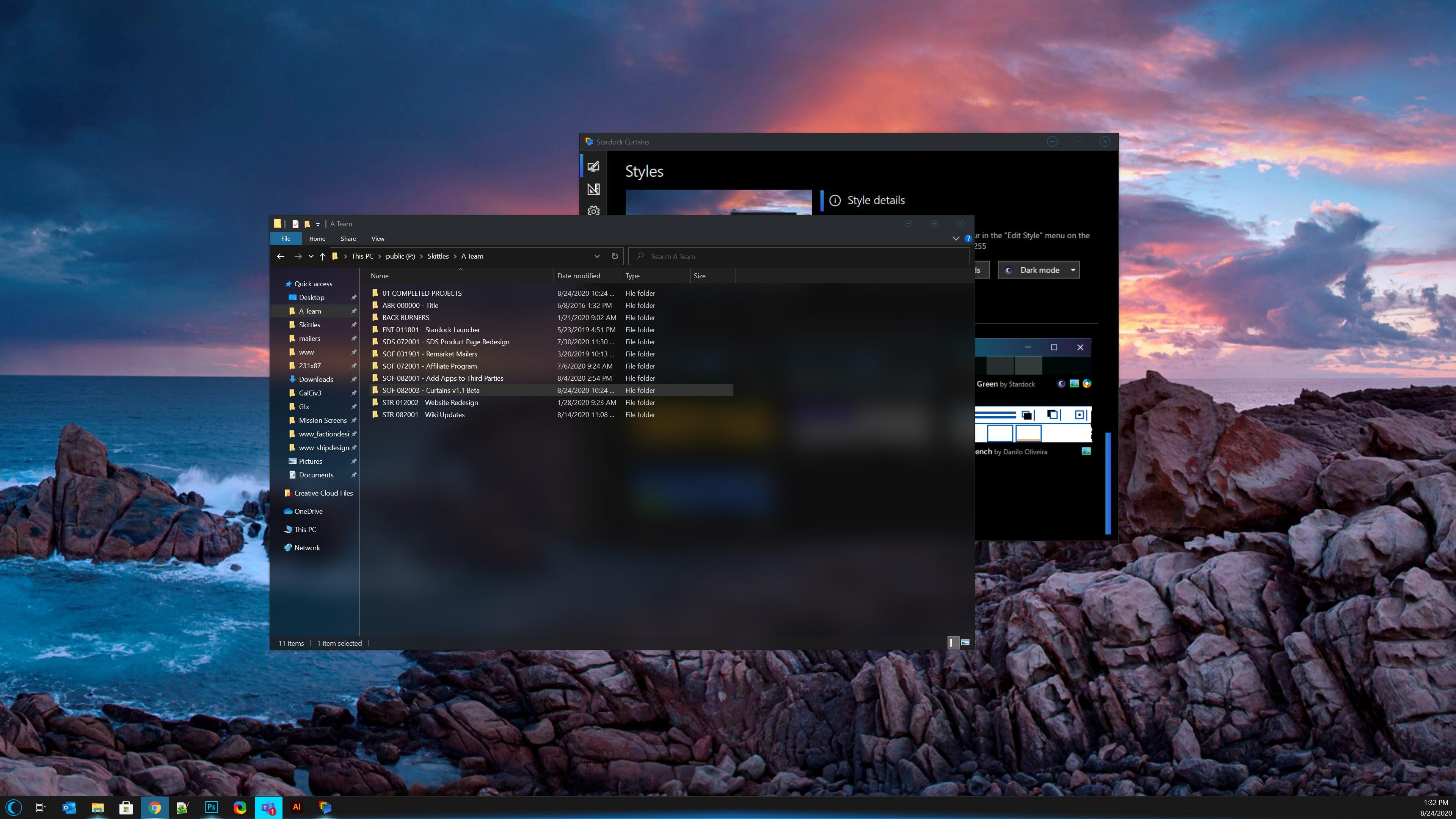
If Curtains can do a dark theme style like this, yeah I might like Curtains. I will give the free trial a try, see how it compares to my Windows dark theme with the registry hack:

https://www.stardock.com/products/curtains/images/screenshots/v1-1/curtains_v11_01.jpg


Reply #7 Top

Quoting roelerich, reply 6

,,,
If Curtains can do a dark theme style like this, yeah I might like Curtains. I will give the free trial a try, see how it compares to my Windows dark theme with the registry hack:
https://www.stardock.com/products/curtains/images/screenshots/v1-1/curtains_v11_01.jpg
End of roelerich's quote


Installed trial version of Curtains. Some of the ONLINE styles intrigue me, but unfortunately the trial version of Curtains does allowing trying out any of the online styles. :(  That is a real deal breaker, and imho a bad marketing move. I can't really tell how the downloadable online Curtains styles are going to look on my PC based on a small screnshot of selected apps for the style. The only local style that intrigued was the default Windows dark theme,.
Reply #8 Top

You should be able to download Curtains directly from Wincustomize.com and installed it

https://www.wincustomize.com/explore/curtains

Thank you,

Basj,
Stardock Community Assistant