Connection issue via KVM mode into a computer working as Wifi AP

This is a diagram of the setup

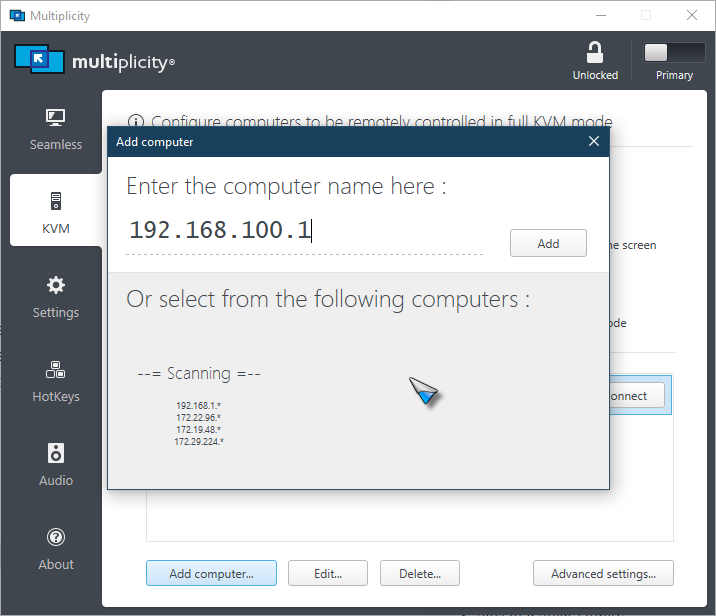
I am having trouble making connection to the target computer in this setup. The workstation sits in the office mostly in headless configuration, and I use my laptop as a terminal to control the machine. The ports and firewall settings have been double checked, and all the networking between the workstation and the laptop are working fine otherwise. Even the Microsoft RDP is working alright, but only the Multiplicity seems to be having trouble. Do you have any suggestions or idea on how to get Multiplicity working in this setup?

4,968 views 6 replies
Reply #1 Top

Hello,
I have forward your problem/question to Stardock Support Team for their assistance. Please keep an eye on this thread for any updates. We appreciate your feedback and patience.

Basj,
Stardock Community Assistant

Reply #2 Top

Hello,

Sorry to hear you are having trouble.

Multiplicity PCs need to be on the same subnet.

Sean Drohan
Stardock Support Manager

Reply #3 Top

Thanks for the reply. Shouldn't the computers 192.168.100.1 and 192.168.100.2 considered to be in the same subnet? I'm trying to connect from ~100.2 to ~100.1

Reply #4 Top

Hello,

Sorry to hear you are having trouble.

The ports and firewall settings have been double checked,
End of quote

To be sure of that, try using this on each MP PC:

https://cdn.stardock.us/support/uploads/MPPortFix.zip

Also, when making the connection, use the IP of the Secondary, not the hostname:

Sean Drohan
Stardock Support Manager


Reply #5 Top

Quoting sdRohan, reply 4

To be sure of that, try using this on each MP PC:

https://cdn.stardock.us/support/uploads/MPPortFix.zip
End of sdRohan's quote

Hi, it turned out to be the firwall issue. They were configured correctly as per the manual, but the Connectify network was configured as a public network, hence the connection issue occurred. I have opened the public access of the Firewall rules for the Multiplicity for the time being until I find a way to change the Connectify network to private.

An additional question: is there a way to make the secondary computer lock itself on KVM disconnect?

Reply #6 Top

Quoting kyouhyung, reply 5

I have opened the public access of the Firewall rules for the Multiplicity for the time being until I find a way to change the Connectify network to private.
End of kyouhyung's quote

Please see:
https://support.microsoft.com/en-us/windows/make-a-wi-fi-network-public-or-private-in-windows-10-0460117d-8d3e-a7ac-f003-7a0da607448d

Quoting kyouhyung, reply 5

is there a way to make the secondary computer lock itself on KVM disconnect?
End of kyouhyung's quote

No.

Sean Drohan
Stardock Support Manager