
Multiplicity Setup Failure
Encryption key not changeagle
from  Stardock Forums
Stardock Forums
I just upgraded to the Object Desktop suite and installed Multiplicity KM (Version 3.5 Build 00096.km). I have the Primary and Secondary installed, but they will not communicate because I continuously get a notification message that the encryption key is incorrect.
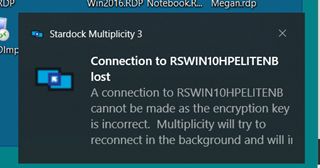
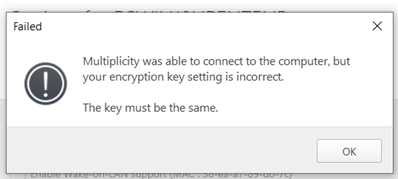
In the Primary settings I get the following message when I change anything on the Secondary linkage.
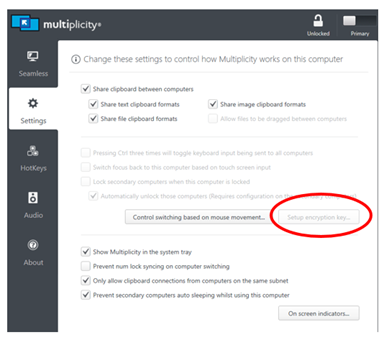
In the Primary, I cannot setup an encryption key as this option is not available:
I can change the encryption key in the Secondary without issue, but I cannot remove it.
Please advise.
