Fences and Deskscapes

Hi there,

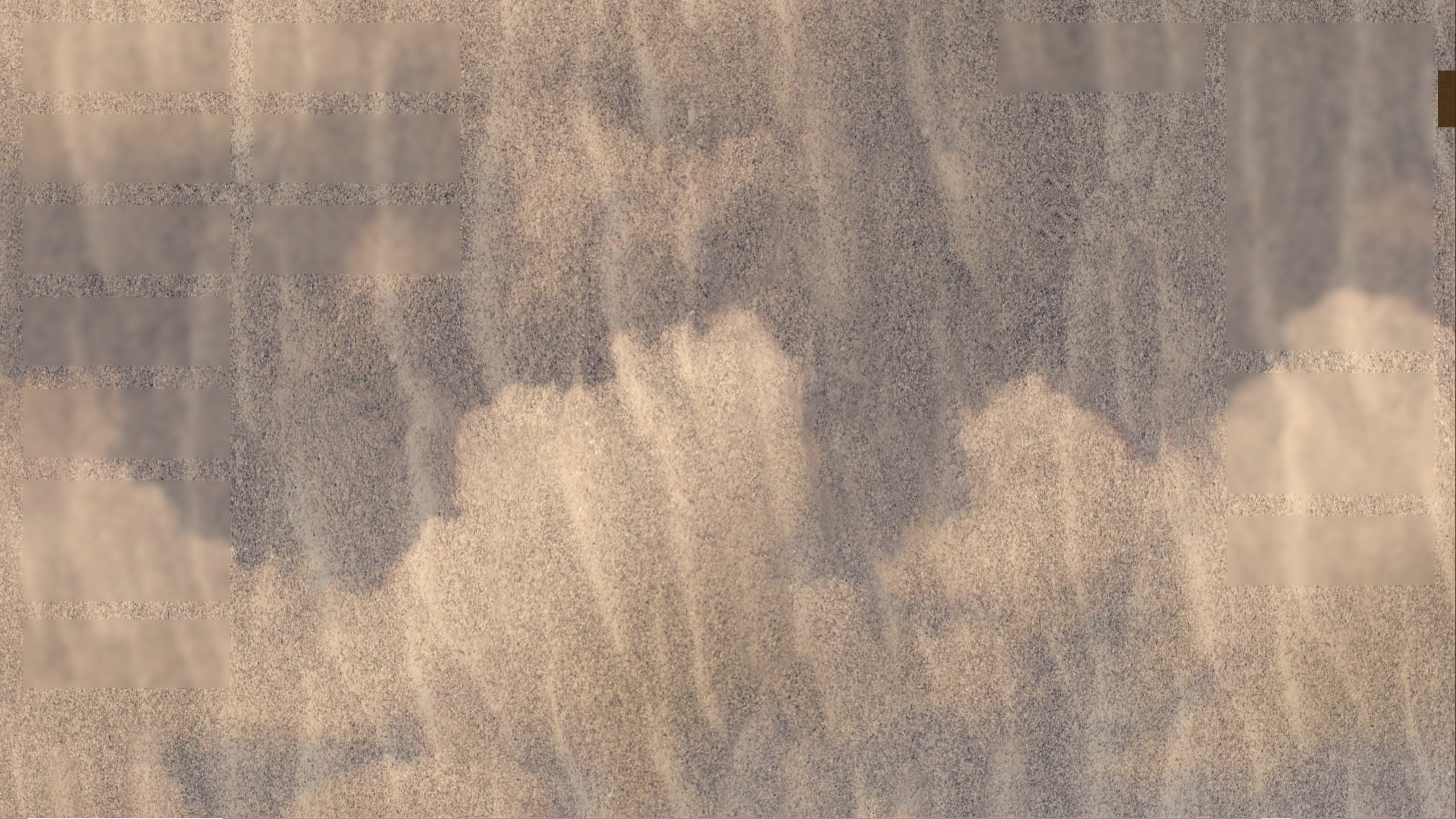
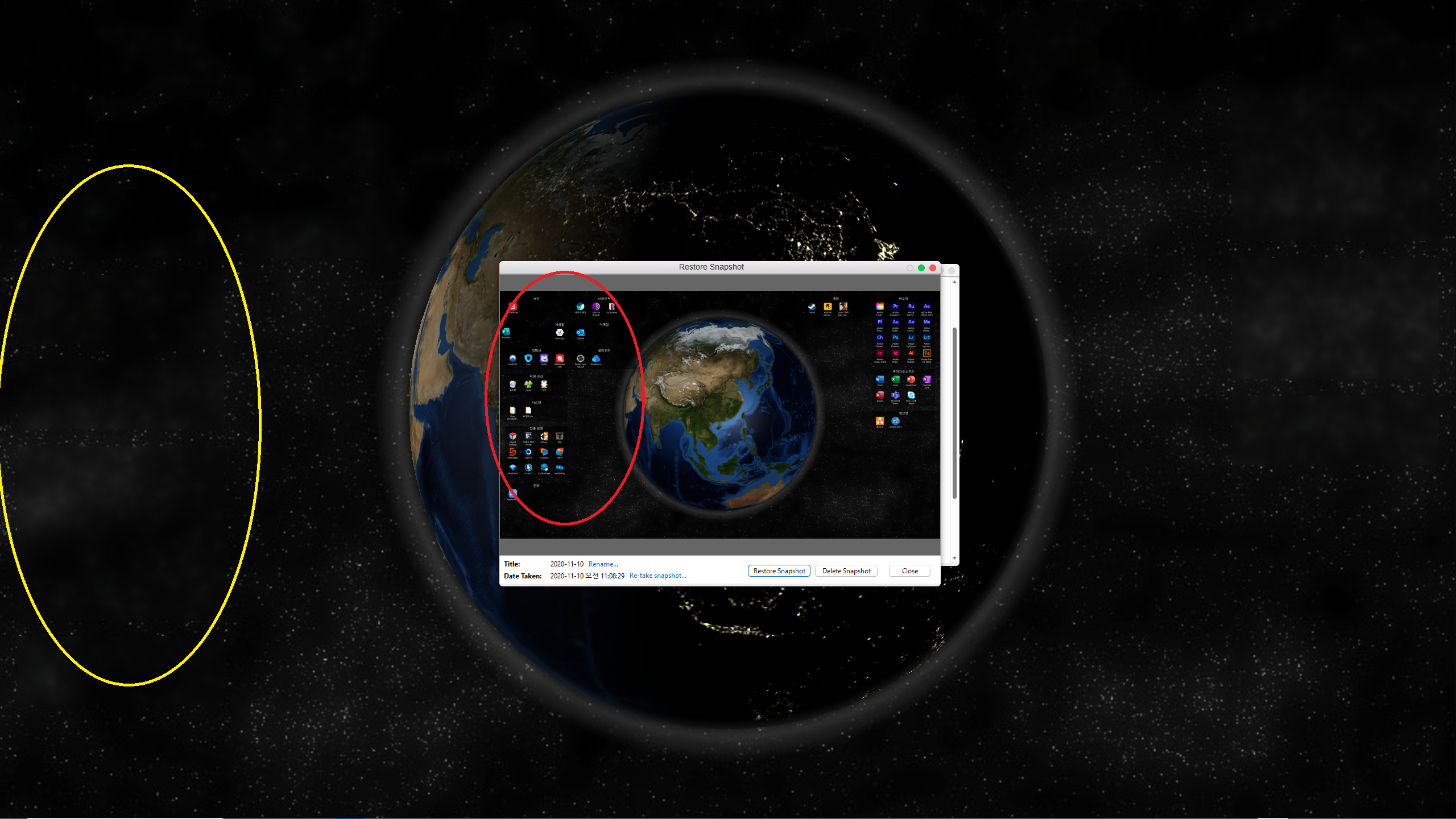
I ran into this problem, please see the screenshot for your reference. Used to get it right the first time round where the icons in the fences are fully visible (encircled in red), now the fences are blurred out (encircled in yellow). The Deskscapes background I use is the Desktop Earth one. 

Any help would be greatly appreciated. 
12,150 views 12 replies
Reply #1 Top

Hello,
Sorry to hear you are having issues. Need to know more on your system.

  1. Windows version, please use Winver.exe for full version numbers.
  2. Fences version.
  3. Deskscapes version.

Thanks
Basj,
Stardock Community Assistant.

Reply #3 Top

Hello again,

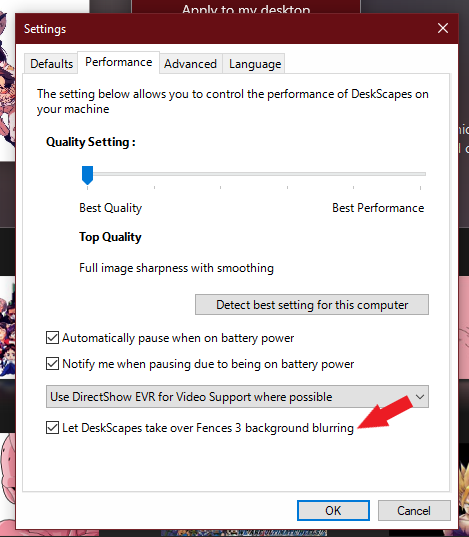
Please check if you have enable this in Deskscape :

Thank you,

Basj,
Stardock Community Assistant

Reply #4 Top

Hi there,

It was enabled. FYI I have WindowBlinds 10.84 installed as well. Sorry I did not mention this in the OP.

Reply #5 Top

Please post a screenshot with a brighter static background so we can actually see the fences are there just without the icons that should be there.

Thank you,

Basj,
Stardock Community Assistant

Reply #8 Top

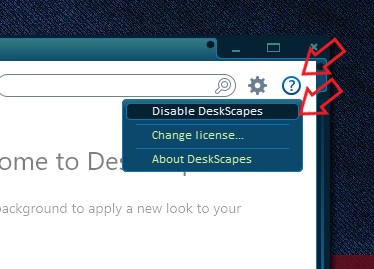
Just as a test, if you disable DeskScapes does the icons reappear? Might need to reboot the system to confirm it.

Quoting chosundaegun123, reply 2

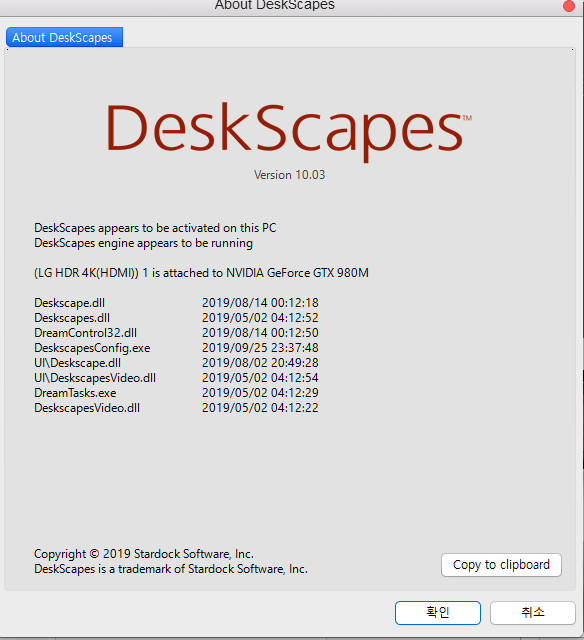
My PC is running Windows 10 Pro (Version 1909), Fences is running 3.0.9.11, Deskscapes running 10.03
End of chosundaegun123's quote

BTW, The latest version for me is Deskcapes 10.02, are you sure yours is 10.03?

Thank you,

Basj,
Stardock Community Assistant

Reply #10 Top

And those icons gone again, after you re-enable Deskscape?

Thank you,

Basj,
Stardock Community Assistant

Reply #12 Top

Great,

Thank you,

Basj,
Stardock Community Assistant