Trialing Fences and Opening folders

Hi,

I am just trialling Fences currently and everything seems great but I have a couple of questions...

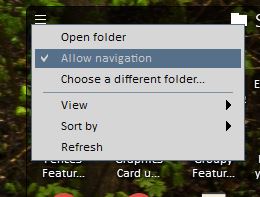
Firstly (and this is a deal-breaker for me)... I really don't like how clicking on a folder opens the contents within that Fence.

I understand you can hold "CTRL" which will allow it to break out into a new folder and then subsequent links with remain within that folder, but it's not natural to hold "CTRL" each time I open a folder.

Is there any setting to allow me to open it into a new folder like it does when I hold "CTRL" and then subsequently stays within that window which opens?

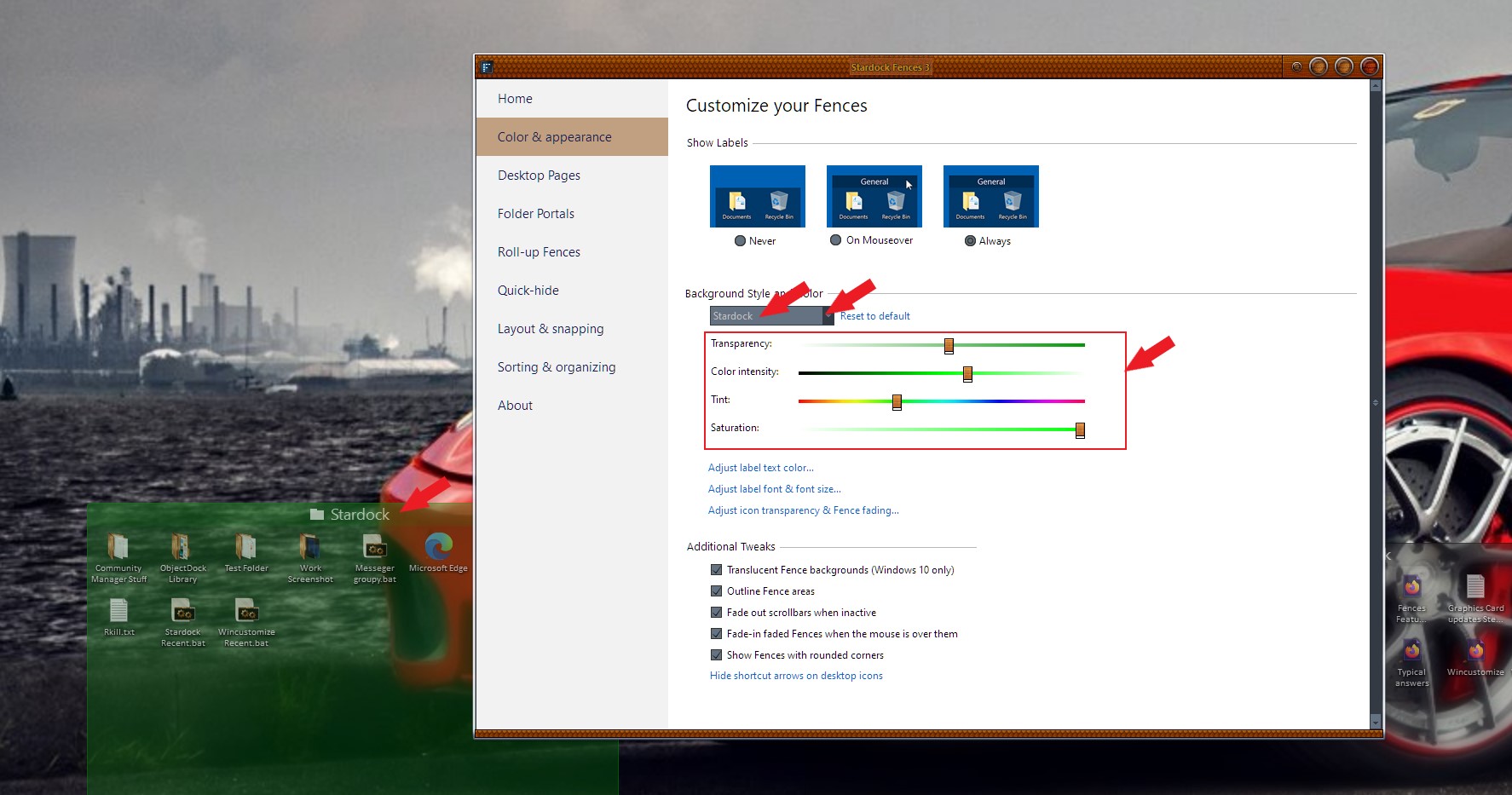
Secondly, is there a way to pick the colour for the fence and the title bar? I can only see it does it automatically based on the colour of your wallpaper currently.


Thanks for any help.
5,573 views 10 replies
Reply #1 Top

Hello,

Firstly (and this is a deal-breaker for me)... I really don't like how clicking on a folder opens the contents within that Fence
End of quote

You can disable this (fences 3 line menu->un-tick/disable "allow navigation"). This will open Explorer windows when you double click on the folder)


Secondly, is there a way to pick the colour for the fence and the title bar? I can only see it does it automatically based on the colour of your wallpaper currently.
End of quote

Yes you can set the color of Fences individually, refer to below screenshot.


Basj,
Stardock Community Assistant.

Reply #2 Top

Hi Basj,

Thanks for your reply.

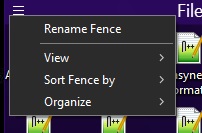
I'm struggling to find where you mean for fences 3 line menu->un-tick/disable "allow navigation"?

Thanks again.

Reply #3 Top

Hello again,

Its the 3 lines menu.. sometimes call hamburger menu

Thank you,

Basj
Stardock Community Assistant.

Reply #5 Top

I believe, that option only available for Portal Fences.

Thank you,

Basj
Stardock Community Assistant.

Reply #9 Top

Great, glad to help.

Thank you and Stay Safe.

Basj
Stardock Community Assistant.