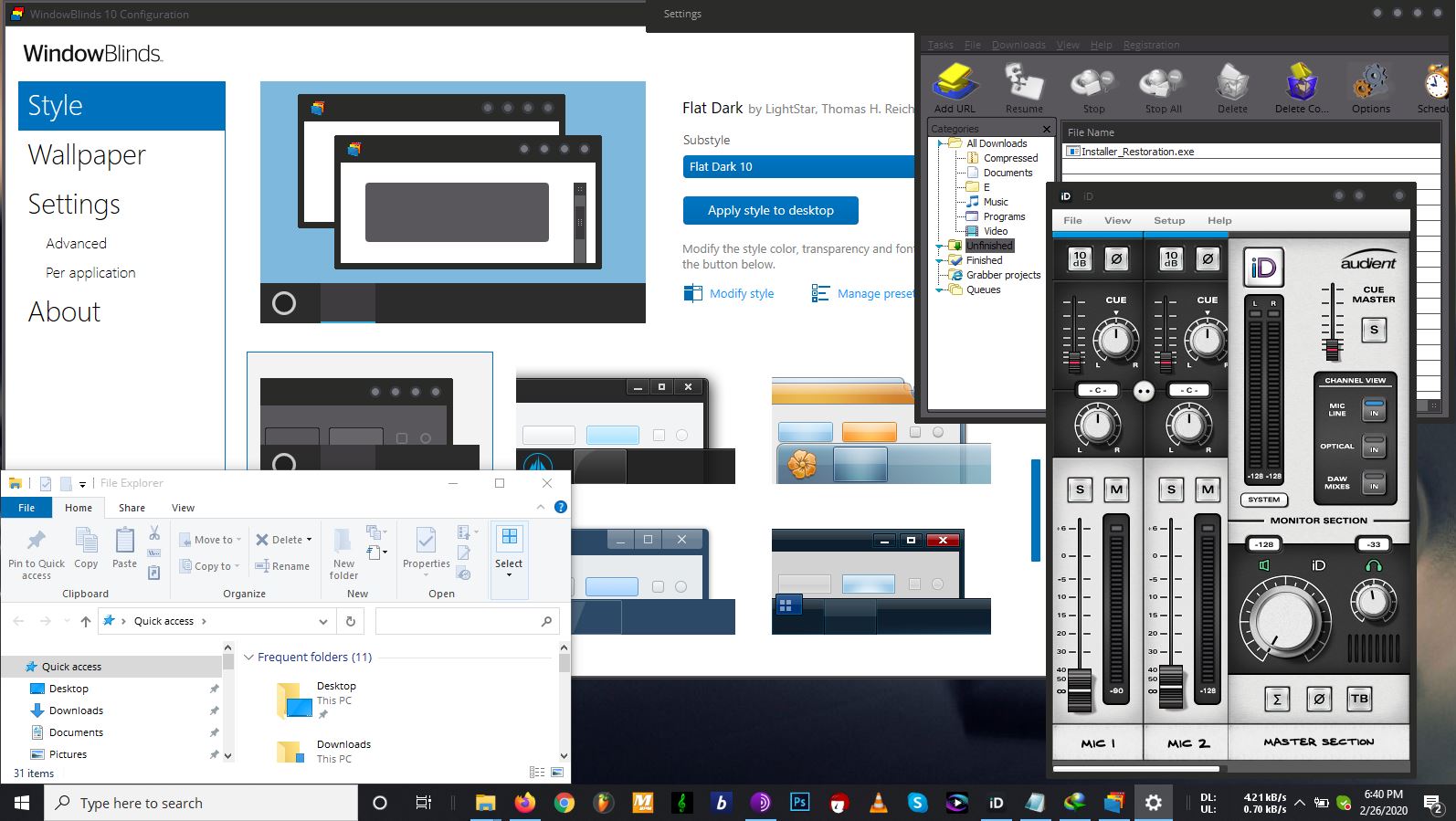
WB 10.84 taskbar/explorer not skinning
Hello, I have Windows 10 1909 and latest WB 10.84
All skins I try the taskbar, start button and file explorer never skin. Other programs are skinned correctly.
What is the issue?
Hello, I have Windows 10 1909 and latest WB 10.84
All skins I try the taskbar, start button and file explorer never skin. Other programs are skinned correctly.
What is the issue?
Are you using Startisback or any other start menu programs?
No other customization programs except WB
Hello,
Sorry to hear you are having issues. You'll need to have Start10 installed to have Start Menu and Taskbar to be skinned. Not really sure why your Windows Explorer not skin. Need more information.
1) Windows version numbers : please use Winver.exe for full windows version numbers.
2) Some screenshot of the issues.
Thanks
Basj,
Stardock Community Assistant.
Is this whole having to use Star10 a new thing to 1909? I see youtube videos of W10 and WB and everything skins fine.

Programs skinned, explorer/star/task not skinned.
Windows 1909 (18363.628)
No, Start10 always needed for Windows 10. For Start menu too look like Windows 7 or modern style Start panel.
On the screenshot, that look strange to me, did you exclude Explorer.exe in "Per application" setting? If not, please try the purge and reinstall steps : https://forums.stardock.com/486023/windowblinds-support-faq#reinstalling
Just to make sure, re-download the latest version from your account. Reboot after the purge, reinstall using the one you just downloaded, reboot again after the installation and retest. Report back here.
Thank you,
Basj
Stardock Community Assistant.
I looked in setting and sure enough Explorer was excluded. I never set this setting myself so I don't know how it ended up like that.
I deleted it then restarted my computer everything is fine now!
Thanks.
[mark as solved]
Great, glad it get solved.
Thank you,
Basj
Stardock Community Assistant.
Welcome Guest! Please take the time to register with us.