Shortcuts / Icons do not stay in fence after using

My fences work fine, have them set to roll-up.  I am able to open my shortcuts in a fence (e.g. a Word doc) just fine. But after saving the document, and closing it moves the shortcut back to the desktop.  I had fences on my old computer as well, and did not have this issue.

It does seem to only occur on shortcuts that can be 'saved'.  A shortcut to an application stays in the fence after I have closed the program.

My Fences are locked.


4,881 views 4 replies
Reply #1 Top

Hello,
Sorry to hear you are having issues. Need to know more.

1) Windows version. Please use Winver.exe for full version numbers.

2) Fences version.

Basj,
Stardock Community Assistant.

Reply #3 Top

Hello,

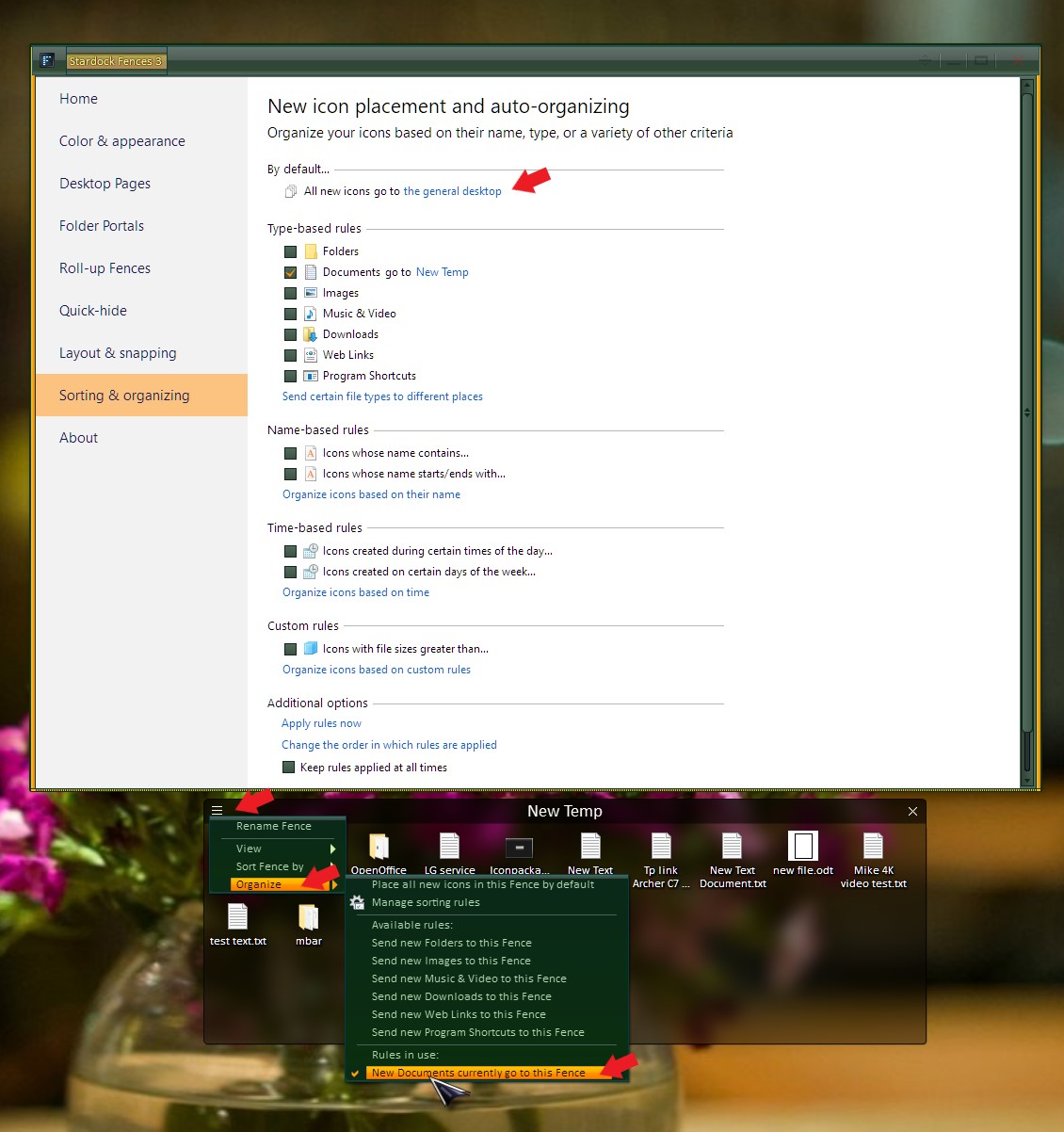
I can't recreate your issue on my system. My shortcut Document from my work folder stay where i placed them in my Document Fence, when ever I open and save that document it stays. Not really sure what is going on in your system to make it moved to desktop. But my best guess is has something to do with the Fences Rules setting in your system. You can try to look into that specific Fence Rules setting and the setting on General Desktop. Use my screenshot below as guide. There is two rules in it. One for all new icons and another one all new documents send only to that "New Temp" Fence.

Thank you,

Basj
Stardock Community Assistant.

Reply #4 Top

Most of my Word docs are kept in the same fence so I just set it up for new icons to go into that fence. Kind of a work around, but I don't create that many new icons on my desktop.

Thanks for your help.