Roll up button

How do you add a rolup button to an existing skin that only has the standard minimize restore and close buttons? Thanks to all in advance for answering.
6,226 views 5 replies
Reply #1 Top

Hello,
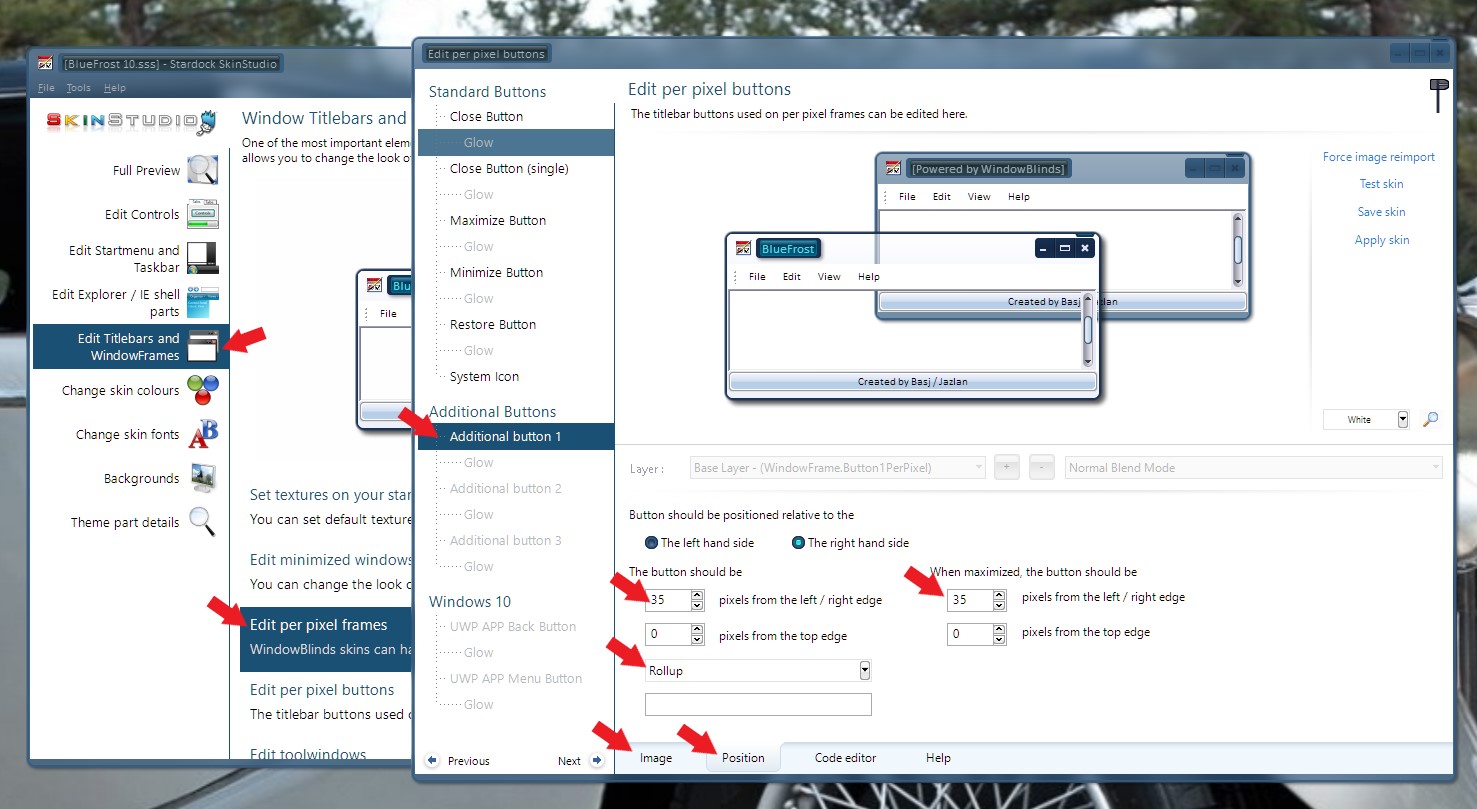
Please use Skinstudios and edit at Titlebars and WindowFrames -> Edit per pixel frames -> Additional Button -> Set the image -> Set the Position -> Set it to do "Rollup" (Refer to image below )

Basj,
Stardock Community Assistant.

Reply #2 Top

Thanks for the reply. Would I have to change the position of the restore or minimize button. Thanks again!


Reply #3 Top

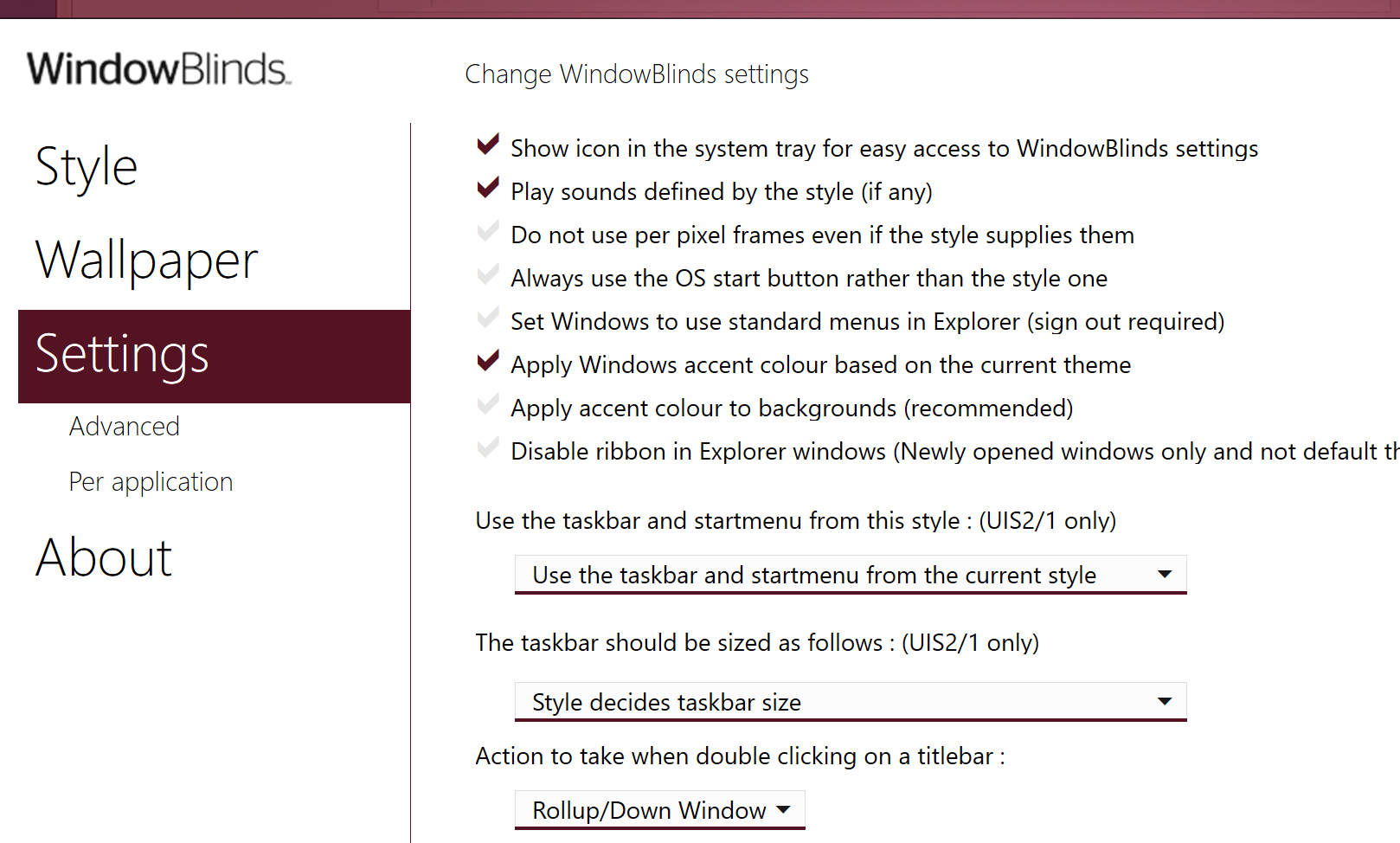
You could also just change the action to take when double-clicking the titlebar in the WindowBlinds configuration settings.

Reply #4 Top

Quoting danaroch, reply 2

Thanks for the reply. Would I have to change the position of the restore or minimize button. Thanks again!
End of danaroch's quote

Yes or no, depend where you want to put that rollup button. Just don't overlap those buttons.

Thank you,

Basj
Stardock Community Assistant.