I want to buy Fences,but I could not get to the pay page

I want to buy Fences, but I could not get to the pay page after clicking the button "Get it now". Is anyone in a similar situation? Thanks.
10,611 views 12 replies
Reply #1 Top

Hello,
I have forwarded your questions/problems to the Stardock Support team for their assistance. Please keep an eye on this thread for any updates. We appreciate you feedback and patience.

Thank You,
Basj
Stardock Community Assistant.

Reply #3 Top

You welcome, but since its the weekend, answer might be slow. While waiting, please try again using different web browsers such as Firefox, Chrome Edge, Brave etc etc. And sometimes it is just simple system glitch that solved over time.

Thank you,

Basj
Stardock Community Assistant.

Reply #5 Top

To Gaspershooters:  Thank you for your help. I checked the browser, and found that the javascript enable. 

Reply #6 Top

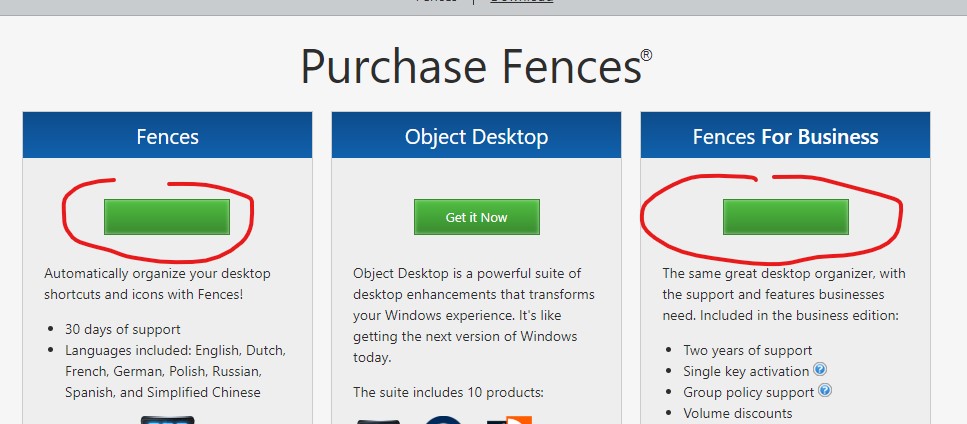
To basj: Thank you for your help. I tried it using Google Chrome, Microsoft Edge, and IE, but encountered the same issue. Justnow, I found that the words "Get it now" on the button was even invisible, as shown in the screenshots.  Thank you.

Reply #7 Top

Hello,

Sorry to hear you are having trouble.

Quoting peakzeal, reply 6

Thank you for your help. I tried it using Google Chrome, Microsoft Edge, and IE, but encountered the same issue. Justnow, I found that the words "Get it now" on the button was even invisible, as shown in the screenshots.  Thank you.
End of peakzeal's quote

Try opening Chrome / Edge in an incognito / private window and try.

Sean Drohan
Stardock Support Manager

Reply #8 Top

Quoting peakzeal, reply 5

To Gaspershooters:  Thank you for your help. I checked the browser, and found that the javascript enable. 
End of peakzeal's quote

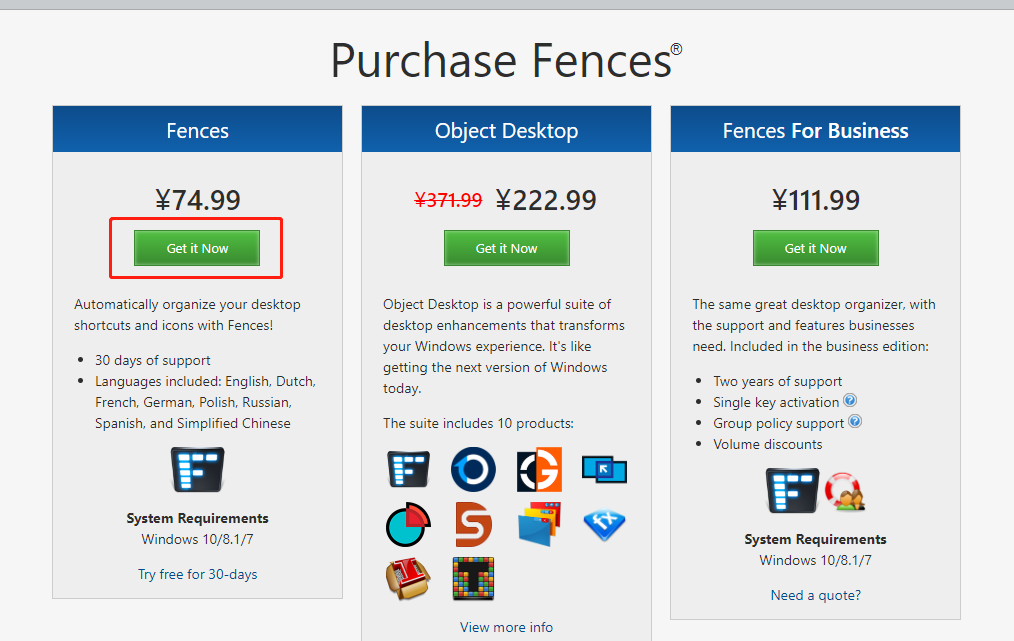
I think something is obstructing JavaScript enable on browser in your system. Maybe browsers' extensions or antivirus. I got the same result as Reply #6 image have I blocked the onfastspring.com and starock.onfastspring.com.

Reply #9 Top

I can reproduce the same thing.

Are you using Ghostery?

Reply #10 Top

To sdRohan

Thank you for your help. I have successfully get to the pay page with the computer at home. Thanks, and sorry for replying late.

Reply #11 Top

To Gaspershooters

Thank you for your help. Just as you say, the browsers' extensions or antivirus of the computer in my office may make it unalbe to use. Just now, I have get to the pay page with the computer at home. Thanks a lot.

Reply #12 Top

To Neil Banfield

Thank you  for your help. I am not using Ghostery. I change a computer and solved the issue. Thanks.