Background windows not coming to the front

I have some unexpected behavior on my Windows 10 machine. When window A has the focus and window B is underneath it, I can't always bring window B to the top by clicking on it. After days of random frustration over it, I finally tested this thoroughly. 


In order to give the focus to window B if it's under window A, there must be a significant amount of B visible. If if fewer than about 50 pixels of window B is visible, I can't do it. I must move window A over to expose more of B and then click it. Most times my overlapping windows are tightly grouped, so I am forever clicking on underlying windows, having nothing happen, and then moving the top window over to expose more of the one I want to click on.

This is a new install of Windows 10 Pro and has had the Stardock software on it from the beginning, so I can't tell you it started when I installed it. But I can tell you I've been an IT pro for 20 years and have never seen this happen across the thousands of Windows computers I've worked on. And since both Groupy and Windowblinds seem to play around with the borders of windows, adding to them in one way or another to do their magic, it seems highly suspect. I didn't note any option that does this intentionally, perhaps to prevent you from accidentally clicking just outside the active window, but that's what it feels like.

Can someone please help with this?



17,587 views 9 replies
Reply #1 Top

Hello,
Sorry to hear you are having issues. Need to know more.

1) Windows version. Please use winver.exe for Full Windows version numbers.

2) Windowblinds version installed.

3) Groupy version installed.

4) Is the issue Windowblinds theme dependent? Does the issue happened on all Theme or only certain theme?

5) Does the issue happen when groupy is disabled?

6) Does the issue happen when Windowblinds is disable (Default Windows 10 applied)

Thanks

Basj,
Stardock Community Assistant.

Reply #2 Top


That's what's currently installed. I opened Groupy and disabled it, and the issue persists. On my 15.4" laptop, I need to click almost half an inch outside of the active window to activate a window that's in the background.

I opened WindowBlinds hoping to find a "disable" options, but didn't find that. I didn't see a straightforward way to disable it. Please let me know the best method of making sure it is completely inactive and I will proceed.

Thanks for your help.


Reply #3 Top

Hello,

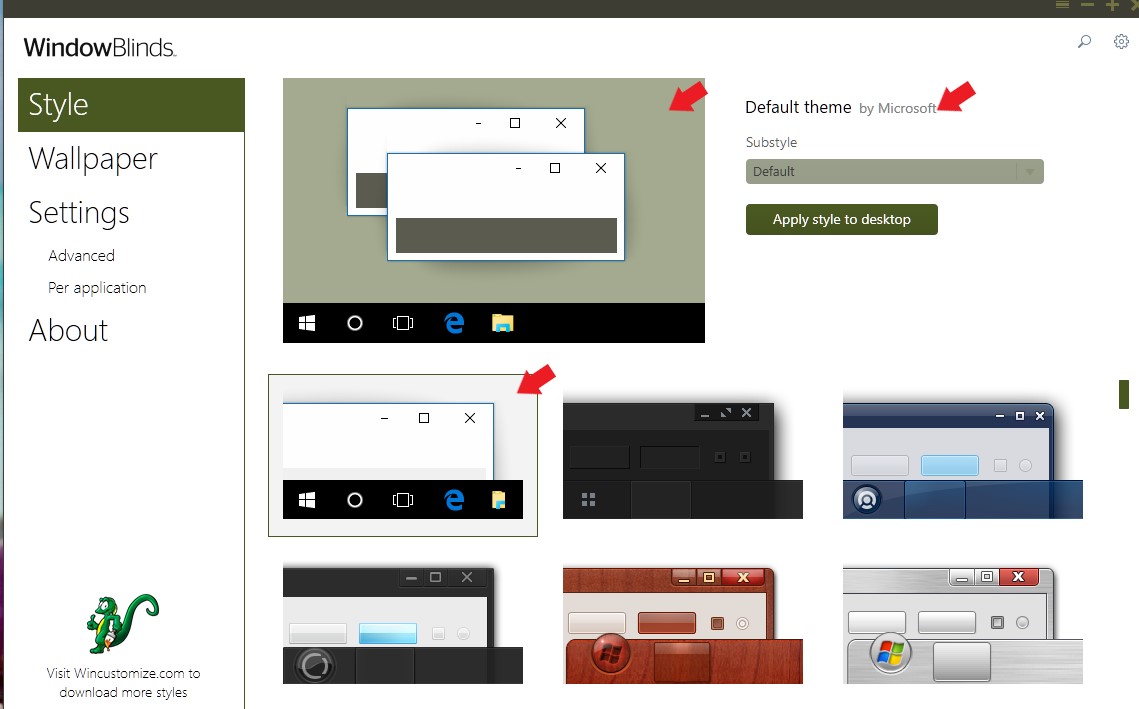
You just need to apply the default Windows 10 theme, to disable Windowblinds. Its the first theme on your theme/style section. Sometimes restart after applying this Theme helps.

Thank you,

Basj
Stardock Community Assistant.

Reply #4 Top

Okay, thanks. More details for you. I found that changing the theme does make a difference. Some themes are fine, others not. Here is the test I used:


I wish I had captured this with a better theme, but it still makes the point. You'll see three windows. The upper one (with focus) runs the horizontal length of the picture. The one below it on the right extends a little over 45 pixels. The one below on the right extends much further. You'll see two scrollbar arrows and be low that a horizontal line above the work "IN." That line is about 60 pixels below the edge of the upper window with focus.)

In a normal scenario, you can give the focus to either lower window by clicking 1 pixel below the top window's edge. This immediately activates that window and it jumps to the top level, covering the other windows.

I don't have many themes loaded, but I found this default (correct) behavior when using these themes:

Default Theme
Diamond
Lanta
Mac OSX Ultimate
Precision

The following themes cannot activate the lower left window unless the click is about where the vertical line over the "IN" is near the 60 pixel mark. They cannot activate the lower right window at all. The upper window must be moved up at least 15 pixels to expose more of the lower right window before it can be selected:

Corporate
Acrylic 7
Eva
Ice
Win8
Win8 Metro

Lastly, I found a few themes that fell in-between. With these themes loaded it is possible to activate the lower right window, but only by clicking near the very bottom of it:

Echo
Modern
The Captain

With themes that work correctly, hovering the mouse over one of the lower windows results in the cursor changing to the appropriate shapes, so it is reacting to the unfocused window below. For instance, moving the mouse even 1 pixel below the active window results in a horizontal-double-arrow if the cursor is over the vertical border of a lower window or a vertical-double-arrow over a horizontal border. But when the problematic themes are loaded, the cursor doesn't change until it is moved all the way down to the horizontal line at the 60 pixel mark.


Reply #5 Top

Need to know if you using Windows Scaling on your monitor? If yes, what is the setting at? 125%,150% or more..

Thank you,

Basj
Stardock Community Assistant.


Reply #6 Top

After looking at "Corporate", I think I understand your issue.

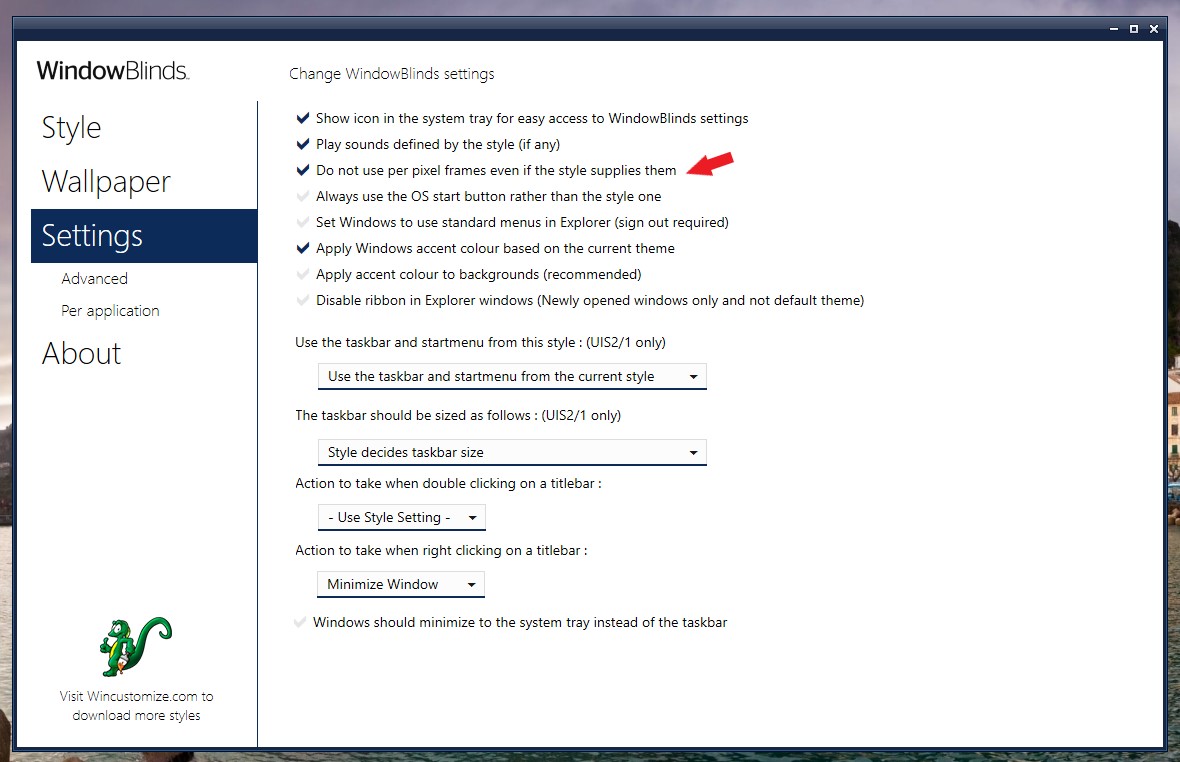
Its is because the skin/theme is designed to have some dark shadow around its frame. So as long as you click around that shadow area, it still clicking onto that top windows. Even though you can see the bottom frame but it still under the top-frame. Only if you move further away from the frame, beyond the shadow area, only than your click will fall on the bottom windows. This can't be adjust. But you can disable the per pixel frame by option below. Once that enable, all frame will be none shadows and no glassy look. Hence, your click should go through right next to the frame border.

Thank you,

Basj
Stardock Community Assistant.

Reply #7 Top

Thank you, Basj. I have tried a few of the most problematic themes. Toggling this option does indeed cause them to work correctly. Clicking just a single pixel outside the focused windows now selects the background window as expected.

Thank you very much for the solution. This was a productivity killer, as I was having to constantly move foreground windows around the screen before I could raise background windows. Hopefully this topic will help others as well.


Reply #8 Top

Well, its between the look or functionality, some prefer one over the other. It up to the users.

Glad it work out.

Thank you,

Basj
Stardock Community Assistant.

Reply #9 Top

Basj pointed me over to this thread when I asked about the same issue elsewhere. It's possible to remove the shadows without disabling per pixel frames entirely. I posted a rundown over at https://forums.wincustomize.com/497543/page/1/#3763974 . Hopefully this will help some folks who want to resolve this problem without losing other benefits of per pixel frames.

Edit: As basj pointed out in the other thread, some skins may incorporate shadows into the frame itself rather than defining them as an element that can be disabled. In such cases this won't work.