Where is this control: Show titlebar buttons on Fences on mouseover

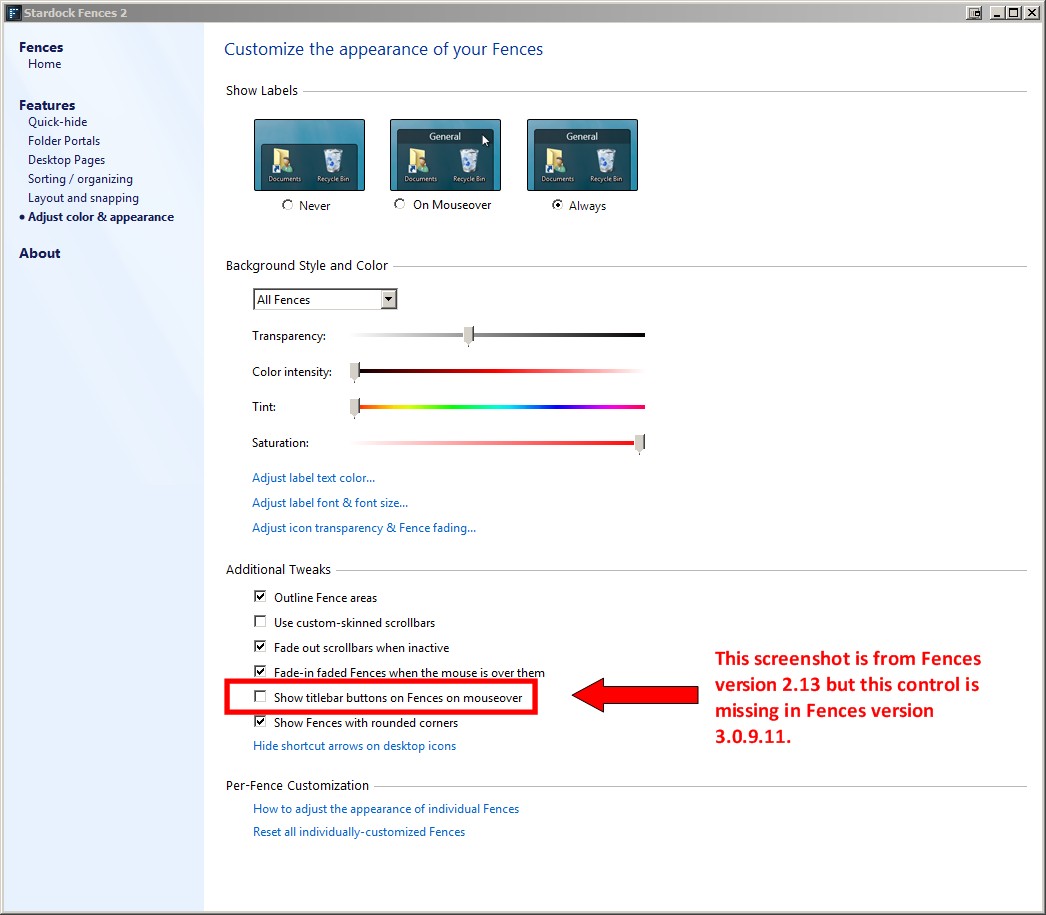
Fences 3 seems to have deleted a feature I miss from previous versions, the ability to uncheck "show titlebar buttons on Fences on mouseover" which was previously found in the Color & Appearance page under in the Additional Tweaks section.

Was this intentional? Any rationale? Will you please put it back?

Editorial: New feature are great but why delete previous features? I couldn't find any mention of this change.

-Steve

6,096 views 6 replies
Reply #1 Top

I am not aware that Fences has titlebar buttons.

Reply #2 Top

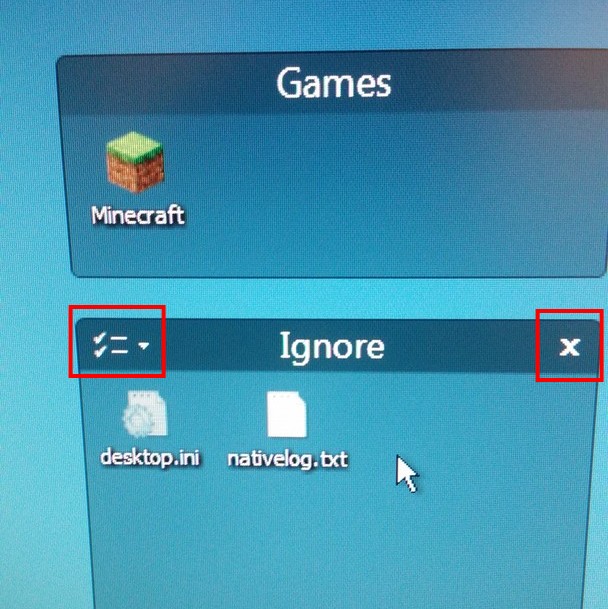
In the example below, the mouse is over the "Ignore" fence and the red boxes illustrate the two buttons that appear when the fence is moused-over. They disappear when the mouse leaves the fenced area. Note there are no such buttons in the "Games" fence. The control I'm referencing in this forum used to (prior to version 3) allow a cleaner display (less clutter) by never showing the buttons in question.

Example of title bar buttons

Reply #3 Top

Hello,
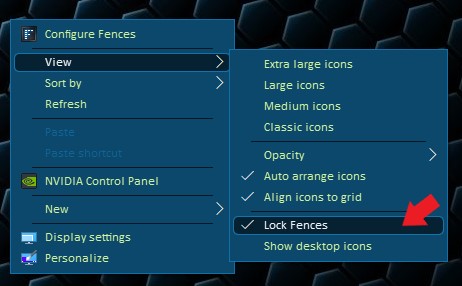
Sorry to hear you are having issues. As far as I know that title buttons is hidden when you have your fences locked, Please try unlock it and see if those buttons return.

Thanks

Basj,
Stardock Community Assistant.

Reply #4 Top

My fences are not locked - but I think you missunderstand the issue. I don't want to see the title bar buttons - ever. What I want to do is uncheck the "Show titlebar buttons on Fences on mouseover" setting but that setting seems to have been removed from Fences 3 so that it is always On. I want to turn it Off. See the attached screenshot from Fences 2 which shows the checkbox in question.

Example of Fences Configure menu from version 2

Reply #5 Top

Hello,

Wouldn't that be the same as just locking your fences. That will make those button hidden. And if you ever need it back just unlock it. It much easier than have to open up fences config and tick that box.

I believe that is why the option is no longer available.

Thank you,

Basj
Stardock Community Assistant.

Reply #6 Top

I have never locked my fences before. Sometimes I want to resize them and move them and I'm not sure why I would ever want to lock them. To avoid accidentally moving them I suppose. Anyway, you are correct locking fences works as you said. In version 2 I have always just right-clicked to get access to the functions in those buttons so I always thought having those buttons was superfluous.

However, I wouldn't say locking and unlocking fences is easier than unchecking the box in the configuration menu. Unchecking the box is a one time thing. Uncheck it and forget about it until the next time I buy a new computer.

Finally, thanks for replying so quickly to this post. I don't agree the change was a good thing but in the bigger picture this particular feature is not a big deal. In fact, I think it's such a low customer impact feature I am surprised the developers would have bothered to change it at all.