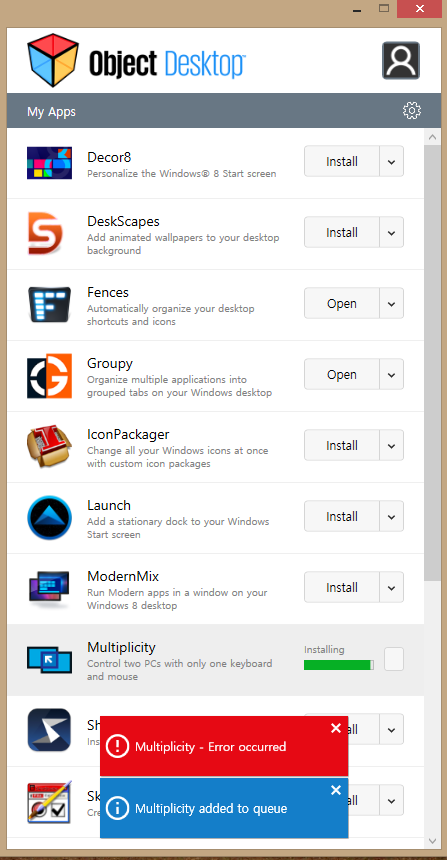
Can't install Multiplicity

Hello all,

Just got started using Object Desktop, all other apps worked like a charm but can't get Multiplicity working, displays a message "multiplicity-error occurred". 

Any help would be appreciated!

7,715 views 7 replies
Reply #1 Top

Hello,
I have forwarded your questions/problems to the Stardock Support team for their assistance. Please keep an eye on this thread for any updates. We appreciate you feedback and patience.

Meanwhile you can browse our FAQ section on Multiplicity. https://forums.stardock.com/486104/multiplicity-support-faq

Thank You,
Basj
Stardock Community Assistant.

Reply #2 Top


displays a message "multiplicity-error occurred". 
End of quote

That would not be an error message that we are familiar with.  Could you post a screenshot of the error if the FAQ section did not already help you resolve it?

Sean Drohan
Stardock Support Manager

Reply #4 Top

Hello,

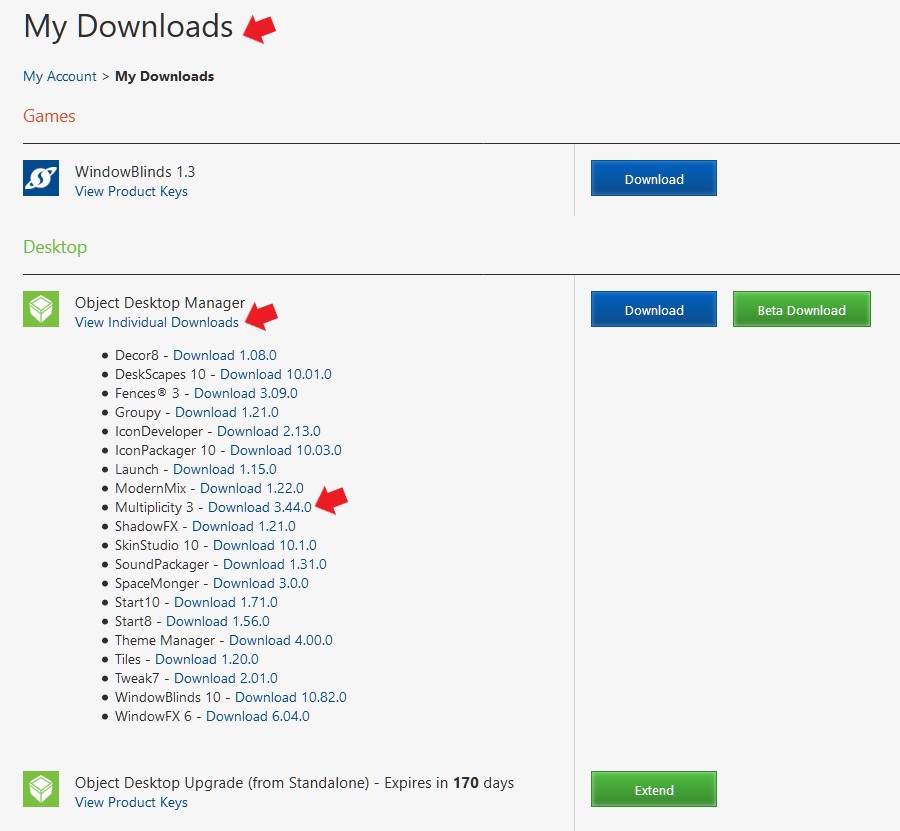
Please try again download and install directly from your account https://store.stardock.com/myaccount/products

Thank you,

Basj
Stardock Community Assistant.

Reply #6 Top

Great, glad it get solved

Thanks for reporting back.


Basj
Stardock Community Assistant.

Reply #7 Top

As a possible workaround, start Object Desktop Manager in Admistrative mode.  This can be done by right clicking on the Object Desktop Manager icon and select the "Run as administrator" option.