Problems with WindowsBlinds on Windows 10 64 bit

First off let me indicate that I am soon to be 71 and don't have a tech type background.


I recently acquired WindowBlinds as I had used it back in the Windows XP days and found it to be a nice enough software to use; however, fast forward to now where things aren't so wonderful.


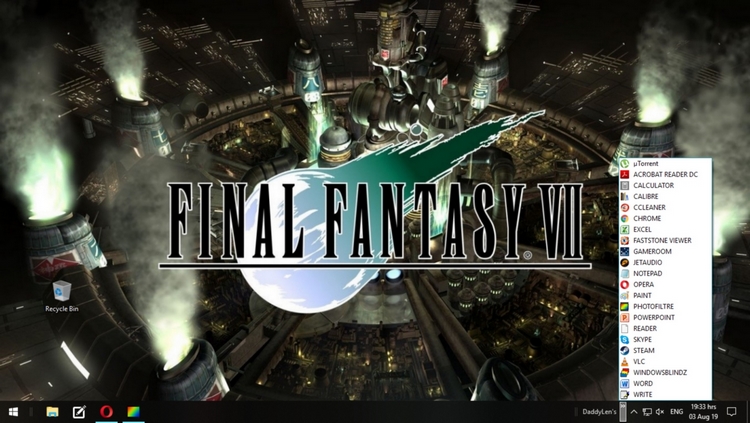
When the systems starts up and I try clicking on a toolbar that has links to the various programs that I use on a current basis I end up with the popup with no listings on it and then very shortly thereafter I get a black screen and it goes through this process twice. Finally when it settles down I end up with the original settings that I had prior to using WindowBlinds. Also when I check on hidden icons WindowBlinds is not there.

So if this has been dealt elsewhere I do apologize for this but if a link to the appropriate post would be appreciated. I really like WindowBlinds and hope this situation can be resolved.

Respecfully,

Len-Funing
 

10,669 views 11 replies
Reply #1 Top

Hello,
Sorry to hear you are having issues. Need to know more information.

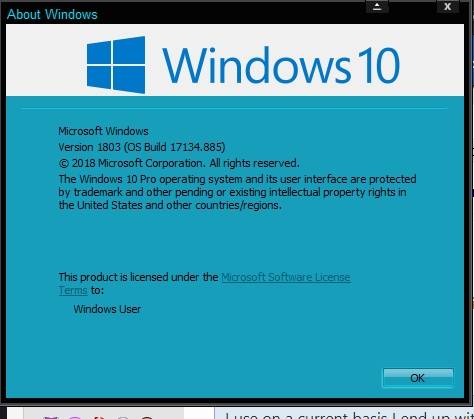
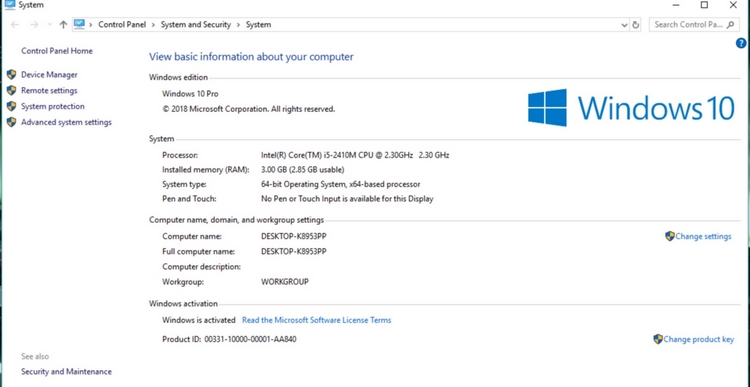
1) Windows version installed. Please use winver.exe for the full Windows version numbers.

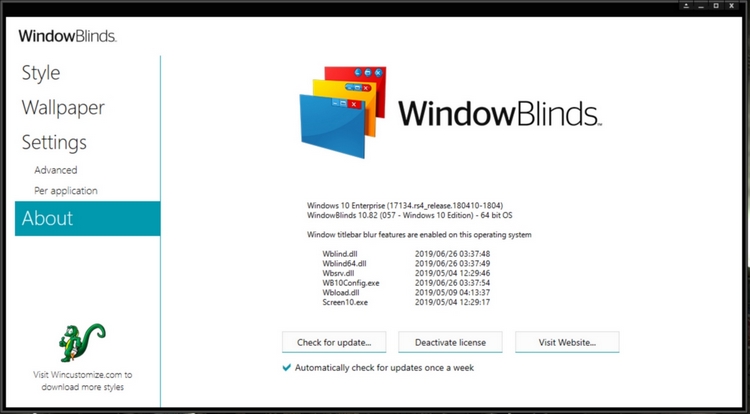
2) Windowblinds version installed.

3) When you said toolbar, need to know which toolbar and what popup came up. Would be nice if you can post a screenshot so we understand the issue more clearly.

Thanks

Basj,
Stardock Community Assistant.

Reply #2 Top

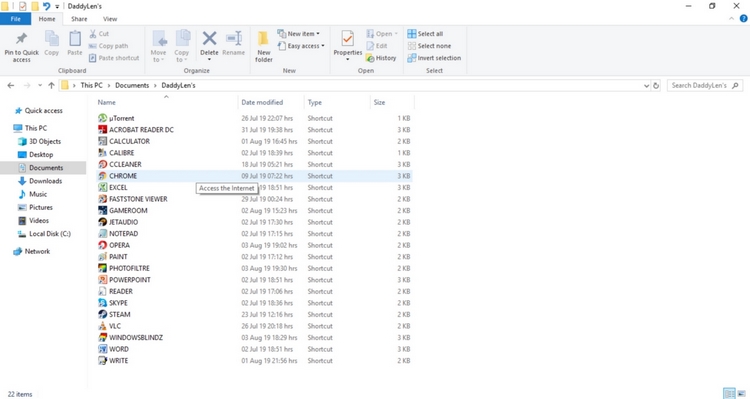
I have did as requested and made jpegs of all items I think you need. I can see you say why not use "PIN TO" option but I found it to be rather slow when it comes to opening the shortcuts whereas I just need to click once on the "DaddyLen" toolbar and get the desire item quickly... Oh yeah I live in the Philippines and everyone calls me DaddyLen.. just a side note on that...


Reply #3 Top

Ok, Thanks but you did not post the first one correctly. I need the info from Winver.exe. Sample of Winver.exe included below. (Note that is an old screenshot, now mine is at Version 1903 (OS Build 18362.267))

From your initial post your problem is when you click those links in your DaddyLen's toolbar? My question to you, is the problem not happening if you click directly to those shortcut listed on your Windows Explorer?


I use on a current basis I end up with the popup with no listings on it
End of quote

Not sure on this one, can you show us the screenshot of it.

Thank you,

Basj
Stardock Community Assistant.


Reply #5 Top

To answer the second problem ... when I click on an item from the windows explorer there is no problem to access the specific program... I checked with updates and the version that you see above is the most recent update offered as of 13 Jul ... there are no other subsequent updates offered 

Reply #6 Top

1) Any reason you are not updating Windows 10 to the latest V1903?

2) Please try these steps : https://forums.stardock.com/486023/windowblinds-support-faq#reinstalling

Just make sure to re-download the latest Windowblinds version from your account. Reinstall that version after the purge steps reboot as listed in the link above. Make sure to reboot again after the installation finish. Retest and report back here.

Thank you,

Basj
Stardock Community Assistant.


Reply #7 Top

I recently had a hard drive crash, due to a power brownout, and took my laptop to a local computer tech who replace the crashed drive with a new one and installed Windows 10 also. So I am not certain what could be the problem. We are currently in heavy rains here and when they let up I will check with him about the discrepancy in the update for Windows..

Reply #8 Top

Did you tried the purge and reinstall steps mentioned above?

Thank you,

Basj
Stardock Community Assistant.

Reply #9 Top

Did the re-install and changed the WindowBlind to another and all is working well. Seems the one I chose must have a bug in it... 

Anyhow thank for your patience. Regards..

Reply #10 Top

Great, glad it get solved.

Thank you,

Basj
Stardock Community Assistant.

Reply #11 Top

ALSO if you are running ESET, you will need to jump through hoops to get WB installed and ESET to stop blocking WB.