Unable to upgrade any Stardock program

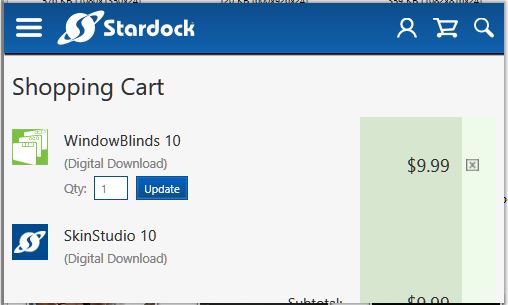
For a very long time when prompted to upgrade windowblinds, or when trying to upgrade fences now in hopes of being able to drag icons into the fence, I get a small box that cannot be dragged/expanded to reach any active buttons so haven't been able to upgrade for several years. Any help appreciated.


Upgrade links all look like this

5,083 views 8 replies
Reply #1 Top

Hello,

You can always download the latest version available to you via your Stardock account : https://store.stardock.com/myaccount/products

Try it. Please let us know if you still need our assistance.

Thank you,


Basj,

Stardock Community Assistant

Reply #2 Top

Thank you. This isn't going well. Went to reinstall as you suggested, saw the software had expired which I don't recall seeing notice of, paid and downloaded objectdesktop.exe, and it gives me no software to install:


Hit refresh, nothing. look under tab "installed" and that is also blank. Fences and Windowblinds, Object Manager and several others are installed. (Also have Multiplicity KVM Pro installed, does that require a subscription renewal to work?)

Suggestions appreciated,

Alan

Reply #3 Top

Hello alandlmc,

Sorry to hear you are having issues.

Object Desktop is a yearly renewal https://www.stardock.com/products/odnt/

scroll to the bottom of the page for a discount to renew if yours is expired.

Then Go to your Stardock Account page https://store.stardock.com/myaccount/products/

and you can get all your downloads and keys there .

Object Desktop Manager will be updated soon ( No ETA yet ).


AzDude
Stardock Community Assistant

Reply #4 Top

Thank you for replying, having difficulty seeing how that is helpful. As noted I had done that, but the only way I see to download a newer version of Fences, etc is by downloading the object desktop manager. It should show Fences and the others I have installed in the display box, which is simply blank and hence useless. I’m not trying to upgrade the manager, I am trying to upgrade Fences and the other programs that are in that bundle but it doesn’t show them either installed, which is inaccurate, or available to upgrade. Blank. When I go into the accounts page it doesn’t list any programs separate it only lists the object manager....

Alan

Reply #5 Top

Hello,

I have notice that there were few reports on "ODM not listing its software" this week. I believe this might be the server side problem. Which most probably need to wait until Monday morning on Stardock time to get it resolve.

But, As Azdude (Mike), mentioned above, you should still be able to download all product under ODM direct from your product page as long as your subscription on Object Desktop still valid.

Thank you,


Basj,

Stardock Community Assistant

Reply #7 Top

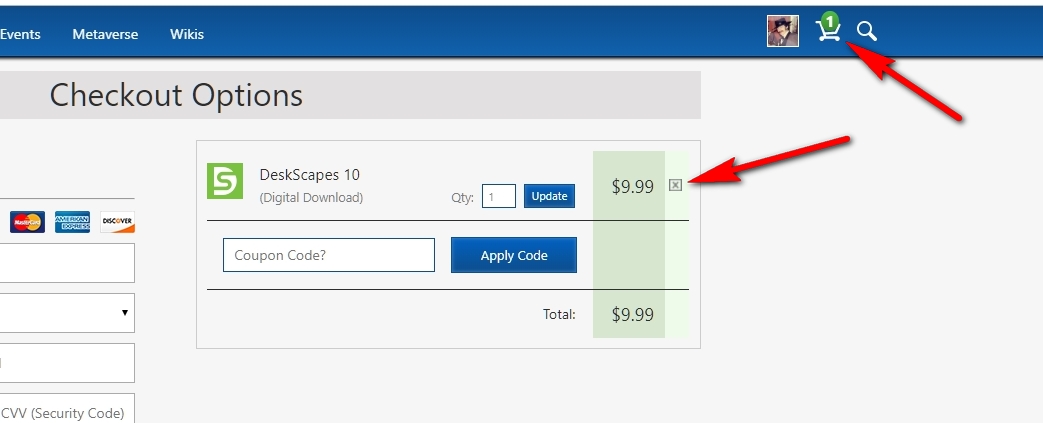
Windowblinds just popped up to do an upgrade and when I click yes it takes me to this worthless screen that cannot be clicked or dragged bigger:


This has been going on for years, anyone else having this issue?

Alan

Reply #8 Top

Quoting alandlmc, reply 7

Windowblinds just popped up to do an upgrade and when I click yes it takes me to this worthless screen that cannot be clicked or dragged bigger:


This has been going on for years, anyone else having this issue?

Alan
End of alandlmc's quote

Hello,

Sorry to hear you are having issues.

Just click on the " x" to remove from your shopping cart

any unwanted item that should fix that issue .


AzDude
Stardock Community Assistant