Keyboard Lauchpad Trial
from  Stardock Forums
Stardock Forums
How about offering an ENGLISH version of the Keyboard Launchpad trial
 Stardock Forums
How about offering an ENGLISH version of the Keyboard Launchpad trial
English version meaning ?

Hello,
I have forwarded your report to the Stardock support team for their review and recommendations.
Please keep an eye on this thread for any updates.
We really do appreciate your feedback, thanks.
AzDude
Stardock Community Assistant
It was at one point but is no longer.
----------------
Sean Drohan
Stardock Customer Service Manager
Hello,
Watch this video through till the end http://sd.stardock.com/Support/uploads/2018-05-17_14-19-22.mp4
this should help get you started .
AzDude
Stardock Community Assistant
Hello,
I have forwarded your report to the Stardock support team for their review and recommendations.
Please keep an eye on this thread for any updates.
We really do appreciate your feedback, thanks.
AzDude
Stardock Community Assistant
That is disappointing to hear that Keyboard Launchpad will not be in Object Desktop.
I will continue my use of AutoHotKey.
Then that is what the PC / Windows language must be set up to be.
----------------
Sean Drohan
Stardock Customer Service Manager
Sill not seeing it. I'll wait until I get a nag I guess. Also cannot get this to open a Windows Universal App. Tried dragging from start menu, also from a desktop shortcut. It just opens the system32 folder.
It is unclear what you are asking - what do you want Keyboard Launchpad to do that it is not?
-----------
Sean Drohan
Stardock Support Manager
Native Windows Store apps can be done rather easily cay calling their exe:
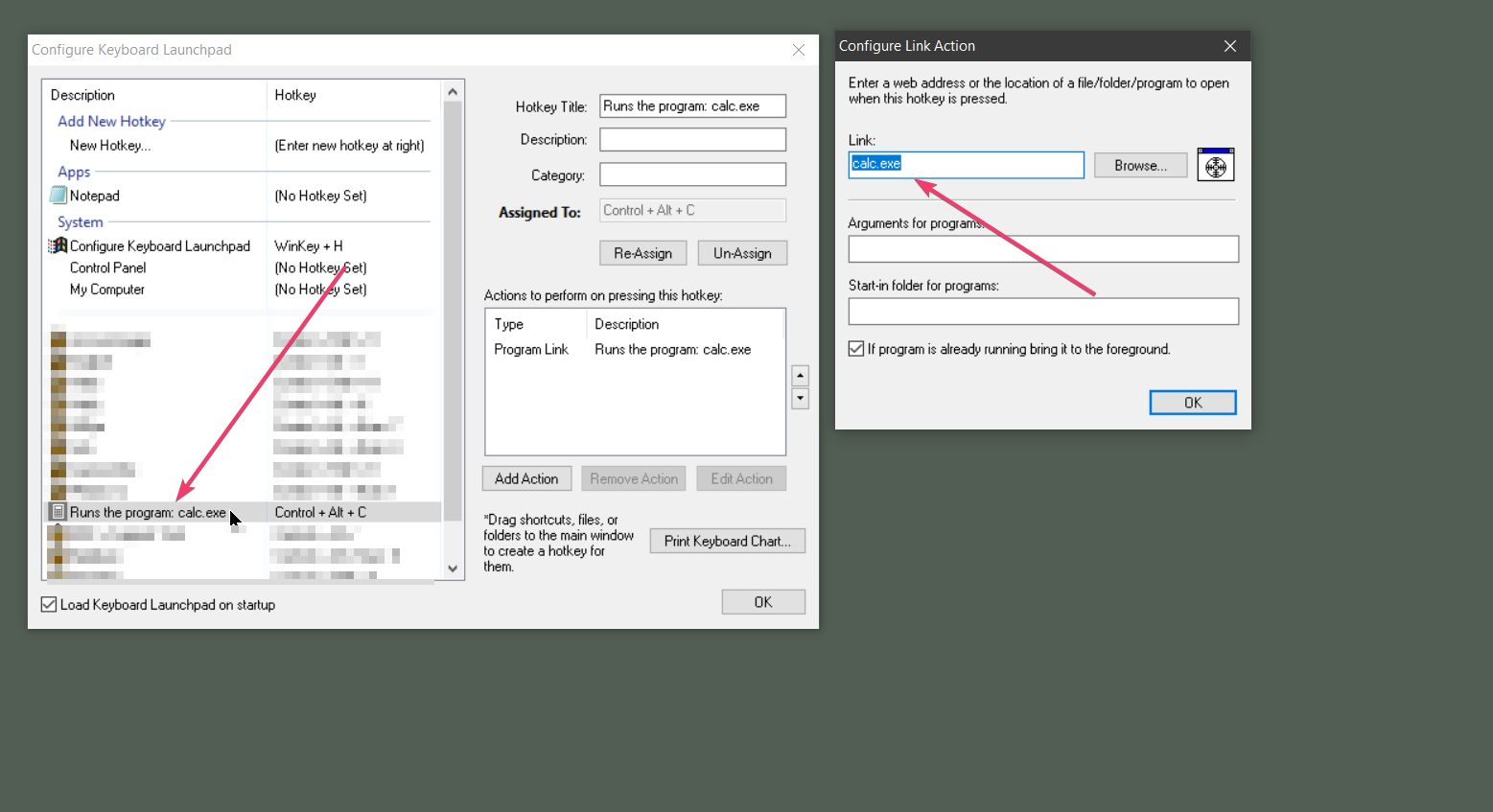
Other 3rd party Windows Store Apps could be more of a challenge:
https://www.tenforums.com/software-apps/57000-method-open-any-windows-10-apps-command-line.html
----------------
Sean Drohan
Stardock Customer Service Manager
Welcome Guest! Please take the time to register with us.
Select a reason for giving karma:
You're about to visit an external site:
Sign up here to get the latest news, updates, and special offers delivered directly to your inbox.