Frogboy Frogboy

Fences V4 Wishlist

Fences V4 Wishlist

As we work on the next version of Fences, we are interested in getting your feedback on what you'd like to see.

We are particularly interested in features that will make Fences more useful in your work and enterprise environment.  

Please comment below with any ideas and suggestions you might have.

Thanks!

2,296,679 views 534 replies +2 Loading…
Reply #402 Top

Quoting mhutch1478, reply 403

As I mentioned in my message - make them available from the system tray ;)
End of mhutch1478's quote

Yes, but icons in the Systray are not 'Desktop Icons'.  The systray and Start Menu are levels above the desktop and are set to be visible above open windows when in focus.  That's the level that Docks work at as well.

Fences is designed to manage the Desktop Icons at their level.  It cannot relocate the Desktop Icons from anywhere other than the desktop.

Think of it as like the Start10 program.  That works at the start menu level and doesn't change its level.

Both programs are designed to not impact on 'expected' functionality.  When levels are messed around with there will always be action conflicts...often seen as 'click through' ...where you want to activate one thing...but end up inadvertently activating something below [behind] that you didn't see.

All of that is not to say that a program could mimic or copy the desktop icons to another level [they would no longer be desktop icons] and be accessible at another level...exactly as Docks do [which is why they exist]...;)

Reply #403 Top

Quoting VileAce, reply 400

I would like to see auto organization based on the directory of an application.  So for example, if the application is in my games folder it would be auto organized into the Fence I have configured for games.  I would like to have multiple directories assigned to a specific fence.
End of VileAce's quote

By directory (the location) is not possible but the type is - more so with the version being tested now:

https://forums.stardock.com/504549/page/1/#3804961

Sean Drohan
Stardock Support Manager

Reply #404 Top

Please enable per layout customizable keystroke to restore it.

This should solve the need to open Fences and manually restore the proper layout when you change the primary monitor configuration without restarting the pc (e.g. docking or extenal monitor plugin).

Thanks

Reply #405 Top

the ability to auto move files from a folder portal to the desktop (for fences auto sorting).

this request was born from a terrible issue thats been plaguing me forever.   Chromium based browsers will create a temp file and begin auto downloading a file to your "default" location before you even choose the save location.

This results in files I download to my desktop not appearing until I auto refresh ala right click or F5.   A workaround ive found is downloading elsewhere as my default with the problem being I am entirely acclimated to the files being on my desktop.

Enter folder portals!  Great feature, minus the part (in my case) that I lose the auto-sort functionality of fences respective of extension entirely.

Reply #408 Top

Hi!

I cannot even imagine a Windows without Fences, but some improvements are still possible O:)  :


- Improve the multimonitor management: options to move a fence from monitor #1 monitor  #x, options to better manage system that works with a variable number of monitors (for example laptop used in office with 2 monitors, but in mobility with 1 monitor)

- Improve the roll-up: include a roll-down option and a new option to reduce a fance to icon (double click on fence icon to reopen the fance); 

- In case a fance can be reduced to an icon, we can imagine fences containing fences......

- Tabbed fences might be a wonderful add-on for very clogged desktops

- Better rules for fence spacing, grid for positioning, better rules for icon distances

- Possibility to have sticky positions for individual icons in a fence

- For folder portals, possibility to specify scrolling rules (horizontal scrolling, vertical scrolling or both, with a defined icon grid size)

- Additionally to snapshot, I'd like to have the possibility to save and load "fences profiles", possibly for single fences of group of fences, possibly editable with a regular text editor


Keep the nice work on! Thanks

Reply #409 Top

Quoting basj, reply 9

I wish Fences could have an option to use some of Windowblinds elements as its frames, background, scrollbars and buttons.
End of basj's quote

++ on this

Reply #410 Top

I read through several pages here, but don't have time to read through all 17, so apologies if this has been requested before.

I would like to see an option to either "mouseover" or "click titlebar to unroll" a rolled-up fence. Too often in my day-to-day use, I see my rolled-up fences momentarily unrolling, then rolling-up again as my mouse passes over them. It's distracting and a little unnerving. A single click would be all that's necessary, as a double-click would interfere with the "hide everything on the desktop" feature. 

Nep

Reply #411 Top

Compatibility with Windows 11.

Reply #412 Top

Quoting pelaird, reply 413

Compatibility with Windows 11.
End of pelaird's quote

Thus far, it is.

Sean Drohan
Stardock Support Manager

Reply #413 Top

Quoting sdRohan, reply 414


Quoting pelaird,

Compatibility with Windows 11.


Thus far, it is.


Sean Drohan
Stardock Support Manager

End of sdRohan's quote


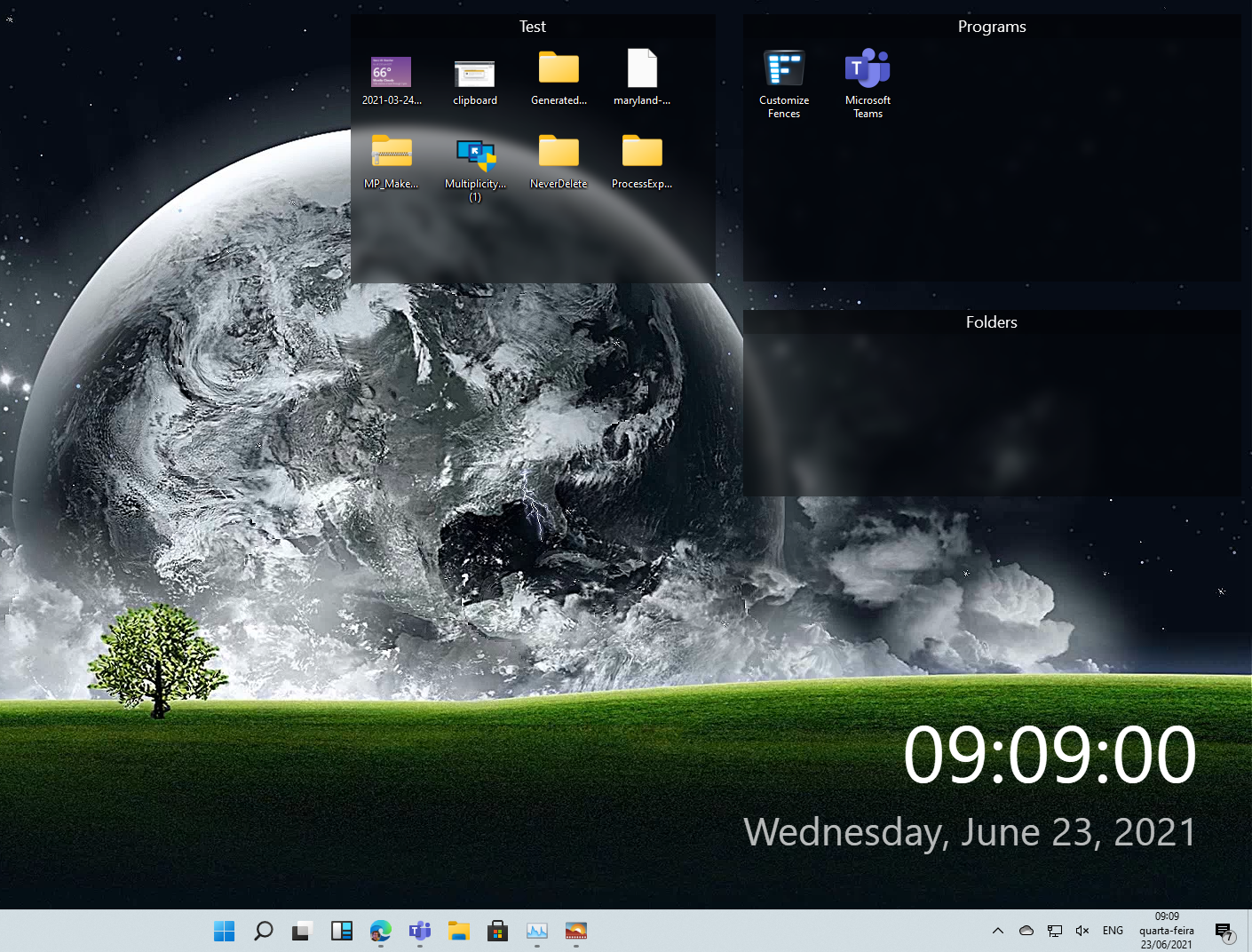
Are you using SD software to have that time/date on screen? Or is that a new Win11 feature?

Reply #414 Top

Quoting BlackSmokeDMax, reply 415

Are you using SD software to have that time/date on screen? Or is that a new Win11 feature?
End of BlackSmokeDMax's quote

It's a feature in DeskScapes 11, which I am working on translations for this very moment to be honest.

Sean Drohan
Stardock Support Manager

+1 Loading…
Reply #415 Top

Roll ups have to be on top of all other windows, otherwise there's no point.  Fences are supposed to be for convenience.


EDIT:  Also, hiding shortcut arrows currently doesn't work for links to Windows UWP apps.

Reply #416 Top

Quoting Litcube, reply 417

Roll ups have to be on top of all other windows, otherwise there's no point.  Fences are supposed to be for convenience.


EDIT:  Also, hiding shortcut arrows currently doesn't work for links to Windows UWP apps.
End of Litcube's quote

Desktop icons cannot be above windows...no matter whether rollup or not.  It's  a Microsoft limitation.

Reply #417 Top

hey love stardock software i bought many of the program's :thumbsup:  

a feature i would love to see in fences instead of double click to show the fence double click to open rolled up fence double click to close it again its really use full if you need to be in a directory of folders for a bit ! 

Reply #420 Top

Please put the up arrow always at the same place and add a home icon to go back directly to the first folder.

Thanks

Reply #421 Top

I do wonder if there ever will be a version 4, however the only two things that would make it perfect: put icons everywhere (and they stay!), and a fence that can have a transparent background with a solid border.

I'm not holding my breath!

Reply #422 Top

Per Fences settings for:

* arbitrary icon placement (aka, don't auto sort within fence) with stretchy scale between icons and of icons to "fit" the fence

* arbitrary icon size

* icon label hiding per icon (because some icons are descriptive enough without text) 


https://www.dropbox.com/s/1cqcgg97920ydrt/fences%20v4%20suggestions.png?dl=0


Disclaimer:  I just came back to fences since not having used it in YEARS, so maybe some of that is possible in v3 and I just haven't found it -- but if possible, none of those are obvious.  

Reply #423 Top

Things I'd like to see:

- Major general performance improvement. With a high end gaming PC the performance of fences still is subpar. Blending in and out fences is delayed and stutters. Considering the machine I am using I hardly think its a hardware bottleneck. (2080super gpu)

- Sometimes Fences doesn't remember the positions correctly. It'd be nice if with some configuration of the user dynamically reacts to the current desktop situation. Scenarios that automatically get applied. Example: If desktop is 3 monitors horizontally aligned then position all fences in gridform A. If desktop is 2 Monitors vertically then use gridform B. If desktop is 3 monitors horizontally with this resolution then use gridform C.
These variables would be configurable by the user and would also fix any misplacement in the future because the could be just 1 default set that would entirely ignore the placement of the monitors (when cables are getting plugged in differently it sometimes still fucks up the placement of fences)

- Better filter options. When creating Rules for organisation one very needed filter for me is Target location of the desktop link. I'd like to have one fence with all game icons in the but at the moment its not that easy. It would be nice if you can SORT and make a rule based on the target location of a desktop link. Files located on the desktop are just lumped together because the target IS the desktop location.

Reply #424 Top

I would like to see compatibility of Win10's Blur Mode (translucent background) with the Wallpaper Engine. In previous versions, this option was enabled and the Wallpaper Engine's dynamic wallpaper would be overwritten to display the Windows wallpaper directly. This was a strange display and I would like to see an improvement in this area.

Reply #425 Top

I would like the ability to lock the fences and icons in the fences, so they can't get accidentally moved. Samsung android S10 has this feature for the home screen, and it's great!