Windows Blinds 10 - Change Hard Drive Bar color
from  Stardock Forums
Stardock Forums
Hi Team,
Can I modify the Hard Drive Bar color?
Thanks.
 Stardock Forums
Hi Team,
Can I modify the Hard Drive Bar color?
Thanks.
Hello,
You can change it using Skinstudios. Edit the Progress Bar. Change the block with your own.
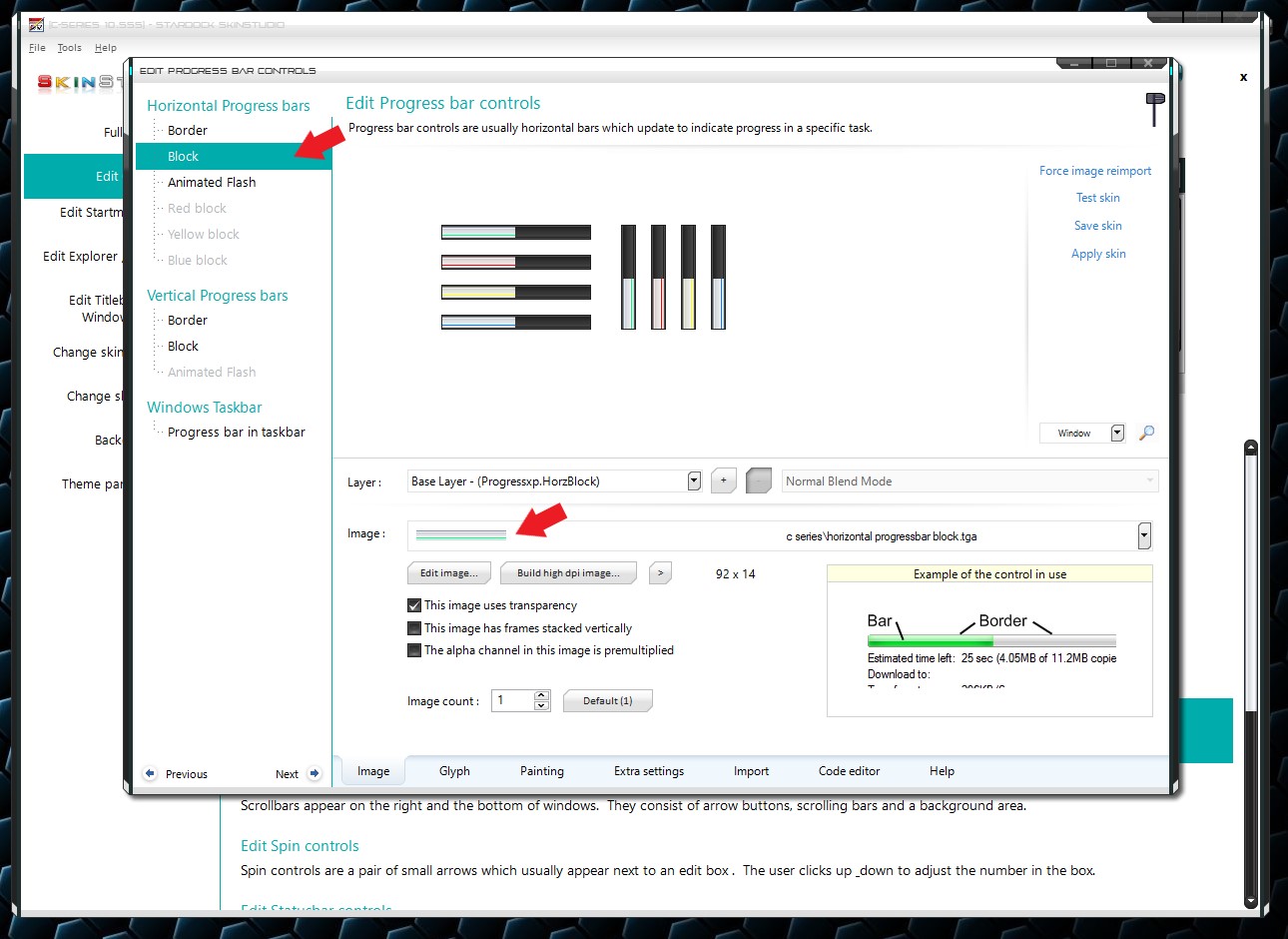
Thank you,
Basj,
Stardock Community Assistant
Basj, thanks a lot for the quick reply, very much appreciated.
Another issue I've come across is that when I right click on a friends icon on steam, a strange window engulfs the pop-up that appears, see below. Any ideas how I can get rid of it?
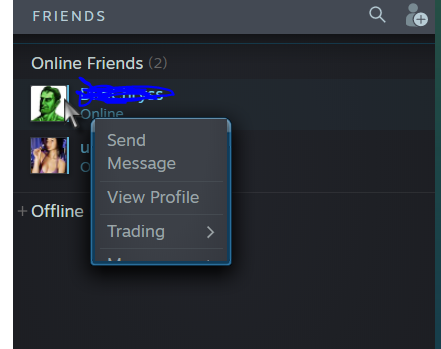
Thanks.

Sorry, I am not using steam, so I am not sure what or where that windows came from. From what I understand, Windowblinds never work on Steam. Maybe someone else come along with some Steam knowledge can share some information on this.
Thank you,
Basj,
Stardock Community Assistant
Thanks. I had to exclude the application. This solved the problem.
One more issue. I cannot find where to change the background colour of the selected files. As you can see, the current colour is not helping me see which files I have selected.
Thanks.
From your screen shot I can see it perfectly. But since you asked.
Change ListView Selection Image.
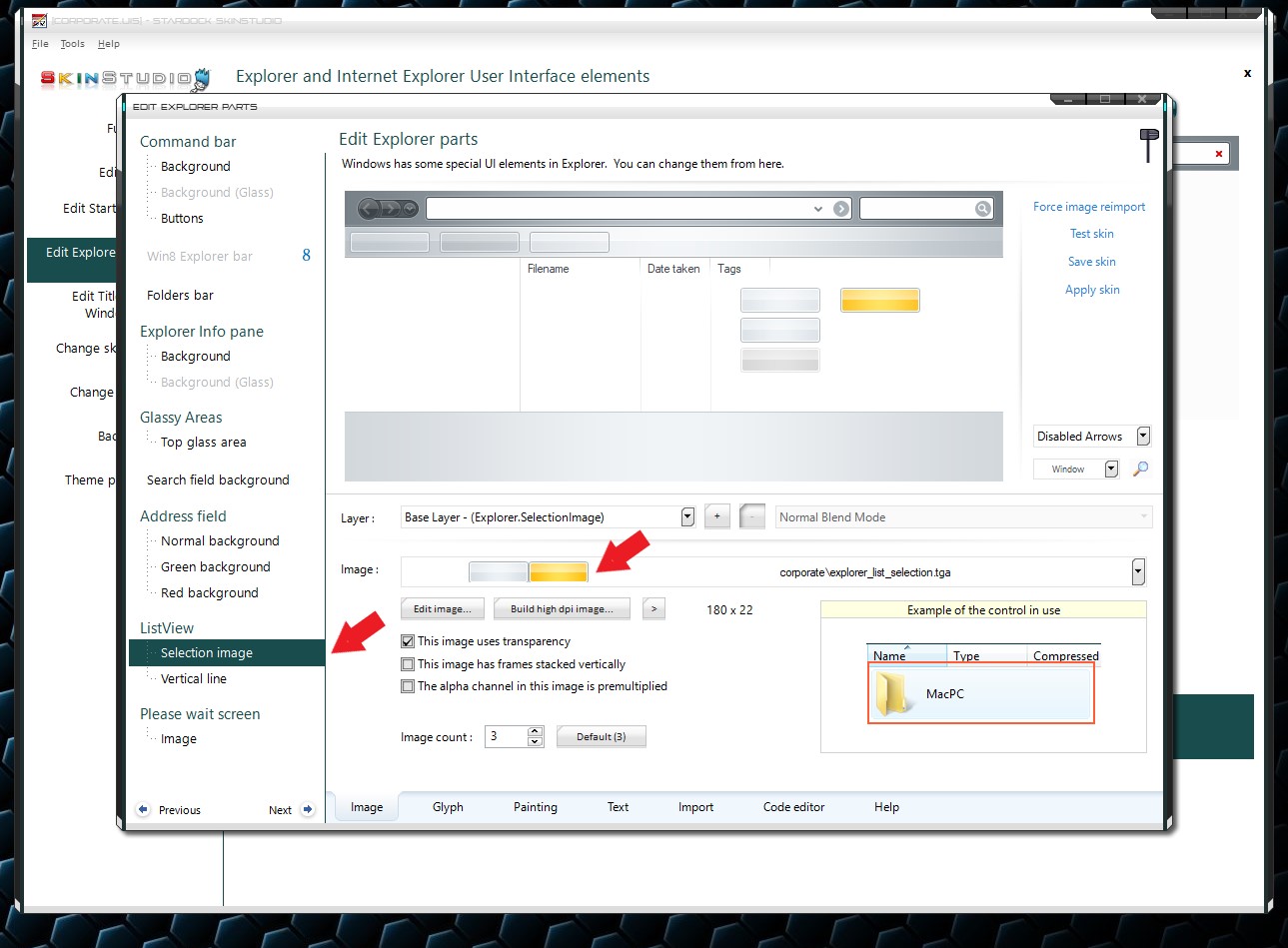
Thank you,
Basj,
Stardock Community Assistant
Hi Basj,
Thank you soooooooooo much! This worked 
I have another one
I have noticed that in some themes, I cannot maximize fully the windows to stretch to the screen fully, see below.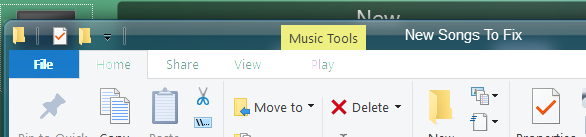
As you can see, the desktop is visible 
Many thanks.
Since you did not mentioned which theme. I can't verify it. I would just say, it is that way by design.
Thank you,
Basj,
Stardock Community Assistant
Nope on my pc Acrylic 7 look very different when maximized. On yours that does not maximized. Not sure what happened on your system.
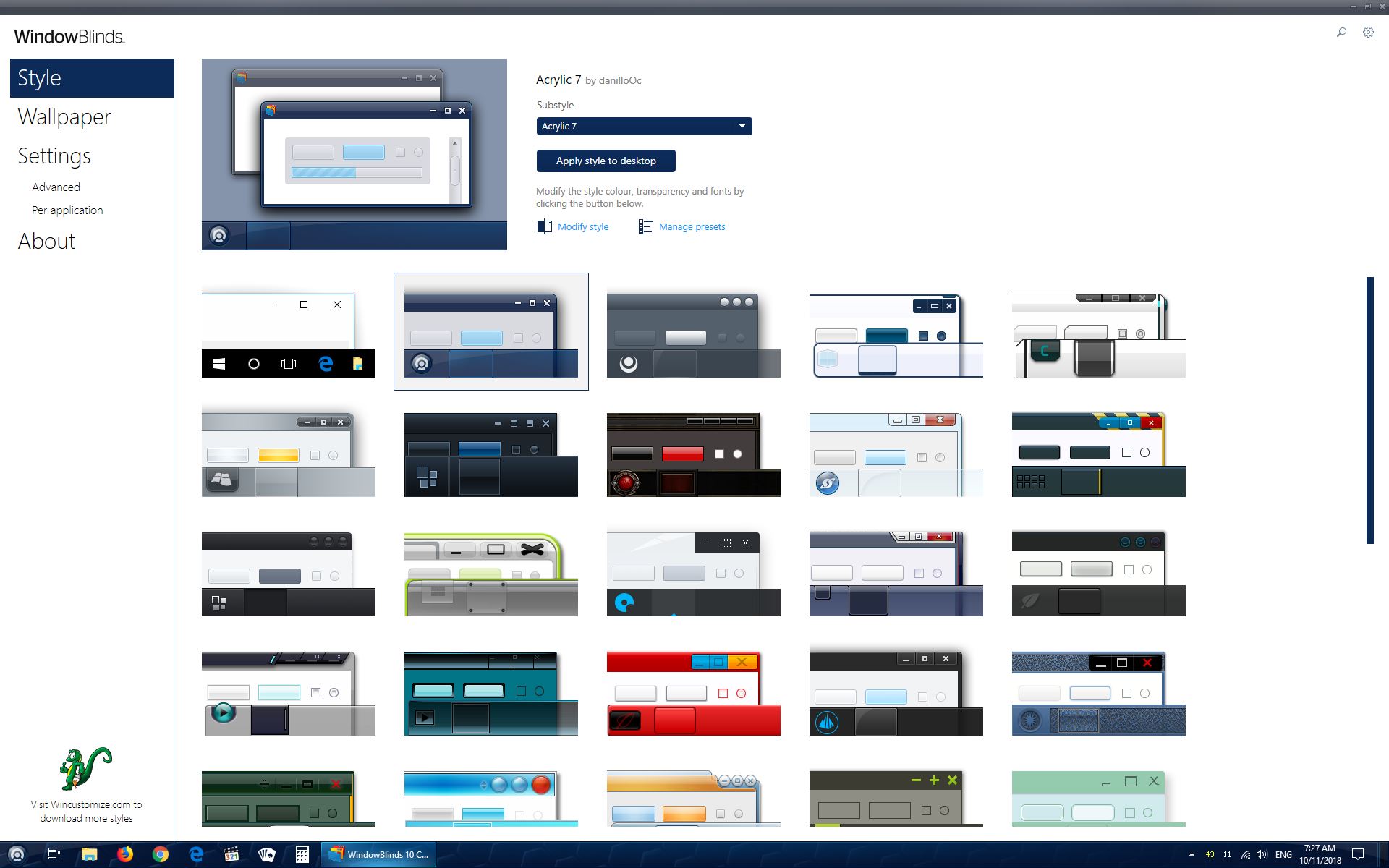
Thank you,
Basj,
Stardock Community Assistant
Welcome Guest! Please take the time to register with us.
Select a reason for giving karma:
You're about to visit an external site:
Sign up here to get the latest news, updates, and special offers delivered directly to your inbox.