Desktops and widgets

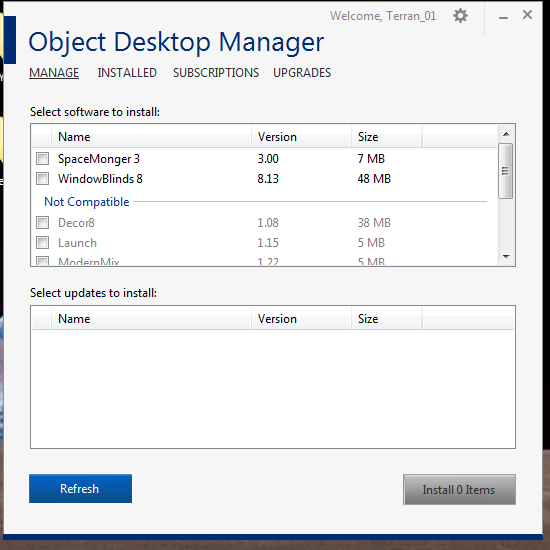
Greetings. I used to use Desktop X a long time ago on Windows XP. I just registered for Object Desktop. Went to Wincustomize and subscribed. Downloaded some desktops and widgets/gadgets or whatever they are called now. Can't figure out how to make/use them. Back in the day, it was all done through Desktop X. But Desktop X didn't come with the installer, and the installer is stuck in a permanent loop re-downloading and installing WindowsBlinds 8 and SpaceMonger 3 over and over.
Found Desktop X on Stardock, but it says the download isn't available. Tells me to go to another link. Nothing there, leads to a circle of links and a dead end guide that refers to a program that doesn't exist with no explanation on where it is. Doesn't make any sense.
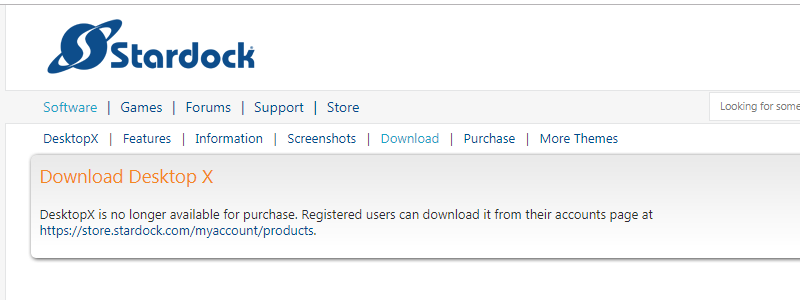
No such download exists. Is anyone able to tell me how to make/use desktops and their widgets/gadgets?  I'm trying to make it so I can swap between normal windows and a theme with many docked tools, two different modes. Does Object Desktop no longer allow such things, after Microsoft declared it 'unsafe'?


6,575 views 7 replies
Reply #1 Top

Hello,

Sorry to hear you are having issues.

Desktop X is No longer available for download and doesn't work with Windows 8 or 10.

If you saved your original download of the app you would have it .

We advise to save backups of all downloaded apps for the reason .

We also advise not to use ODManager for downloading your apps,

Best to go to your Stardock Account and My Downloads.

If your running Windows 10 Desktop X is not compatible .


AzDude
Stardock Community Assistant

Reply #2 Top

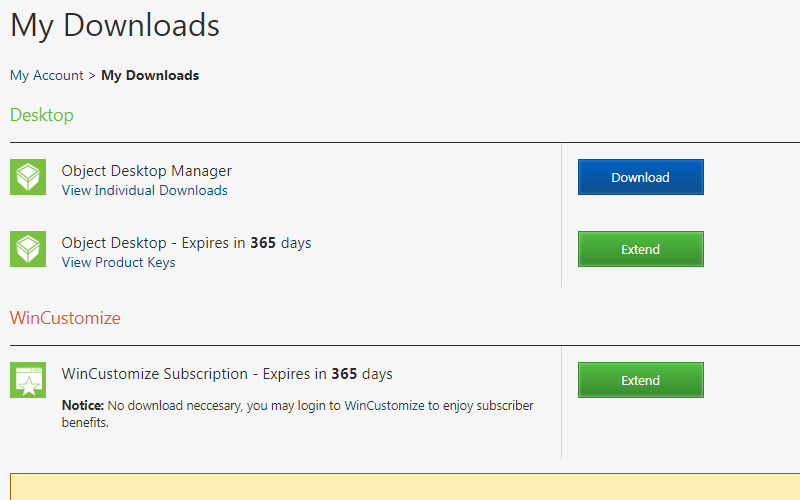
I'm using Windows 7. As my screenshots show, your reference to 'My Downloads' leads to the very 'ODManager' you advise me not to use. This ODManager is better than manual download since it prevents me from installing incompatible tools designed for other versions of Windows. You didn't answer my question. How do I make/use widgets/gadgets/.desktop themes? They are all still available on Wincustomize, and people are clearly downloading them every day still. Can I or can I not swap between normal Windows and a heavily customized interface with docked desktop tools?

Reply #3 Top

Hello,

I have forwarded your report to the Stardock support team for their review and recommendations.

Please keep an eye on this thread for any updates.

We really do appreciate your feedback, thanks.


AzDude
Stardock Community Assistant

Reply #4 Top

You're not answering a simple question dude. I just want to know how to do widgets/gadgets/.desktops.

Reply #6 Top


Back in the day, it was all done through Desktop X.

Should still work the same way now on Win 7.

Click the "View Individual Downloads" below the ObjectDesktop Manager and the list of applications you have will show up. DesktopX should be there. If not you will need support to get back to you and AzDude has initiated that request.

Reply #7 Top

Hello,

Sorry to hear you are having trouble.

Quoting Terran_01, reply 2

How do I make/use widgets/gadgets/.desktop themes?

First, as mentioned, DesktopX, and any widgets created with it, is no longer offered or support (for many years).

Anything found on Wincustomize (generally) requires one (or more) of our other apps to utilize.  For example, Dreams require DeskScapes, skins, require WindowBlinds, etc.

If you want to utilize any of them, you would need the corresponding product(s).

If Object Desktop Manager is failing to find / install any software, you can always obtain them with either of the below:

https://www.stardock.com/support/productkeyretrieval

Or your account page (what you would need to use for Skins (products that are not installable / exes)):

https://store.stardock.com/myaccount/products

If it is not on your account, we (likely) no longer support it.  Even if it is on your account, any 'Legacy' products are also not supported.

I hope this helps clarify any confusion. 

----------------
Sean Drohan
Stardock Customer Service Manager