Multiplicity locks up on several computers

Multiplicity locks up on several computers.

There are two subnets, two computers, and it locks up 1 or 2 times per week. The mouse stops responding.

After rebooting it works again.

This is a 9-1-1 Emergency site and several machines are affected.

Are there any logs or diagnostics so we can fix the trouble?

Is live support available to conference call with us and an on-site engineer?

23,943 views 20 replies
Reply #1 Top

Hello,

I have forwarded your report to the Stardock support team for their review and recommendations.

Please keep an eye on this thread for any updates.

We really do appreciate your feedback, thanks.


AzDude
Stardock Community Assistant

Reply #2 Top

Hello,

What has you certain that MP is the cause?

Reply #3 Top

Because it only happens when moving the mouse from one computer to another then the mouse disappears from the screen. Other computers are the same model and same software throughout the site and other installed sites but do not have MP are not locking up. There may may a software driver conflict or something else but I would like to troubleshoot it more in depth with the help of support.

Reply #5 Top

Hello, is there any support for Multiplicity or is there a known cause so we can fix this problem? Are there any logs? Reinstalling doesn't fix the problem which is happening on all 35 computers.

Reply #6 Top

Quoting fmagos, reply 5

Hello, is there any support for Multiplicity or is there a known cause so we can fix this problem? Are there any logs? Reinstalling doesn't fix the problem which is happening on all 35 computers.
End of fmagos's quote

Hello,

Sorry to hear you are having trouble.

Did you use the information in my prior (#4) to preform a clean install on each PC?

Quoting sdRohan, reply 4

Hello,

Please see:
https://forums.stardock.com/486104/multiplicity-support-faq#reinstalling
End of sdRohan's quote

Reply #7 Top

Yes have the same 8 workstations in a rendering farm.... moved back to microsoft remote desktop app which is ok i think.  

I am not sure but i can guess that it is related with microsoft's latest windows update. april update

Reply #8 Top

Quoting alexnode, reply 7

I am not sure but i can guess that it is related with microsoft's latest windows update. april update
End of alexnode's quote

If that were the case, we would have other reports - we do not.

MP is a very stable product (it has to be for the places where it is used).  I would suspect that there is a 3rd party app (likely and AV product) that is a culprit.  While not always easily testable in your environment type, a clean-boot would be telling and expose any 3rd party app:

https://forums.stardock.com/486104/multiplicity-support-faq#cleanboot

----------------
Sean Drohan
Stardock Customer Service Manager

Reply #9 Top

Just to clarify i use KVM not seamless. I have 8 clean install machines with 3ds max only. and windows firewall, windows 10 pro 64 (1803) - I reinstalled Multiplicity,  i ran the bat file and updated the video card drivers.   All the slave machines have one screen plugged in from a physical KVM. If there is no monitor plugged in multiplicity displays a black screen. If i turn the monitor on with my real world KVM then Multiplicity works. This in my point of view points to some windows or display driver changes from the last update ...

I used multiplicity for 3 years in the exact same machines every day. I came back from holiday and after a few windows updates it doesn't work. 

Reply #10 Top

Quoting alexnode, reply 9

If there is no monitor plugged in multiplicity displays a black screen. If i turn the monitor on with my real world KVM then Multiplicity works. This in my point of view points to some windows or display driver changes from the last update ...
End of alexnode's quote

Ok, that is different than the OP's issue....

With no monitor plugged into the Secondaies, try:

And / or / after:

Ctrl + Alt + Backspace (simulates Ctrl + Alt + Delete).

Reply #11 Top

Sorry let me open a new thread ... i thought it was the same type of lock. Apologies OP

Reply #12 Top

Trouble is still happening. Multiplicity was uninstalled and reinstalled and the issue continues as per your suggestion.

Multiplicity locks up on several computers. There are two subnets, two computers, and it locks up randomly. Here is what happens: the mouse stops responding then after rebooting it works again. This is a 9-1-1 Emergency site and many machines are affected. Are there any logs or diagnostics so we can fix the trouble? Is live support available?

Reply #13 Top

Hello,

I have forwarded your report to the Stardock support team for their review and recommendations.

Please keep an eye on this thread for any updates.

We really do appreciate your feedback, thanks.


AzDude
Stardock Community Assistant

Reply #14 Top

Any update on this escalated/forward issue to Stardock Support team?

I have been looking for updates on this thread.

Reply #15 Top

fmangos,

If it indeed is a 'Lock' (as one would understanding a PC locking up), my prior reply would still be the one I can offer:

Quoting sdRohan, reply 8

MP is a very stable product (it has to be for the places where it is used).  I would suspect that there is a 3rd party app (likely and AV product) that is a culprit.  While not always easily testable in your environment type, a clean-boot would be telling and expose any 3rd party app:

https://forums.stardock.com/486104/multiplicity-support-faq#cleanboot
End of sdRohan's quote

However, if:

Quoting fmagos, reply 3

Because it only happens when moving the mouse from one computer to another then the mouse disappears from the screen.
End of fmagos's quote

Its just a matter of it disappearing, meaning, you can't see the cursor but you can see the reaction to an invisible cursor hovering over items, and it reacting to that, that's different. 

Can you confirm which it is?

----------------
Sean Drohan
Stardock Customer Service Manager

Reply #16 Top

We have the same issue.  The mouse will just randomly stop working on all six computers. The only way to get it back to working is to restart the machines.  Any advice?   Have tried uninstalling and doing a clean install.  Checked the firewall ports are open.  Checked that multiplicity is up to date. 

Reply #17 Top

Quoting c1mccarthy, reply 16

We have the same issue. The mouse will just randomly stop working on all six computers. The only way to get it back to working is to restart the machines. Any advice? Have tried uninstalling and doing a clean install. Checked the firewall ports are open. Checked that multiplicity is up to date.
End of c1mccarthy's quote

Hello,
I have forwarded your questions/problems to the Stardock Support team for their assistance. Please keep an eye on this thread for any updates. We appreciate you feedback and patience.

Thank You,
Basj
Stardock Community Assistant.

Reply #18 Top

Hello,

Sorry to hear you are having trouble.

Quoting c1mccarthy, reply 16

The mouse will just randomly stop working on all six computers.
End of c1mccarthy's quote

The mouse can be seen but will not interact with the Secondary desktop or the mouse cursor cannot be seen at all?

Is this for Seamless connections or KVM?

Sean Drohan
Stardock Support Manager

Reply #19 Top

Sorry for the delayed response.  The cursor can be seen but will not move any of the computers that are connected.  It is using Seamless.  The only way to fix it is to shut down the computer that is hosting multiplicity and turn it back on.  Then it will work on all computers again. 

Reply #20 Top

Quoting c1mccarthy, reply 19

The cursor can be seen but will not move any of the computers that are connected. 
End of c1mccarthy's quote

When you check the connection from the Primary, what is the result?

Sean Drohan
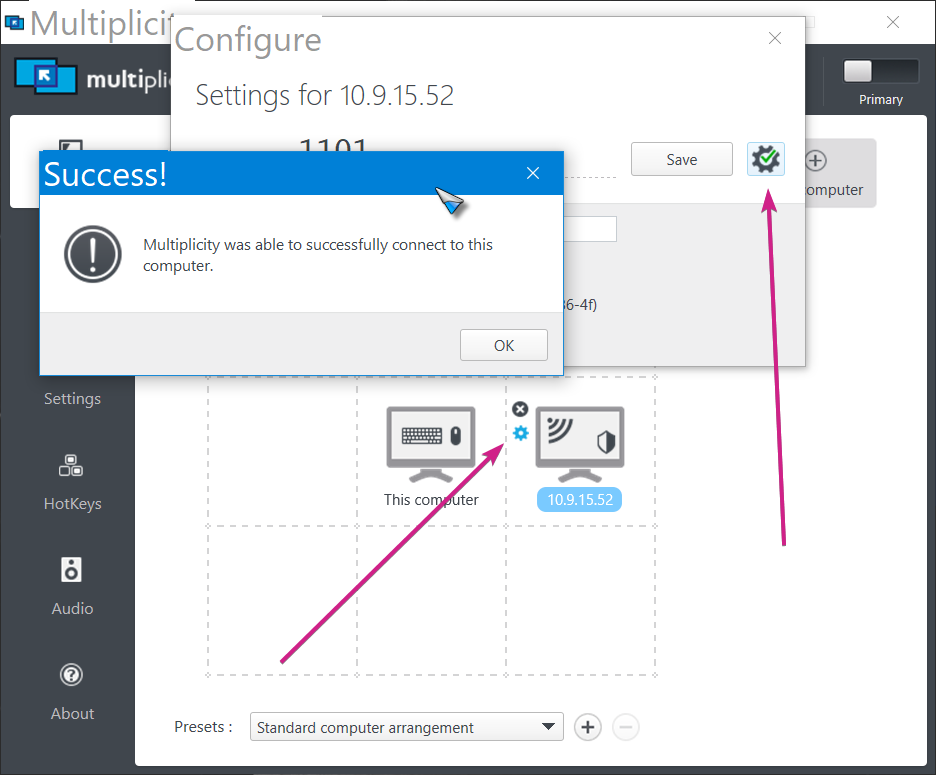
Stardock Support Manager