Arrange and hold icons inside fence is according to manual sorting

Being able to manually sort the icons including on my desktop

Hello there,

I am not at all interested in generalised sorting of icons on my desktop or inside fences. I like to sort the icons according to my own management system and not have them altered and changed.

Not only are the icons sorted inside fences but also the icons on my desktop but now sorted in some way other than by my place in them in certain positions. I want to organise the icons according to my own criteria and have them kept in that manually adjusted state. I require this condition in the fences as well as on the desktop.

How do I arrive at this outcome?

Cheers for now

Dan
26,413 views 6 replies
Reply #1 Top

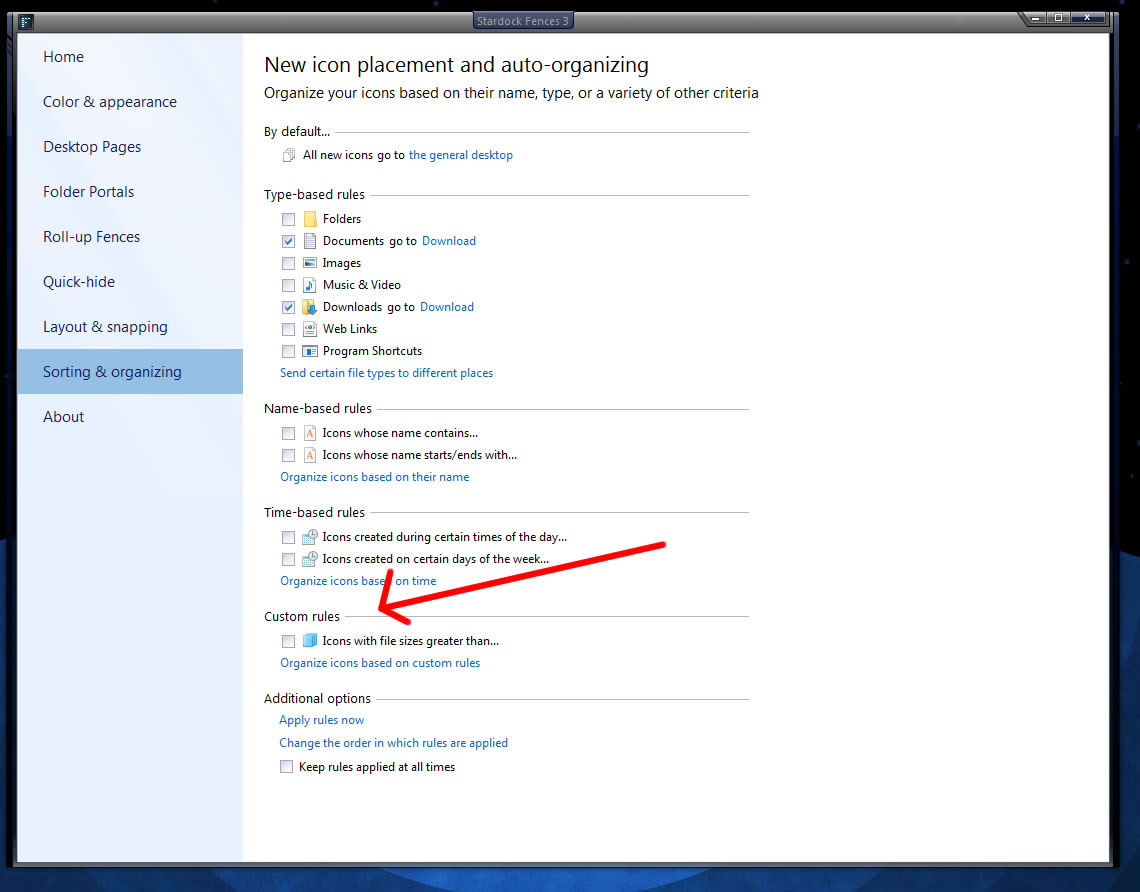
You can try the Custom Rules.


Reply #2 Top

All useless for my needs I am afraid. There is no option to turn off auto organising of some sort. I want to organise them myself and have them stay where I place them.

If this feature is not available in fences I will go back to the open source solution that I was using.

Thank you for your reply, Cheers for now
Dan you

Reply #3 Top

All useless for my needs I am afraid. There is no option to turn off auto organising of some sort. I want to organise them myself and have them stay where I place them.

If this feature is not available in fences I will go back to the open source solution that I was using.

Thank you for your reply, Cheers for now
Dan you

Reply #4 Top

are you telling me that i cannot turn off the sorting to allow me to individualy arrange the icons within the fences?


cheers

Dan


Reply #5 Top

I too would like an option to turn off auto sorting so icons stay where I put them.

I have to believe there are others who would like this option as well.

I also don't understand why some icons move where they do.

For example the Recycle Bin insist on being in the upper left corner of the folders fence when there are no rules created.

Thanks,

...Bob.

Reply #6 Top

I just had the same problem. Right-click on desktop showed context-menu Sort By with None selected, and Maintain Sorting checked but dimmed (it could not be deselected). But in View (in same context-menu), unchecking Auto Arrange Icons allowed me to place icons anywhere on the desktop, as before. (I didn't try rearranging them inside Fences, though.)