Dropbox folder

black background

My fences are generally working just fine, but I have a fence for my Dropbox folder and it's treated differently. It responds correctly to transparency mouseover, but the background is black...which I don't mind, but even though the icons appear normal, I cannot read the icon labels at all. I assume this has something to do with the black background, and I have not found the way to change the background. Any thoughts?

5,327 views 7 replies
Reply #1 Top

I assume you mean a portal to the dropbox folder. I have one, works just like any other fence on my Win 7 64 bit rig.

Reply #2 Top

Reply #3 Top

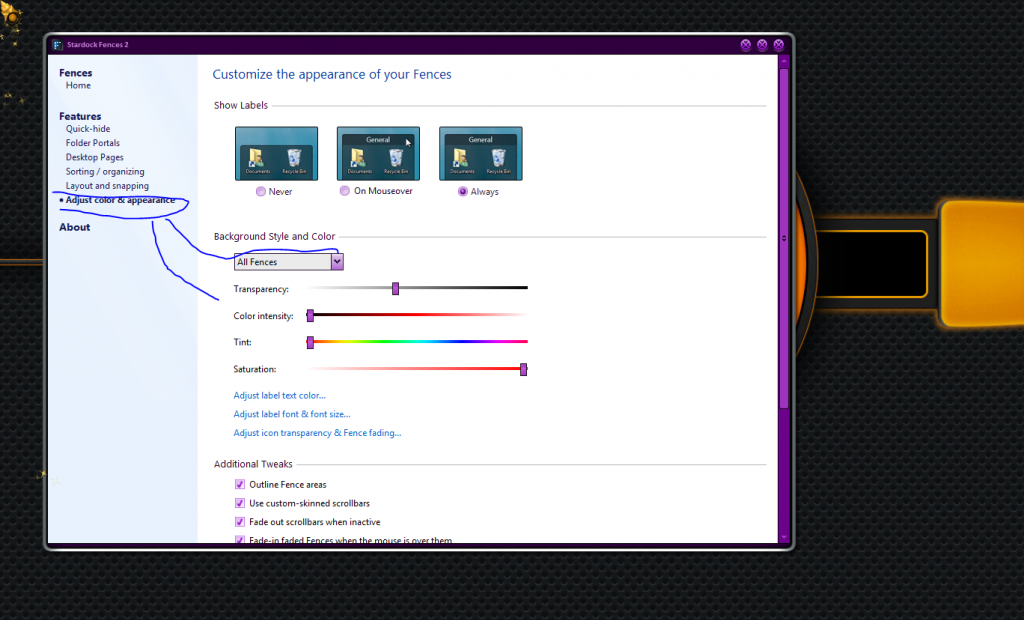
Yo Jim. Your scribbles are getting better but don't those lines that really want to be arrows when they grow up need pointy things on 'em? How's a guy to know which end is which. ;P

nOOb! :P

Reply #4 Top

I'm glad yours is working, I guess. I've checked those adjustment options of course, but I don't want to change "all fences" because all my other fences work fine and I don't want to change that, it's just the dropbox that is messed up.

Reply #5 Top

Okay, I heard back from support ticket, the action that solved the issue was to run the Windows Aero Transparency troubleshooter, which you reach by typing "aero" into the Start search field and choosing, "Find and fix problems with transparency and other visual effects" and running that troubleshooting in advanced mode. Everything is working correctly now. Thanks.

Reply #6 Top

I'm glad you got it fixed, but, for future reference, the drop down menu in the above screenshot, the one that says All Fences, will also allow you to adjust individual fences as well.

Reply #7 Top

I understand that, but that's not what was being shown in the screenshot. And ultimately would not have worked. As I said, I'd checked all those options. Stardock reported to me that it is apparently a bug portals experience in Windows versions that use Aero.