Right Click Tutorial Needed!

As in what image formats can and can't be used!

Ok....Just started playing around with RightClick skins and I need to know what image formats can be used and where. So far I've found that I can use .bmp or .tga for the right arrows...but not for the up and down arrows. It would be great if just one image format could be used such as .tga or .png...which would also allow for the use of the actual skin parts and would also match the skin more accurately. I've also found that bitmaps don't always work correctly. In one instance it works fine and then the next you can see the pink surrounding the image.


So...if anyone here knows exactly what can and cannot be used by all means let me know...or if there is a tutorial on "creating a skin" for it that would be great as well.

17,445 views 24 replies
Reply #1 Top

me too...... just started making some and I would like that info too. Also, it would be great if we could use .png's for ALL the images in the skin as it makes transparency much easier to deal with. Can this ability be programmed into an application like RightClick? I hope so!!

B[]

Reply #2 Top

No alpha transparency for the menu background is one of the reasons I stopped using RC.

Reply #3 Top

Yeah...those things would be nice BoXXi! It just doesn't look right when the main WB skin has transparent borders and the right click skin doesn't. o_O

Reply #4 Top

Agree with everything here.  As one of the more used applications (I'm sure), I would think there would be some more documentation.  It was hard trying to figure this thing out all by myself...luckily, when I had questions, I asked Fairyy~ and buzz58.  At the moment, I only use bmp images.  You can do alot with them if you try.  You just have to find ways to fool the peoples eyes is all.  Take a look at Avanti Right Click for example.

Reply #5 Top

Well....I can tell you for sure that the arrow right images can use .tga's....so at least there you can create a good image. :grin:

Reply #6 Top

May I suggest that someone start a tutorial on teh WC wiki and everyone else can add on what they know.


We'll have a tutorial in no time.  :thumbsup:

Reply #7 Top

Yeah would like to see this myself. And does anybody use the email checker in rightclick? Says, that i'm missing SDmail.dll or something like that.

Reply #8 Top

how about a tutorial on how to use the app itself? it seems to me the app can be very useful. i just wish i knew what all it can do and how to install various shortcuts.

Reply #9 Top

Quoting Snidely, reply 8
how about a tutorial on how to use the app itself? it seems to me the app can be very useful. i just wish i knew what all it can do and how to install various shortcuts.
End of Snidely's quote

https://www.wincustomize.com/articles.aspx?aid=140367

This is a guide to show the basics of RightClick.  Zubaz has a great idea as someone should start the entry in the wiki, post here about it, and then let everyone give their input.


Reply #10 Top

May I suggest that someone start a tutorial
End of quote

How about the guy who wrote the software? Seems to me they would know more than anyone in regards what images can and can't be used and would save us all "a lot" time in trial and error trying to figure it out...which could be better spent actually making skins for it. ;)

Reply #11 Top

Well...since the edit option doesn't seem to be working again...

If I had one complaint in all these years of using stardock apps it would have to be a serious lack of documentation. Leaving it up to the user to create tutorials is really a diservice to stardock as well as the user. Its like building car and hiding the ignition in the trunk or under the wheel well for the buyer to try and find it. Many more skins could be created for this if there was at the very least some idea of what image formats could be used and where...and I find it kinda strange that I can use a .tga image in one part of it and only bitmaps everywhere else...why is that? Inquiring minds want to know. If we can use /tga in one part why not all? It would make the skins actually match the skins they were created for...with transparencies even!

Reply #12 Top

and I find it kinda strange that I can use a .tga image in one part of it and only bitmaps everywhere else...why is that?
End of quote

...as far as I know any way.

Reply #13 Top

luckily, when I had questions, I asked Fairyy~ and buzz58.
End of quote

Luckily, when I was starting out, messiah1 was there to help! I agree that a tutorial is sorely needed.

Reply #14 Top

thanks for the link, ID. it's much appreciated.

Reply #15 Top

How about the guy who wrote the software? Seems to me they would know more than anyone in regards what images can and can't be used and would save us all "a lot" time in trial and error trying to figure it out...
End of quote


Who did develop this? .. and is that individual still around/on the team?

Reply #16 Top

Who did develop this? .. and is that individual still around/on the team?
End of quote

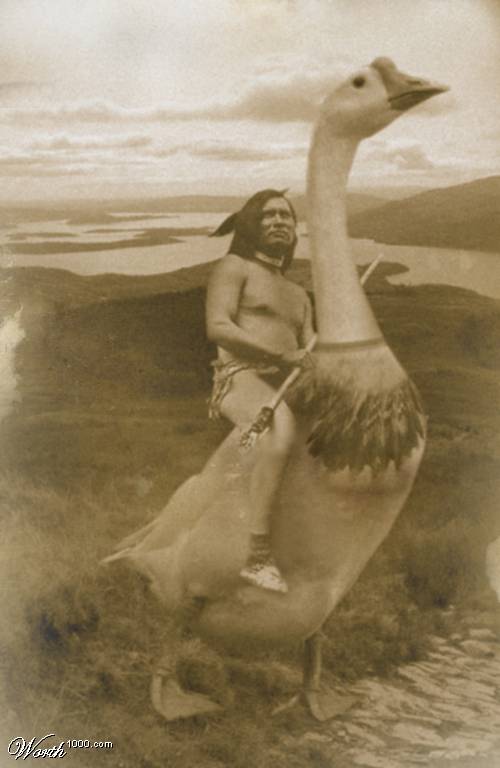
I heard it through the vine that he was eaten by a pack of rabid geese...

Reply #17 Top

Goose!!


I may be wrong but I think that RC is skinned very much like ObjectBar and there is a tutorial here.

Maybe just a comparison of the ini files might help.

Reply #18 Top

Crikey that a big goose!

Reply #19 Top

and I find it kinda strange that I can use a .tga image in one part of it and only bitmaps everywhere else...why is that?
...as far as I know any way.
End of quote
End of quote


The menu background and up and down arrows must be bitmaps, the popup arrow (right arrow), item mouseover and selected and separator can be tga images.

Reply #20 Top

Blast, edit button not working, should be for Item, normal, mouseover and selected.

Reply #21 Top

I heard it through the vine that he was eaten by a pack of rabid geese...
End of quote


Another goose casualty! X(

Reply #22 Top

Hi-yo, ... GOOSE!

HOLY CRAP! A BIG GOOSE! 8O

Reply #23 Top

Right Click wass developed by Jeff Bargman.


What I'd like to know now is how to incorporate the "refresh" option into the menu! This is needed when using older skins that leave the startmenu behind after clicking the desktop.


And for the love of god can someone please make this text bigger as we type so we don't need a frakin magnifying glass to see what we're typing!

Reply #24 Top

frakin
End of quote

'Aint heard that one in a while! :thumbsup: