RobJK RobJK

I am CLUELESS?

I am CLUELESS?

Please help

I got object desktop and i didnt think that i would use skin studio. But i really want to make a skin. I just want to make a windowblinds skin. I have no clue how to do anything. I did one thing and it seemed to work. I did the taskbar background. It shows right on the preview in skin studio so i think i did it right. I am just going to ask a few questions for now i will probly have allot in the future?

ONe question is when i want to make a windows blinds skin at the start of skin studio what do i select. Create a new visual style or something else.?

Next when I am done edititng what do i save it as so that i can apply it and see if it looks right.

next i have no clue how to make an image with a transparent background so there is no white. Is there an image editing program that i can use to turn all of the white in an image cleaar so you cant see it?

Is there a complete guide to useing the program that i can read?
21,846 views 50 replies
Reply #26 Top
Yes thank you!Then to make the start button taller than the task bar I set the margins to the height of the taskbar. And i set the start button to always show so it is overlaying the menu? Right. I cant make a skin on this pc? I think because my pc is so old it isnt working with skin studio? I cant get the transparency for the taskbar button to show upon apply. It shows in the preview but not on apply? I checked them to have transparency? If I have an image for a part of the skin and it has a section I want completely transparent I check transparent. If I have one that is supposed to be see through I check translucent.Right? Or does it matter? I can get the start menu to show transparency on apply but not the buttons? Any help ideas? It seems that Skin studio isnt working right.I apply the skin after i have saved it with the trans checked for the task buttons. It dont show so i opened the applied skin and The trans isnt checked? Any help?
Reply #27 Top
Is it because the skin isnt comlete? I dont have a start menu button imported yet? But even when I do ahve a start button imported with all of the frames in it, the start button doesnt show? And again if I apply my skin and then Open applied skin the start button image isnt found? It could be my pc. I have a IBM thinkpad r31(laptop)? It is old? If it could be because of my pc that is okay because I am ordering a new one In a week. It is going to be a dell inspiron laptop? Can you make skins on a laptop? It just seems nothing is working right.....
Reply #28 Top
The absolute best way to solve ANY skinning issue...find a skin that works the way you like and open it in SKS.See how they did it.There is NO better way.

If you can run XP on your laptop...you can skin anything XP skins...same for Vista.
Reply #29 Top
Yeah I have done that Many times It just seems that It isnt working right? The transparency isnt working right is all. I dont know how to fix it? Everything else I have been finding my way around but this transparency thing is really giving me trouble? Is there a way to Completely remove skin studiio and all of its settings and reinstall? It may be becuase my power cord is messed up and It turns off when you bump it to hard becuase my battery isnt good anymore? I dont know. I guess I will just have to wait a week for my new pc? Its probly just my computer?
Reply #30 Top
Ok a was trying some randome things and I went into settings and applied dynamic frames then applied simplified the alpha channel? It worked! I guess That part is done but I will have more qustions. Thank you all for you help!
Reply #31 Top
I dont know how to get the start button to show when I apply it? It isnt working? It looks perfect in sks and when i go to apply it only shows the windows classic start button. Not mine? I must be doing something wrong.
Reply #32 Top
Try posting a screenshot of the button image and the Attributes section from SKS. Maybe we can stumble across something.
Reply #33 Top
Its not only one button I have tryed many images many kinds and no matter what the button will not show in any of the versions I make. I have started fresh Like 3 times because it is just practice. I can never get the start button to work? I must have to do with a setting or a bug in the program or my old pc. I can just recolor the original one to all green and It still will not show anything but the windows classic start button when I apply it?
Reply #34 Top
It's really hard to help when flying blind. Pictures are literally worth a thousand... ;)
Reply #35 Top


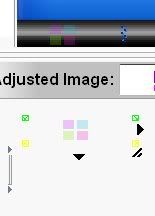
Thats what the preview looks like when I open the skin fresh in skin studio. From its saved state no changes made at all!


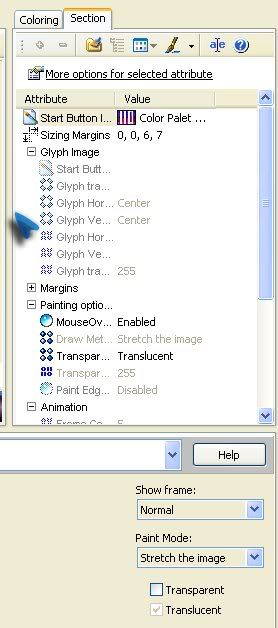
Those are the settings for the start button same curcumstance

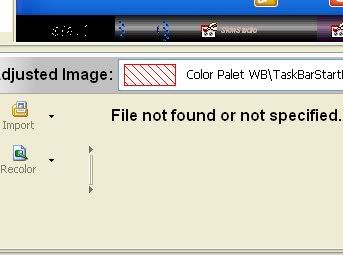
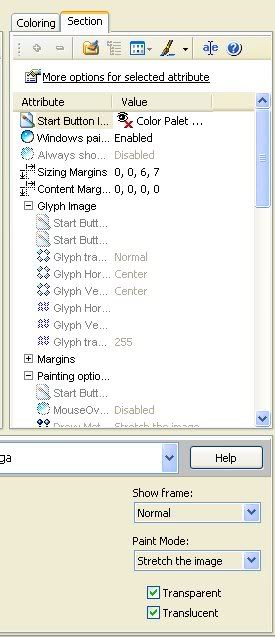
Then When I apply it The start button doesnt show up it is the windows clasic start button. If I go into skin studio and Open the current wb skin this is what shows up....


Reply #36 Top
What are the complete names of the two images - what's in the Adjusted Value box for each?

I notice also that transparency is not enabled for the first image - transparency must be enabled for translucency to work.

Also, are you letting SKS import the image or creating a .tga & placing it in the folder?
Reply #37 Top
.... I looked in my universal skin folder where the saved skin is stored and there where some suprising things. For one the taskbarstartbutton image was not the one showing when I opened the skin. a totlay diff image? Two for my taskbar buttons images I named it time.png. I was still named that in the folder? Not right? I dont know. I will make a deal with you. I am ordering that new computer next sunday. I know I said this sunday but Something came up and I needed to spend 200 dollars and now I have to wait another week. I will post here when I get my new computer. I really think that it is becuase this pc. It is old and Messes up all of the time. It just acts weird? I will transfer the images to my new pc start fresh and see if I run into any problems? Deal? I dont even want to try it on this old thing. I can never know what it will do.
Reply #38 Top
We may have stumbled on to one aspect of the problem. Save the skin as a UIS2 skin, rather than UFF. Then see what happens.
Reply #39 Top
Oh okay. I will try that.
Reply #40 Top
'Scuse me - that should be USF, not UFF. USF skins don't have the full feature set of UIS2 skins. I've not tried working with them, but transparency/translucency may be among the features that are differently implemented, or not implemented at all, in USF skins.
Reply #41 Top
So you want me to save it as UIS2 still or USF? I am now confused? I havnt got around to either yet. I have pink EYE! AHHHH! Anyways Which one? Sorry that I am so idiotic and dont understand anything. LOL thank you again and again for staying around and helping me! I thank you from the bottom of my heart! You have allot of patience.
Reply #42 Top
I am so oblivious. Obout me not haveing Skin studio 6.... I never Realized it wasnt an update it was a whole new install! I have been working with the last version of skin studio. this whole time and I could have been working with 6. LMAO! I am kind of exited to see how different it is? I do have to Uninstall the old one Right? I already Did so I hope so! EEK!
Reply #43 Top
WOOWWWW! It is sooo much better! I works now! It is so much easier to use and so much better Looking! It is even faster! I guess I had to have the old one Installed Because it didnt work without it? Do I? Anyways everything is working fine now! I am so Happy! I love how the frame Builder. SOOO MUCH easier! I wish I would have know that I had this before! YAAAY! I will Probly still have questions but I am on my way! I am going to make My first skin. And I acually have hope NOW!
Reply #44 Top
First question. On this one how to edit the content margins for the taskbar buttons so that the text doesnt go into the transparent part.
Reply #45 Top
Yes, save as UIS2. There are certain obscure situations where you might want to use UIS1, but again, certain popular features are not implemented in UIS1 skins. There was a time when UIS1 skins were more 'stable' & used mostly on a PerApp basis for twitchy programs that didn't behave well with UIS2's features; I'm pretty sure most of those stability issues have been overcome in the UIS2 format since. I'm not altogether certain what the USF format is intended to achieve, other than to allow import of MSStyles, perhaps.

I've not yet started using SKS6 - sounds like it might be time to give it a spin.
Reply #46 Top
You should every thing worked right away and it is so much quicker to add the frames into buttons and stuff. It is a whole seperate diouoge(sp) where you click the state Import click the next import and so on and save it somewhere just in case. And when you import an image it is a separate diologe and it shows you the image and it goes step by step. The only thing that isnt as good is the painting margins i cant figure it out yet. It is different than in 5 so if anyone uses 6 please help. I am on my way to the wiki as well.
Reply #47 Top
Ok If anyone is still visiting here? I want to ad shadows to my windows. So I make and Image with enough space for the shadows and the space is transparent then I add the shadows? or do i do it with skin studio? I started all over and I have my new pc and I got the taskbar and start menu FINISHED! Yay. I am really getting the hang of it and am working hard on this one because I plan to upload it. It is turning out pretty cool. I am just nervous that no one will like it. But who cares I do and I will be so proud of myself when I accomplish this feat! (sp?) Thanks
Reply #48 Top
OH and I fugured out the text allignment.... It is in a tab titled..... You will never guess... TEXT! LOL.
Reply #49 Top
ok, you gotta be kidding? the most advance tutorial there shows you how to downlaod and install skins. where are the tutorials that show how to make them?


Reply #50 Top
I know It! I am planning on makeing a few tutorial in the future when I get better About certian thing. I have been keeping track of certain things that I have come across and Template sizes for Images. Font colors are the worst part so I am going to try to make a guide for that! But I am a begginer so I have a long way to go!