
Get Aero in Vista Home Basic
from  WinCustomize Forums
WinCustomize Forums
Get Aero in Vista Home Basic
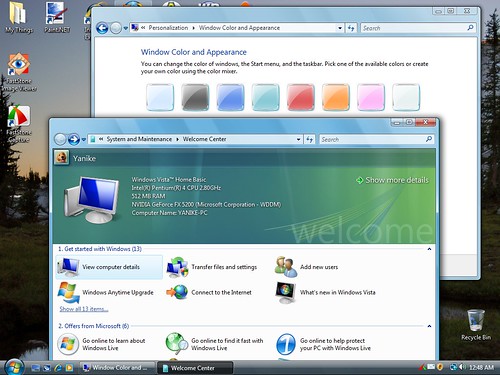
Start Menu > Click in the "Start Search" box > Type in "run" > Click on "Run" under the list of Programs found > Type "regedit" in the text box and click "Open" or press "Enter" key.
When the "Registry Editor" opens up, click and open the following folders:
"HKEY_CURRENT_USER" then "Software" then "Microsoft" then "Windows" and then "DWM".
Double click on "Composition" type "1" in the "Value data" field and click on the "OK" button.
Double click on "CompositionPolicy" type "2" in the "Value data" field and click on the "OK" button.
Exit out of the Registry Editor.
Start Menu > Click in the "Start Search" box > Type in "command prompt" > Click on "Command Prompt" under the list of Programs found > type in "net stop uxsms" press the "Enter" key > Wait for it to do its thing, then type in "net start uxsms" press "Enter" key.
Screen may flicker to set it up. Then right-click on your desktop and click on "Personalize" > Click on "Window Color and Appearance". You should be able to handle it from here.
Start Menu > Click in the "Start Search" box > Type in "run" > Click on "Run" under the list of Programs found > Type "regedit" in the text box and click "Open" or press "Enter" key.
When the "Registry Editor" opens up, click and open the following folders:
"HKEY_CURRENT_USER" then "Software" then "Microsoft" then "Windows" and then "DWM".
Double click on "Composition" type "1" in the "Value data" field and click on the "OK" button.
Double click on "CompositionPolicy" type "2" in the "Value data" field and click on the "OK" button.
Exit out of the Registry Editor.
Start Menu > Click in the "Start Search" box > Type in "command prompt" > Click on "Command Prompt" under the list of Programs found > type in "net stop uxsms" press the "Enter" key > Wait for it to do its thing, then type in "net start uxsms" press "Enter" key.
Screen may flicker to set it up. Then right-click on your desktop and click on "Personalize" > Click on "Window Color and Appearance". You should be able to handle it from here.
