Object Desktop

Remove recommended section windows 11

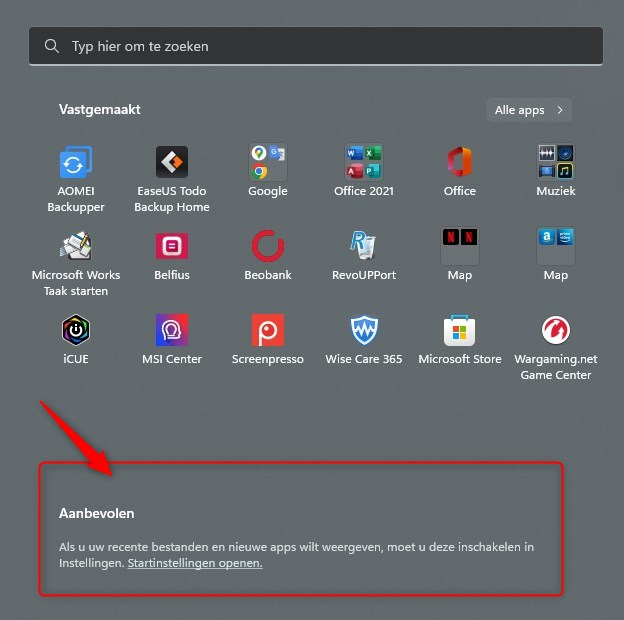
Is there a tool in the object desktop with which I can remove (don't show) the recommended section in the start menu (windows 11)?

If so, which one?
2,722 views 5 replies
Reply #1 Top

As far as I know the best option is to install Start11 and use the Windows 11 style if that is indeed the visual style you want.

Reply #2 Top

You can try Start 11 for free for 30 days [Link]

Reply #3 Top

I have an object desktop subscription.

I tried start 11 but the thing I want seems not possible.

Is there a way to remove the shown app names in the taskbar when an app is open? I only want to see the icon from open apps.

Reply #4 Top

In the Start11 settings page select the "taskbar" section.

In the right side under the "Taskbar buttons should be combined" header you can choose "Never", "Sometimes", or "Always"

It sounds to me you want the "Always" option

Reply #5 Top

Hello,
Sorry to hear you are having issues. You on Windows 10 or 11? If Windows 11, in Start11 do not turn on the "Enhance taskbar" that will make the taskbar button without any text on it.

Thanks
Basj,
Stardock Community Assistant.